You’re probably here because you tried to answer a simple business question and ran into a messy one instead.
You want to monitor posts about your market, spot leads, reply faster, or build a lightweight automation workflow on X. Then you look into the twitter api and find pricing changes, rate limits, read caps, developer rules, and a flood of outdated tutorials written for a version of Twitter that no longer exists.
That confusion is normal. The twitter api used to feel like a developer playground. In 2026, it’s a paid infrastructure decision. If you’re a founder, marketer, or sales operator, that changes the conversation from “Can I build this?” to “Is this worth building, and what’s the cheapest reliable path?”
The good news is that the platform is still useful. The bad news is that you need a more deliberate plan now. If your goal is business growth, especially lead generation and automation, the right move isn’t to learn every endpoint by heart. It’s to understand what access buys you, what constraints will slow you down, and where official and unofficial options fit.
What Is the Twitter API and Why Does It Matter in 2026
The twitter api is the structured way software talks to X.
If that sounds abstract, think of it as a digital gateway. Instead of opening the X app and manually searching for posts, profiles, mentions, or metrics, your software sends a request and gets back structured data it can act on. That’s what powers dashboards, monitoring tools, posting tools, analytics products, and many engagement workflows.
For a non technical founder, the important part isn’t the acronym. It’s the business consequence. The twitter api determines whether your team can:
- Monitor conversations at scale without searching manually all day
- Track brand mentions and product keywords in a structured way
- Measure engagement using fields like impressions and link clicks
- Build automation for alerts, routing, reporting, and selective replies
- Feed internal systems like CRMs, lead pipelines, and reporting dashboards
In 2026, this matters more because access is no longer casual. X turned the API into a product with clear pricing, limits, and tradeoffs. That makes technical literacy a business advantage. Teams that understand the rules can still move quickly. Teams that rely on old assumptions usually waste time or buy the wrong tier.
A lot of confusion starts with documentation. If you’ve ever had a developer say “the docs are unclear” and wondered why that matters so much, this short guide on What is API documentation and why it matters is useful context. Good docs shorten decision time. Weak docs raise build costs.
If your real interest is growth rather than infrastructure, it also helps to look at how engagement tools use X in practice, such as Twitter and X engagement automation workflows.
The twitter api matters because it controls access to attention. If your business depends on timely visibility, the API is part of your go to market stack, not just a developer tool.
A Brief History of the Twitter API From Open Access to a Walled Garden
A founder in 2012 could ask a developer to build a quick Twitter monitoring tool and often get a working version without much budget drama. In 2026, that same request triggers different questions first. What data do you need, how often do you need it, and is it worth paying for?
That change did not happen all at once. The Twitter API moved through distinct phases, and each phase changed what businesses could build.
In the early years after Twitter launched in 2006, access was relatively open. Developers built clients, analytics dashboards, scheduling tools, and monitoring products because the platform still felt like shared infrastructure. Twitter benefited too. Third party products helped the network grow, taught users new behaviors, and filled gaps in Twitter’s own product.
Open systems attract creativity. They also attract abuse, spam, and heavy usage that is expensive to support.
The v1.1 era changed the relationship
A major turning point came with v1.1 in 2013. Twitter tightened access with OAuth and stricter rate limits, as described in this overview of Twitter API changes by Sociality.io. For developers, the API stopped feeling like a public feed and started acting more like a managed service with rules.
That distinction matters for business buyers. A managed service can still be useful, but it forces planning. If your app depends on reading mentions every few seconds, pulling large datasets, or supporting many customer accounts, limits turn into product constraints, infrastructure work, and support costs.
The practical impact looked like this:
- Applications had to authenticate correctly, not just make casual requests
- Teams had to design around endpoint specific rate limits
- Polling too aggressively could break workflows or force redesigns
- Product managers had to treat API access as part of the business model
For a non technical founder, the simplest analogy is a road system. Early Twitter API access worked more like an open side street. Over time, it became a toll road with lane controls, traffic rules, and restricted entry points.
The X era made pricing impossible to ignore
The sharper break came in 2023, after the transition from Twitter to X. Access became much more explicitly commercial. Free use narrowed. Paid tiers became the default path for serious read access. Full historical access moved further out of reach for smaller teams.
This is the point where many automation ideas stopped being lightweight experiments. A lead generation workflow that depended on monitoring keyword conversations, enriching leads, and pushing them into a CRM now had a direct platform cost attached to it. That does not mean the idea stopped working. It means the economics changed.
For founders, that shift created a new filter. X data is no longer something you casually add because it sounds useful. You choose it because the business case is strong enough to justify recurring spend and engineering time.
Why this history matters in 2026
A lot of bad Twitter API advice is really old context advice. Someone remembers a tutorial, a side project, or a growth hack from the open access era and assumes the same playbook still applies.
It often does not.
The history explains the confusion. People are talking about different versions of the platform. In one era, the main question was, “What can we build?” In 2026, the better question is, “What can we build that still makes financial sense under paid access, rate limits, and tighter platform control?”
That is effectively a move from open access to a walled garden. The walls are not only technical. They are financial, operational, and strategic. For businesses focused on automation and lead generation, that changes the calculation from experimentation first to ROI first.
Decoding Twitter API Tiers Pricing and Limits
You approve an automation project because the idea sounds simple. Monitor a few keywords, spot buying intent, push promising accounts into your CRM, and trigger outreach. Then the first real constraint appears. The question is not whether the Twitter API can do parts of this. The question is whether your plan gives you enough read access, enough search depth, and enough request capacity to make the workflow commercially useful.
That is the paid reality in 2026.
The tiers in plain English
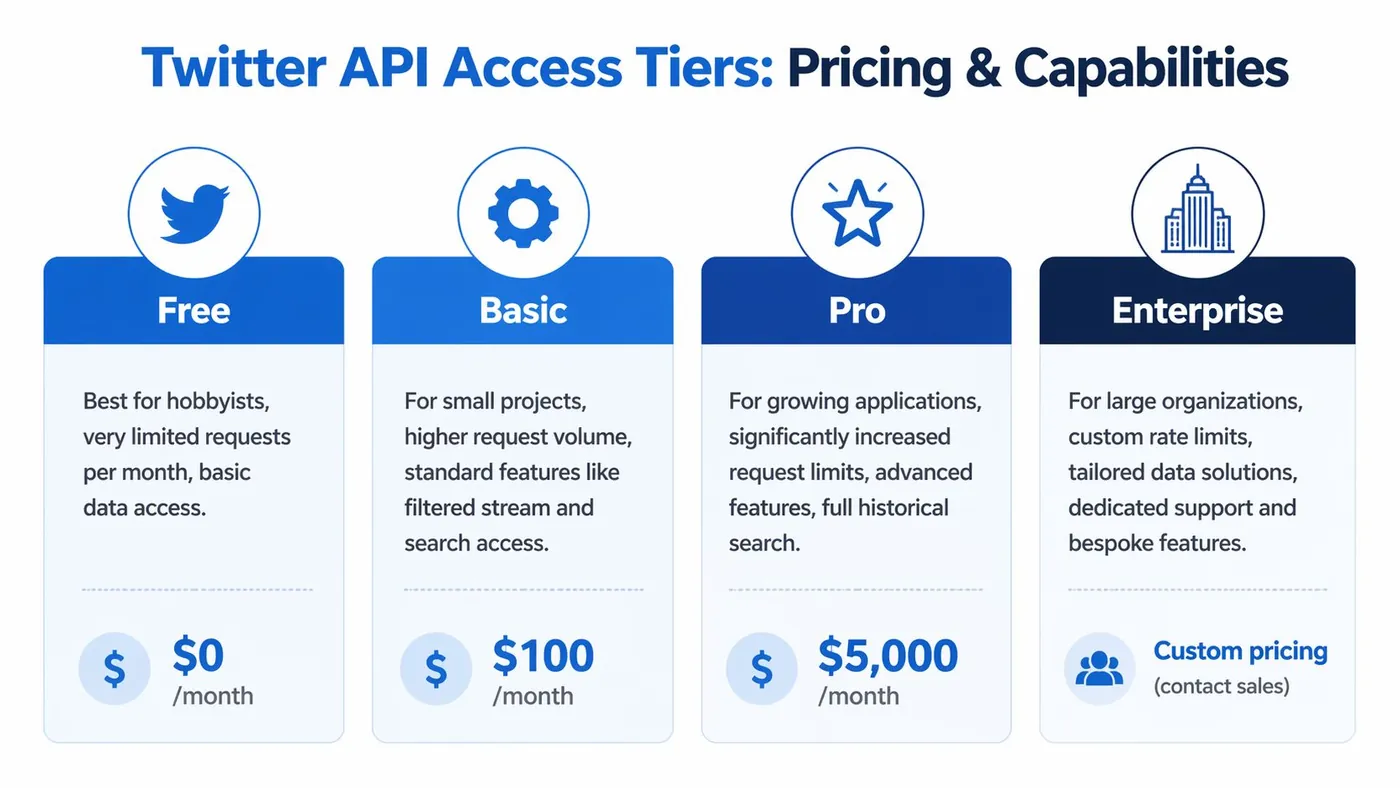
Older access labels still help explain the logic behind the platform. Lower tiers were built around narrow recent access. Higher tiers added more monthly volume and broader historical search. Academic access sat in a separate category with much deeper research capability. In practice, businesses in 2026 usually evaluate the commercial plans instead: Free, Basic, Pro, and Enterprise.
Here is the simpler way to read them. Do not start with the plan name. Start with the job you need done.
| Tier | Price/Month | What it usually allows | Best For |
|---|---|---|---|
| Free | $0/month | Limited posting and light testing | Verifying auth, basic publishing tests |
| Basic | $100/month | Small scale recent read access and lightweight automation | Narrow monitoring and simple internal tools |
| Pro | $5,000/month | Much larger read volume and broader search capability | Revenue linked automation, research, data products |
| Enterprise | Custom pricing | Custom limits, support, and large scale access patterns | Large teams with serious data and compliance needs |
A good mental model is a phone plan. The headline price matters, but the key question is how fast you hit the cap once actual usage begins.
What each tier means for a business
Free tier
Free is a sandbox.
It is useful for testing authentication, posting flows, and basic app behavior. It is a poor fit for lead generation, social listening, or any workflow that depends on reliably reading conversations at scale. If your business case starts with “we want to find prospects talking about a problem,” Free usually runs out of usefulness fast.
Basic tier
Basic is where many small teams start because the monthly cost feels manageable. It can support a focused use case: a small list of keywords, a limited watchlist of accounts, or a simple workflow that checks for new mentions and routes them to Slack or a CRM.
The catch is scope. Basic usually works only if you are selective. Broad discovery, heavy polling, or multiple automations running at once can turn a workable setup into a noisy, expensive bottleneck. For a founder, the practical lesson is simple. Basic supports a sharp spear, not a wide net.
Pro tier
Pro is the point where the API starts to behave like infrastructure rather than a toy. Teams using X data for pipeline generation, market intelligence, brand monitoring, or customer support automation are more likely to find Pro economically coherent, assuming the workflow ties to revenue or saves meaningful labor.
That does not make Pro an automatic yes. A $5,000 monthly bill needs a clear return. If your team cannot explain how better search access will create pipeline, reduce manual research time, or improve conversion speed, the plan is probably premature.
Enterprise
Enterprise is for companies that need scale, predictability, and support that goes beyond self serve usage. That can mean custom volume, stricter service expectations, procurement requirements, or large ingestion jobs.
Many founders do not need Enterprise first. They need a tighter use case and better cost discipline.
Limits are not just about monthly volume
Founders often focus on monthly caps because they are easy to compare. Rate limits matter just as much. They control how often your app can ask the API for data within short time windows.
That changes how your product behaves in the actual world.
A team with a well designed system can do a lot with a mid tier plan. They batch requests, store results, poll only where intent is high, and avoid asking the API the same question over and over. Another team buys the same plan, checks too many low value searches too frequently, and hits limits before lunch.
Your plan sets the ceiling. Your architecture determines how close you get to it.
A founder friendly way to choose
Use the tier that matches the economics of the workflow, not the ambition of the idea.
- Choose Free if you only need to test posting or confirm that an integration works.
- Choose Basic if you have a narrow monitoring job with clear targets and low query volume.
- Choose Pro if search, automation, and historical context directly support revenue, retention, or a product feature customers will pay for.
- Choose Enterprise if your company already knows the API is mission critical and standard packaging is too restrictive.
One mistake shows up often. A company wants Pro level outcomes on a Basic budget. That usually leads to fragile automations, partial data, and bad business decisions based on an incomplete picture.
In 2026, buying API access is less like buying software seats and more like buying raw material for a production line. If X data helps you produce leads, trigger outreach, enrich accounts, or power a customer facing feature, paid access can make sense. If the use case is still vague, the official API gets expensive fast.
Key Endpoints and What You Can Actually Do
A founder usually asks a simple question first. “If we pay for the Twitter API, what can we make it do?”
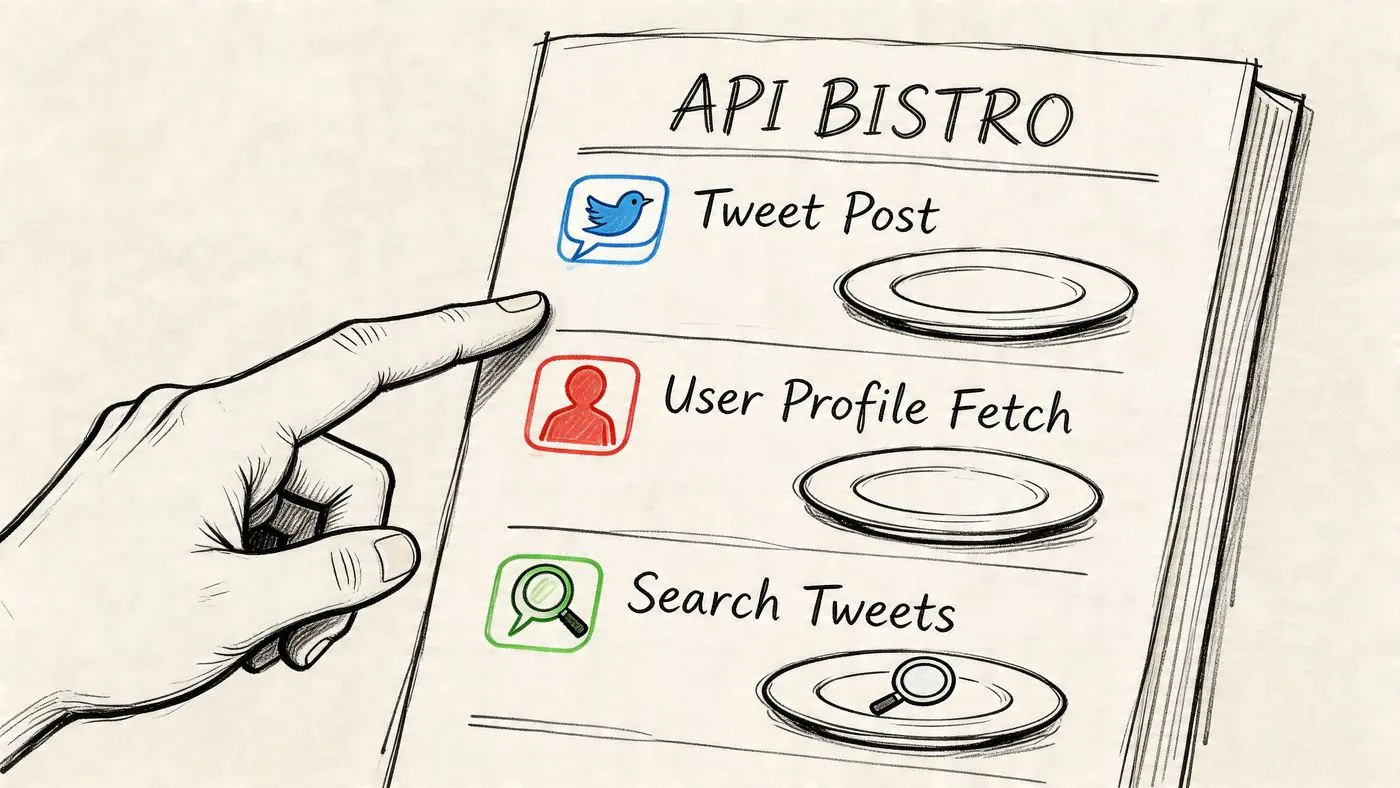
That is the right question. Endpoints are the specific actions the API allows, and each one is a different door in the building. You do not buy access to “Twitter in general.” You get permission to search, post, read account data, or collect performance signals, each through a defined route.
Search endpoints
Search is usually the first endpoint family that matters for business growth.
If you sell payroll software, you can search for posts that mention missed payments, payroll errors, or tax filing stress. If you run a recruiting agency, you can watch for hiring spikes in a narrow set of roles or regions. If your goal is lead generation, search helps you find public intent signals without asking a rep to scroll all day.
Two search modes matter:
- Recent search for live conversations and fast response workflows
- Full archive search for historical research, trend analysis, and message testing
The difference is practical. Recent search supports speed. Archive search supports strategy.
That also explains why teams get confused. They assume “search” is one feature, but the business use changes based on time horizon. A founder trying to catch fresh buying signals needs a very different setup from a product team studying six months of customer complaints.
Posting and reply endpoints
Posting endpoints let your app publish content, schedule programmatic updates, and support some reply workflows. That sounds straightforward until automation enters the picture.
The API can send the post. It cannot make the post good, safe, or policy compliant. If your workflow starts to resemble mass engagement, generic replies, or bot like behavior, risk goes up fast. That is why many companies use the API for controlled publishing and keep replies either human approved or tightly constrained.
For example, a team might auto publish daily product updates or route approved support responses through software. That is very different from building a system that replies to every keyword mention. If you are considering automated commenting, this guide to a Twitter bot comment workflow that stays closer to real business use shows the difference between tactical automation and spam.
Some teams also pair API based publishing with broader systems that automate social media posts across channels, then reserve X specific logic for monitoring and response triggers.
User and profile data endpoints
Search tells you what was said. User endpoints help you understand who said it.
That matters if you want to turn noisy conversation data into something your sales or success team can use. A post becomes more valuable when you can connect it to an account, a founder, a recruiter, a customer, or a company profile.
Common uses include:
- Matching posts to target accounts
- Adding profile context to lead records
- Filtering out irrelevant or low fit accounts
- Prioritizing outreach based on role, bio, or account signals
API value becomes operational. Instead of handing your team a pile of raw posts, you can feed your CRM or internal workflow with cleaner, more useful records.
Metrics endpoints
Metrics endpoints help answer the question every founder asks after the first experiment. “Did any of this create business value?”
At a practical level, these endpoints can help you measure impressions, profile visits, link clicks, and engagement patterns tied to posts or campaigns. That gives you a way to compare activity, not just admire activity.
A good reporting loop often starts with simple questions:
- Which posts drove profile interest?
- Which replies led to clicks instead of just impressions?
- Which topics create attention but no pipeline?
- Which workflows deserve more API budget?
That last question matters in the paid API era. In 2026, every endpoint call has an economic cost attached to it, whether direct or indirect. Metrics help you decide which automations are producing signal and which ones are just consuming quota.
If you cannot connect endpoint activity to revenue, lead quality, support outcomes, or product insight, the workflow may still be interesting. It is not yet a business system.
Business Use Cases and Automation Constraints
A practical Twitter API setup for a business looks less like a robot running your account and more like a junior analyst that never sleeps. It watches, sorts, and flags. A person still decides what deserves a response.
That distinction protects both budget and brand.

In 2026, that matters more than it did a few years ago. API access is paid, limits arrive quickly, and aggressive automation can create low quality outreach that hurts credibility instead of creating pipeline. The businesses getting value are usually not automating everything. They are automating the repetitive parts around discovery, routing, and drafting.
Where the API helps most
Three business cases usually earn their keep.
Lead discovery
This is the clearest fit for founders focused on growth. You can monitor a narrow set of keywords, competitor mentions, creator conversations, or complaint patterns that suggest a buying need.
A B2B founder selling analytics software does not need to watch the whole platform. They need posts like “our attribution is a mess” or “looking for a tool to track campaign ROI” from the right kind of account. The API helps collect those signals so your team can review them in one place instead of searching manually all day.
The win is speed with context.
Brand and market monitoring
The API is also useful as an early warning system. Teams track brand mentions, campaign reactions, product complaints, and shifts in competitor messaging. That helps support, marketing, and product teams spot issues before they become a larger problem.
This use case is often a better first project than auto replies. You learn which conversations matter, which accounts matter, and what language real customers use. That improves every workflow you build after it.
Structured engagement workflows
The highest value automation usually sits between detection and action. For example, you can pull in relevant posts, score them for fit, generate a draft reply, and send that draft to a human for approval.
That is a much safer system than posting automatically at scale. It works like a sales queue, not a megaphone.
If you want a broader workflow view, this guide on how to automate social media posts is useful because it treats automation as an operations problem, not just a content problem.
The primary constraint for small teams is cost to volume fit
The hardest part for smaller companies is not writing the code. It is making the economics work.
A simple workflow can grow expensive faster than founders expect. Monitoring keywords across time, checking target accounts repeatedly, enriching author data, and drafting responses all consume requests. Each step seems small on its own. Together, they can push a lightweight setup into a tier that no longer makes sense for the revenue you expect from it.
This is why broad monitoring often disappoints. A team starts with “let’s track fifty accounts and every mention of our category,” then learns that high frequency polling creates too much noise, too much quota usage, or too much manual review.
The better question is not “What can we automate?” It is “Which automations create qualified conversations worth more than their API and review cost?”
Guardrails that keep automation useful
A good operating model is narrow, intentional, and easy to audit.
- Watch fewer targets: A small list of high signal accounts and search terms usually beats broad tracking.
- Cache and reuse context: If you already enriched an account recently, do not fetch the same details again unless something changed.
- Keep humans in the loop for outreach: Replies, comments, and reputation facing actions need review in many business settings.
- Score before you act: Route posts by intent, account fit, and urgency before anyone writes back.
- Measure business outcomes: Track conversations started, demos booked, support saves, or qualified leads, not just activity counts.
One example of this workflow style appears in PowerIn’s guide to twitter bot comment workflows, which shows a common pattern in the market: monitor selected posts, generate contextual comments, and add controls such as approval, timing, and filtering.
A simple rule helps here. If an automated step would embarrass your team when shown publicly, it should not run without review.
Your Step by Step Guide to Getting API Access
You approve a plan to monitor mentions, qualify leads, and route the best conversations to sales. Then your developer asks for a developer account, a project, an app, API keys, OAuth settings, and a paid tier. For many founders, this is the moment the Twitter API starts to feel more expensive and more procedural than expected.
In 2026, that reaction is normal. Getting access is no longer just a technical setup task. It is a buying decision, a permissions decision, and a workflow decision. The good news is that the setup itself is manageable once you separate the labels from the job each piece does.
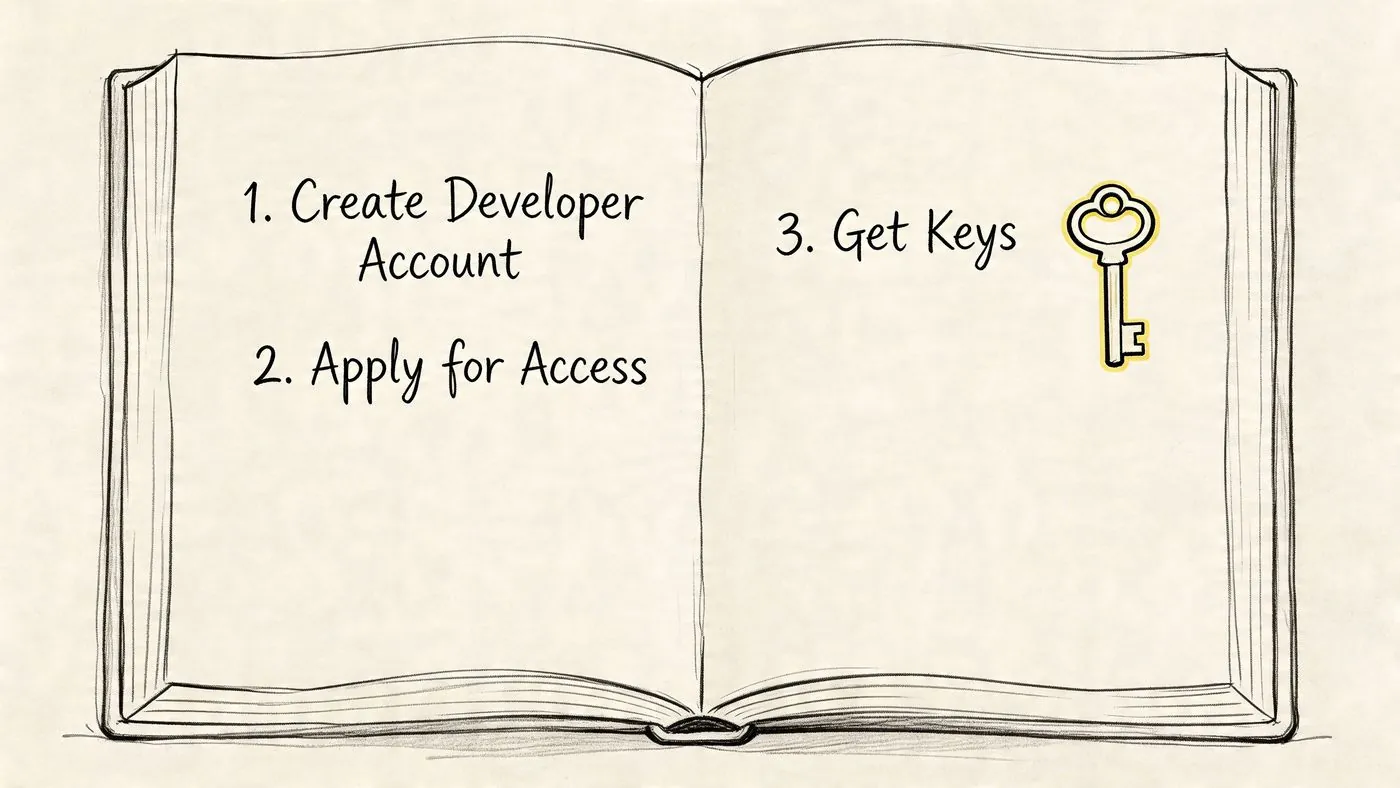
Step 1 Create a developer account
Start in X’s developer portal and apply for access. You’ll need to describe what you want to build and how your business will use it.
Write this like an operations brief, not a pitch deck. “We monitor brand mentions, score posts for sales relevance, and send selected items to our CRM for review” gives reviewers a clear picture. “AI social growth engine” does not.
This matters for your team too. A plain English use case helps you pick the right tier, avoid wasted requests, and set expectations before anyone writes code.
Step 2 Create a project and an app
After approval, set up a Project and then an App.
The easiest way to keep the terms straight is this:
- Project holds the business use case
- App holds the technical connection to the API
A project is the folder. The app is the key inside that folder.
Name both as if another person will inherit them in six months. Good names save time during debugging, billing reviews, and agency handoffs. “Lead gen monitoring prod” is much better than “new test 3.”
Step 3 Generate credentials and store them like real business assets
Your app will generate credentials such as API keys, secrets, and bearer tokens. These are not admin trivia. They control access to your quota and, in some cases, the actions your software can perform.
Treat them the way you treat payment credentials or production logins. Store them in a password manager or secret manager. Limit who can view them. Rotate them if a contractor leaves or if you suspect they were exposed.
One mistake here can create two problems at once. You can lose access, and you can burn through paid usage you did not intend to spend.
Step 4 Choose the auth model that matches the job
This is the step that trips up non technical teams because the labels sound abstract. The practical question is simple: are you reading data as an app, or acting on behalf of a user account?
- App only access fits back end workflows such as reading public data, monitoring keywords, or powering internal dashboards
- User context access fits actions tied to a specific account, such as posting, replying, or taking account level actions with permission
If your goal is lead generation, app level access is often enough for monitoring and scoring. If your goal includes publishing or account actions, you will usually need user context authorization too.
If your team is comparing official access with other routes because of cost or setup friction, this overview of unofficial X API options for specific use cases gives helpful context before you commit engineering time.
Here’s a walkthrough if you want a visual companion while setting things up:
Step 5 Make one small test call
Start with a tiny proof, not the full system.
A good first test is one of these:
- Run a search for a brand or category term you already know should return results
- Fetch one user profile for an account you can verify manually
- Publish a test post from a sandbox or internal account if your workflow includes posting
This first request answers the only question that matters at setup time. Does your access work for the business action you plan to rely on?
If the test fails, debug in layers. Check the paid tier first. Then permissions. Then credentials. Then the request itself. That order saves time because many “API problems” are really plan or auth mismatches.
Prove one business critical action works before you build automation around it. A working faucet matters more than a beautiful plumbing diagram.
Beyond the Official API Alternatives and Advanced Tactics
You have a clear use case. You want to monitor relevant conversations, spot buying signals, and trigger outreach without paying for more API access than the workflow can justify. At that point, the question changes. It is no longer “Can we use the official Twitter API?” It is “What is the cheapest reliable path to the business outcome?”
In 2026, that is the right way to think about this section of the stack.
The official API is only one route. Businesses usually choose from three:
- Official API access for direct control and cleaner compliance
- Third party products that already solved access, monitoring, or posting
- Unofficial methods that rely on scraping or undocumented endpoints
A useful analogy is roads versus delivery services. Building on the official API is like owning the truck. You control the route, but you also pay for fuel, maintenance, and permits. Buying a tool is like hiring a courier. You give up some control, but you get a working system faster. Unofficial methods can look cheaper at first, but they are closer to using side streets that may close without warning.
The practical alternative is often software, not raw access
For many founders, the best alternative to direct API work is not another API. It is a product that already wraps the hard parts into a workflow your team can use.
That often means:
- Analytics tools that already collect and structure account or post data
- Engagement platforms that combine monitoring with action
- Data providers that expose a narrower, simpler interface than X itself
This matters for lead generation. If your real goal is “find relevant posts and respond fast,” then buying a workflow can be smarter than buying access and building the plumbing yourself.
If you want a grounded look at that route, this guide to unofficial X API options for specific use cases shows how vendors package alternatives around specific jobs rather than offering general purpose access.
Why unofficial options keep attracting interest
The reason is straightforward. Price and friction create demand for substitutes.
After X tightened API access, developers and operators started sharing undocumented endpoints and scraping based approaches more openly. Some of those tools gained attention because they offered a way to keep projects alive without paying official rates. That pattern is easy to understand. When the official route becomes expensive or narrow, the market responds with workarounds.
For a founder, the lesson is not “unofficial is better.” The lesson is “cost pressure changes what kinds of solutions appear.”
The real tradeoff is reliability versus control
Unofficial access can reduce upfront cost. It can also shorten setup time. But it shifts risk into your operations.
Common problems include:
- Breakage: undocumented methods can stop working after platform changes
- Policy risk: scraping or unofficial access may conflict with platform rules
- Data gaps: results can be incomplete, delayed, or inconsistent
- Weak support: when a workflow fails, there may be no dependable support path
That tradeoff matters most in automation.
If your lead generation system depends on catching high intent posts every day, an unstable data source is not a small inconvenience. It becomes a pipeline problem. Missed posts mean missed replies. Missed replies mean fewer conversations. The cheaper option can become more expensive if it reduces output imperceptibly.
Lower access cost often means higher operating risk.
Advanced tactics that still make business sense
The strongest teams in 2026 do not try to mirror the full Twitter product through the API. They design around a narrow job and reduce dependence on broad access.
A few examples:
- Use targeted monitoring, not massive collection. Track specific keywords, competitor mentions, founder names, or problem phrases tied to purchase intent.
- Store only what you need. If the job is lead discovery, save the post URL, author, timestamp, and qualification notes. Do not build a giant archive unless you need one.
- Keep a human in the loop for action. Automation can surface opportunities fast, but human review often improves reply quality and lowers account risk.
- Separate discovery from engagement. One system can identify likely prospects. Another can handle approvals, writing, or publishing.
- Plan for failure. If a source goes down, define what your team does next instead of assuming the automation will always run.
Many teams often overbuild. They chase full coverage when they only need a steady stream of useful signals. For lead generation, a smaller and more reliable system usually beats a bigger and more fragile one.
How to choose with a founder mindset
Choose official access if the workflow is customer facing, compliance sensitive, or likely to become part of your core product.
Choose a third party tool if speed matters more than infrastructure control and the product already fits the job you need done.
Test unofficial methods only if the workflow is internal, experimental, or resilient to interruptions.
That is the core rule. Match the access method to the cost of failure.
A founder does not need API purity. A founder needs dependable output, acceptable risk, and a path that still makes sense when the platform changes again.
Is the Twitter API Worth It for Your Business
For some businesses, yes. For many, only with a narrow plan.
The twitter api is no longer a casual utility. It’s a paid strategic asset. That means the right question isn’t “Is it good?” It’s “Does the value of faster discovery, cleaner monitoring, or better automation outweigh the cost and complexity for our business?”
It’s usually worth it when all three of these are true:
- You have a clear workflow, not just curiosity
- You know what data you need, not what seems nice to have
- You can operate within the limits, or justify paying for more capacity
It’s usually not worth it when the plan is vague, the budget is thin, or the team expects broad read access from a low tier.
The strongest founder mindset here is product manager thinking. Define the use case. Quantify the workflow. Limit the surface area. Then choose the cheapest path that reliably supports the job.
If your business depends on finding conversations early, measuring engagement properly, or turning public discussion into pipeline, the twitter api can still be valuable. But in 2026, value comes from precision, not abundance.
If you want to turn X engagement into a more structured lead generation workflow, PowerIn is one option to evaluate. It focuses on monitoring targeted conversations and helping teams publish contextual comments as part of a broader outreach process, which can be useful if you care more about business outcomes than building the full infrastructure yourself.