You usually notice your LinkedIn URL at the worst possible moment. You are adding it to an email signature, dropping it into a pitch deck, printing a business card, or sending it to a prospect in a DM, and the link looks like a leftover system ID instead of a professional brand asset.
That default URL is small, but it signals a lot. On LinkedIn, tiny details shape first impressions fast. A cluttered link looks forgettable. A clean one looks intentional.
If you want to know how to shorten linkedin url the right way, start with this distinction. There are really two jobs here. First, clean up your native LinkedIn profile URL. Second, if you share LinkedIn links in campaigns, outreach, posts, or lead magnets, turn those links into branded assets you can control and track.
Why Your LinkedIn URL Matters More Than You Think
Many individuals treat their LinkedIn URL like a settings chore. It is not. It is part of your positioning.
A polished URL works like a digital business card. It is easier to remember, easier to type, and easier to trust. LinkedIn lets users replace the default profile slug with a cleaner alternative, which is one reason this has become a foundational branding move for professionals (LinklyHQ).
The practical impact shows up everywhere you share your profile:
- In outbound messages: A clean link looks more deliberate when you send it to prospects, partners, or candidates.
- On resumes and portfolios: Recruiters and hiring managers can read it at a glance.
- In comments and creator engagement: When people click through from your activity, a polished profile reinforces credibility.
- On offline materials: Business cards, speaker bios, and event handouts benefit from a URL that people can remember.
There is also a branding issue many overlook. Your LinkedIn presence is not just your headline and profile photo. It is the full path someone travels before and after they click. If your profile URL is messy, that friction starts before they even land on your page.
Tip: If you care about professional visibility, treat your URL like part of your nameplate, not a hidden technical field.
A strong LinkedIn URL does not close deals by itself. But it removes friction, improves recognition, and makes every other brand signal feel more coherent.
Customizing Your Personal LinkedIn Profile URL
The fastest win is changing your personal profile URL inside LinkedIn itself. This is the native edit most users should do first.
LinkedIn allows you to replace the default profile slug, which often contains random characters, with a cleaner version such as a name based URL. The edit is available through the Edit public profile & URL option in your profile settings, as described by LinklyHQ: how to customize a LinkedIn profile URL.
What a better URL looks like
The before and after difference is simple.
| Version | Example |
|---|---|
| Default | linkedin.com/in/jane-smith-934b7x |
| Improved | linkedin.com/in/janesmith |
That one edit makes your profile easier to share in writing and easier to remember after a conversation.
How to change it on desktop
On desktop, open your LinkedIn profile and look for Edit public profile & URL in the right sidebar.
From there, LinkedIn opens the profile public settings view. You can click the pencil icon next to your current URL and enter a cleaner version if it is available.
A few practical rules matter here:
- Use your real professional identity: Your name is usually the strongest choice.
- Keep it readable: Shorter and cleaner beats clever.
- Check availability: If someone already claimed your preferred version, you will need an alternative.
If you want a second walkthrough with screenshots and alternate navigation paths, this guide on getting your LinkedIn URL is useful.
Here is a quick visual walkthrough:
How to handle it on mobile
The mobile app can vary by interface version, so the cleanest path is often to open your profile settings and look for public profile editing options. If the app makes that awkward, use a mobile browser and switch to the web flow.
That is not a workaround. It is often the faster move.
What to choose if your name is taken
Here, individuals often make poor URL decisions. They panic and add clutter.
Use one of these instead:
- Middle initial: janesmithm
- Professional variation: janesmithmarketing
- Location if relevant: janesmithnyc
- Credential only if it helps recognition: janesmithcpa
Avoid stuffing in random digits unless the number is already part of your brand.
For people actively building a lead generation profile, this deeper guide on how to optimize your LinkedIn profile is worth reviewing because URL cleanup works best when it matches your headline, banner, featured section, and contact pathways.
Key takeaway: Your personal LinkedIn URL should be easy to say out loud, easy to type, and consistent with how people already know you.
Shortening Your LinkedIn Company Page URL
Company pages are different. You are not editing a personal identity field. You are managing a brand asset inside an admin environment.
The first requirement is straightforward. You need to be a page administrator. Without admin access, you cannot request or adjust company page details.
Where to make the change
Inside the company page admin view, open the page settings and look for the URL or public page identity controls. LinkedIn may route this through page info, public page settings, or an edit panel depending on the interface version.
The key point is that this is not handled from a personal profile menu. A founder, social media manager, or marketing lead needs proper page permissions.
What to prepare before editing
Before you touch the page URL, align on naming.
Use a version that matches your broader digital footprint:
- Primary brand name: Best when available.
- Recognizable abbreviation: Good for long company names.
- Regional modifier: Useful if your company runs separate local pages.
- Product led variation: Only if the page is clearly dedicated to that product.
Bad choices usually come from internal naming. Your CRM shorthand, legal entity suffix, or campaign code should not become your public page URL unless customers already know you that way.
The review reality
LinkedIn may review company page URL changes before they fully apply. That means you should not announce the new link until it is live and confirmed.
A practical rollout looks like this:
| Task | Why it matters |
|---|---|
| Check admin access first | Avoid delays and permission confusion |
| Confirm naming with leadership | Prevent brand inconsistency |
| Update the page URL | Secure the cleanest version available |
| Verify the final live link | Catch approval or formatting issues |
| Replace old links everywhere | Keep site, decks, and signatures aligned |
Tip: Update your website footer, employee email signatures, social bios, and sales collateral on the same day the new page URL goes live.
For company pages, the URL itself is not the whole branding job. The primary benefit is consistency. If your website says one thing, your LinkedIn page URL says another, and your team shares a third version in outreach, you create unnecessary friction.
Best Practices for Crafting Your Perfect Vanity URL
A vanity URL should do one job well. It should make you easier to recognize.
That sounds obvious, but many LinkedIn URLs still end up too long, too cryptic, or too awkward to say in a meeting. Good vanity URLs are plain, memorable, and aligned with the identity you already use elsewhere online.
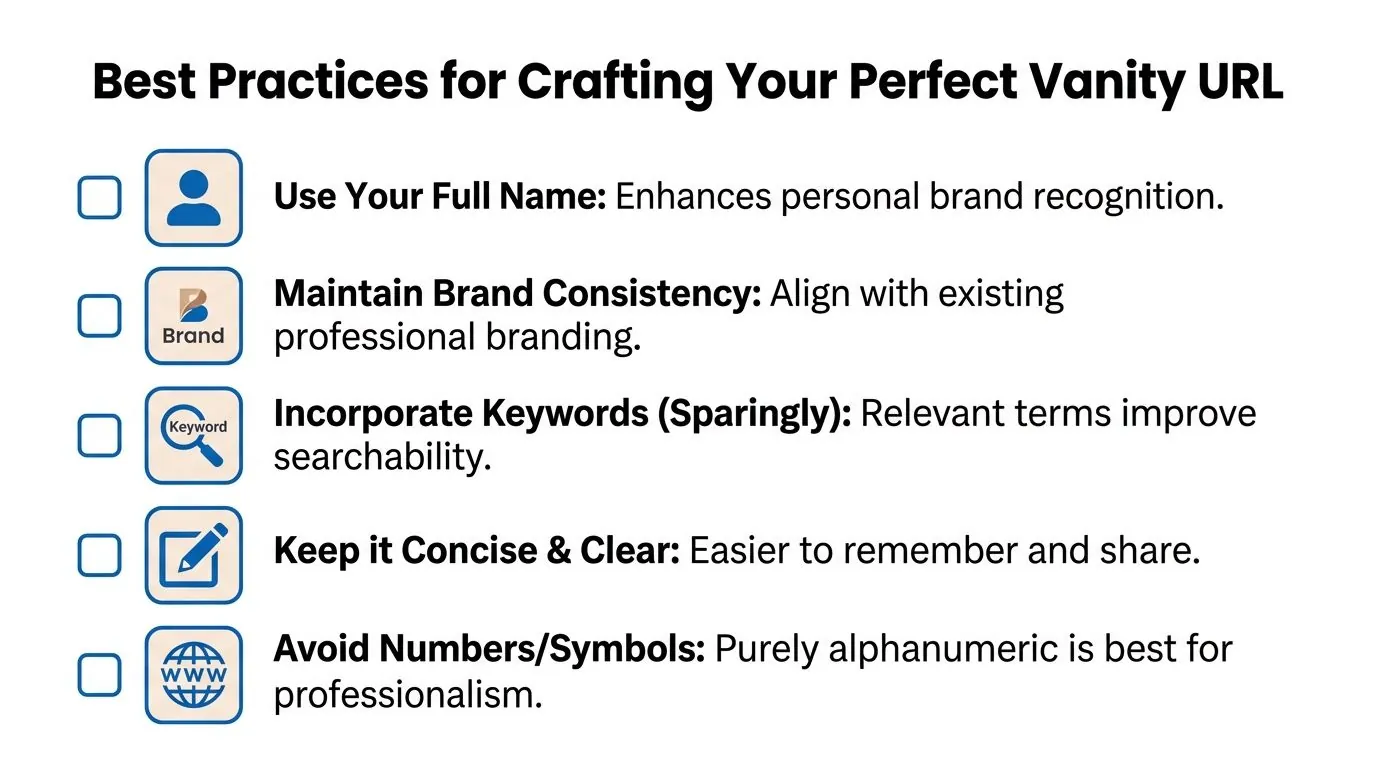
Do use recognition over creativity
If you are a solo professional, your full name is usually the best option. If you run a company page, your brand name is the default choice.
Memorability beats originality here.
Good examples tend to follow these patterns:
- Full name: janesmith
- Name plus initial: janesmithm
- Brand name: northstaradvisory
- Name plus role keyword: janesmithsales
Do keep it tight and readable
A vanity URL is not a slogan. It should be short enough to share verbally and clean enough to fit naturally into bios, decks, and signatures.
Use sparing keyword support only when it clarifies your identity. If two people can find you by name alone, you do not need extra wording.
Do solve availability problems cleanly
When your first choice is taken, use logic, not clutter.
Try:
- A middle initial
- A short industry term
- A location identifier
- A brand abbreviation already in use elsewhere
Do not add confusing character combinations that make people guess whether they are seeing a one, a lowercase L, or an uppercase I.
Do not make these common mistakes
Here is where strong profiles go sideways:
| Avoid | Better move |
|---|---|
| Random numbers | Add a middle initial |
| Long keyword strings | Use one clear modifier |
| Special characters where possible | Stay alphanumeric |
| Internal company naming | Match public brand language |
If you are also refining the text around the link in posts, bios, or outreach, this guide on humanizing social media content can help tighten the surrounding copy so the link feels natural instead of pasted in.
Best rule: If someone hears your URL once, they should be able to type it correctly without asking follow up questions.
Beyond LinkedIn's Editor Advanced URL Strategies
Changing your native profile URL is useful. It is often insufficient for marketers, founders, recruiters, or sales teams.
The common assumption is that LinkedIn’s built in tools are all you need. They are not, especially if you care about branding across posts, comments, campaigns, and external distribution.
The limit many discover too late
LinkedIn automatically overrides links that exceed 26 characters, replacing your custom branding with a generic shortened link (Rebrandly).
That matters because even if you set up a custom short domain and a thoughtful back half, LinkedIn can still strip out the branding if the total link is too long. If you want your branded short link to remain visible, it has to stay under that threshold.
What works better
Third party tools become essential in this context. Platforms like Rebrandly and Joturl are built for this exact problem.
Instead of relying on LinkedIn’s default shortening behavior, you create a branded link that is compact enough to hold up inside the platform. That gives you more control over how your links look when you share:
- In posts
- In comments
- In your profile contact area
- In outbound messages
- In external assets that point back to LinkedIn
A short branded link can also simplify awkward LinkedIn variations, especially when you need to clean up complex profile or Sales Navigator paths. If that is part of your workflow, this explainer on converting Sales Navigator URLs to LinkedIn URLs helps reduce messy links before you shorten them further.
Why strategy matters more than shortening
Shortening alone is not the point. Control is.
A better setup usually includes:
- A short branded domain: Something compact and easy to recognize.
- Consistent naming rules: So your links look related across campaigns.
- UTM parameters where needed: Useful when you want to measure traffic sources outside LinkedIn.
- Link governance: Someone on the team should own naming standards.
Practical move: Build one naming convention for profile links, one for lead magnets, and one for campaign assets. Consistency makes reporting and cleanup much easier later.
Native LinkedIn editing helps with your profile slug. Branded shorteners help with everything else you share.
Answering Your Top Questions About Changing a LinkedIn URL
You update your LinkedIn URL, then remember it sits in your resume PDF, email signature, portfolio, conference bio, and three lead magnets already in circulation. That concern is valid. A URL change is small inside LinkedIn and messy everywhere else if you handle it casually.
These are the questions I hear most often from founders, consultants, sales teams, and job seekers.
Does the old URL still work
Do not count on the old URL as a reliable path.
After you change your LinkedIn URL, update every place where prospects, recruiters, partners, or clients might find it. Start with high visibility assets first: your website bio, resume, email footer, speaker profile, booking page, and any downloadable resource with your profile link inside it. If LinkedIn is part of your lead generation system, this is also a cleanup task. Old links create friction, and friction costs clicks.
Will changing it hurt discoverability
There can be a short adjustment period while LinkedIn and search results catch up to the new URL. That is normal.
The longer term trade off usually favors the cleaner URL. A clear, branded profile link is easier to remember, easier to type, and easier to trust when someone sees it in a proposal, podcast notes, or outreach email. Discoverability is not only about search indexing. It is also about whether a real person recognizes the link and feels comfortable clicking it.
How many times should you change it
Treat your LinkedIn URL like a professional identifier, not something to keep testing.
One clean revision is fine. Repeated changes create version control problems across old documents, outbound campaigns, CRM records, and partner pages you do not control. Pick a version that can hold up for years, not just for your current job title.
What if the URL I want is unavailable
Use a modifier that still looks intentional.
A middle initial often works. So does a role descriptor or location if it is part of your professional brand. Random numbers usually weaken the impression unless they already belong to your business name or public identity. The test is simple: if someone sees the URL on a slide or business card, it should look chosen, not leftover.
Should I shorten every LinkedIn link I share
No. Different LinkedIn links do different jobs.
Your personal profile URL should stay clean inside LinkedIn’s native editor. Shared links tied to campaigns, lead magnets, event signups, or traffic attribution often deserve a branded short link instead, especially if you want cleaner presentation and measurable clicks. That is where URL strategy starts affecting lead generation, not just aesthetics.
If you regularly add links inside content, this guide on how to add a link to a LinkedIn post is worth reading because placement and wording affect whether people click.
A good LinkedIn URL does more than look polished. It supports recall, trust, attribution, and follow through. That is why I treat it as a branding asset first and a settings tweak second.
If LinkedIn is already part of your lead generation engine, pairing a clean profile URL with consistent engagement is what turns profile visits into conversations. PowerIn helps you stay visible by posting contextual comments on LinkedIn at scale, so the polished profile you just optimized gets seen by more of the right people.