LinkedIn reports that profiles with a photo get 21x more views, appear in search results more often, attract more connection requests, and receive more messages (Salesso on LinkedIn profile picture statistics). A stronger profile picture does not just improve appearance. It increases the number of chances you get to make a credible first impression.
That effect grows fast when you are doing outbound, publishing regularly, or showing up in comment threads through tools like PowerIn. More visibility only helps if the profile click turns into trust. Your photo often decides that before someone reads your headline or scans your experience.
A weak image adds doubt immediately. No photo can make you look inactive. An outdated crop, harsh lighting, or a casual background can make a capable founder, recruiter, or sales leader look less credible than they are. On LinkedIn, small visual cues shape whether someone pauses, connects, or moves on.
We will analyze practical, high performing linkedin profile picture examples you can replicate. Each one functions as a mini masterclass. You will see why the photo works, what trade offs come with that style, which details to control such as lighting, framing, and expression, plus quick do and don't notes and prompts you can hand to a photographer or adapt for an AI workflow.
If you want to tighten the rest of your profile around the photo you choose, review these LinkedIn profile examples that pair strong visuals with strong positioning. If you want more visual inspiration before choosing a direction, browse these LinkedIn photo examples.
1. Professional Headshot with Solid Background
This is the safest high performing choice on LinkedIn. It works because it removes almost every variable that can go wrong.
A clean white, gray, or muted blue background keeps the attention on your face; first impressions are driven by the image itself. Princeton researchers found people form judgments from a face in 100 milliseconds, and 74% of first impressions are based solely on the profile picture (Magic Studio LinkedIn profile picture guide).

Fortune 500 executives use this format for a reason. It travels well across desktop, mobile, search results, comments, and connection lists. It also lowers risk. No distracting props. No messy office. No awkward crop from a wedding photo.
For B2B founders, consultants, and recruiters, this is the baseline authority play. If your profile supports outbound prospecting or inbound lead gen, boring is better than clever.
What makes this example work
The strongest version is simple:
- Background stays neutral: White, soft gray, or pale blue keeps contrast high.
- Wardrobe matches your buyer: A consultant may wear a blazer. A startup founder may choose a sharp knit or open collar shirt.
- Face is the focal point: Hair, eyes, and jawline should be clear at thumbnail size.
A solid background headshot is useful if your profile supports sales activity. Your comments, profile visits, and connection requests all point back to the same visual identity. If you want supporting profile positioning ideas, study these LinkedIn profile examples.
Do: ask for even light across both sides of the face.
Don’t: use a dramatic shadow pattern that looks cinematic but weakens clarity in a tiny circular crop.
Photographer or AI prompt
Use this as a starting brief:
“Create a LinkedIn headshot with a neutral light gray background, eye level camera angle, head and shoulders framing, soft even lighting, business professional wardrobe, direct eye contact, natural expression, and no distracting props.”
The trade off is personality. A solid background can feel generic if your positioning depends on creativity or strong personal branding. But for many professionals, generic looking is still better than amateur looking.
2. Professional Headshot with Branded Background
A LinkedIn photo gets seen far more often than it gets studied. People scan it in a tiny circle beside your name, your comments, and your connection requests. That is why a branded background only works when the branding supports recognition without reducing facial clarity.
This option fits professionals who already have a visual system people recognize. Coaches, agency owners, startup founders, and consultants usually get the most value from it. If your banner, website, and content already use consistent colors, a branded background can make your profile feel tighter and more intentional.
The strongest examples use branding as a cue, not a message.
When branding helps
Use this style when visual consistency is already part of how you win trust. A muted company color, a soft texture pulled from your site, or a lightly blurred office setting can reinforce your identity without turning the photo into an ad.
Good use cases include:
- Founder with brand color backdrop: A desaturated version of the company palette behind a clean, high contrast portrait.
- Coach with signature visual theme: Soft tones that match their newsletter, sales page, and social posts.
- Real estate agent with office context: A polished interior that signals market position without putting signage behind the head.
This works best when the rest of the profile is already aligned. If the photo says one thing and the banner, headline, or recent posts say another, the branded background only makes the inconsistency more obvious.
What makes this example work
Treat the background as support. Your face still needs to win the frame.
Focus on these controls:
- Keep brand cues secondary: Color, texture, or shape works better than readable text or logos.
- Protect separation: Hair and shoulders need clear contrast against the background, especially in LinkedIn's small crop.
- Match the banner without cloning it: Shared color family is enough. Exact duplication usually feels overworked.
- Run the tiny circle test: Shrink the photo down before you approve it. If the image looks muddy, flatten the background and reduce detail.
Do: ask for a soft branded backdrop with low saturation and clean contrast around the face.
Don’t: place logos, taglines, or sharp office details directly behind your head.
This style's main drawback is flexibility. If you rebrand, change audience, or shift positioning, the photo can date itself faster than a plain studio headshot. It also leaves more room for bad decisions. Overly saturated colors, visible text, and busy office scenes usually make the image look cheaper, not stronger.
Photographer or AI prompt
Use this brief as a starting point:
“Create a LinkedIn headshot with a subtle branded background in muted company colors, clear facial separation, eye level framing, soft even lighting, direct eye contact, polished business casual wardrobe, and no visible logos or promotional text.”
If you are unsure whether to choose this or a neutral backdrop, default to neutral. Branded backgrounds win when they support recognition, not when they advertise.
3. Authentic Lifestyle Behind the Scenes Photo
Trust is often decided before someone reads your headline. That is why behind the scenes profile photos work so well for coaches, consultants, creators, founders, and solo operators whose business depends on familiarity as much as credibility.
The best version of this style shows what working with you feels like. A desk, studio, workshop, bookshelf, or home office can all support that message, but only if the environment stays controlled and secondary to your face.

What makes this one of the stronger linkedin profile picture examples is context with restraint. Viewers get a read on your working style in a split second. You look real, accessible, and established, without sliding into casual or cluttered.
What makes a lifestyle photo look professional
A strong lifestyle image is still a portrait. The room supports the shot. It does not carry it.
Use these rules:
- Keep only one or two context cues: A laptop, notebook, camera, mic, or sketchpad says enough.
- Frame tighter than feels natural: LinkedIn crops small, so your face still needs to dominate.
- Choose posture with purpose: Seated at a desk, standing near a workspace, or lightly engaged with a tool works better than fake action.
- Dress slightly sharper than your normal workday: That keeps the image credible while preserving personality.
- Control the light first: Window light from the side or front works. Mixed overhead lighting usually makes home and office shots look cheap.
This approach is especially useful if your profile also sends people to proof of work. A clean workspace image pairs well with a LinkedIn portfolio section that shows real projects, because the photo builds familiarity while the portfolio handles evidence.
A consultant in a warm office can feel easier to trust than someone shot against a plain backdrop. A creator or founder can look polished without looking overly corporate. That distinction matters if your audience buys access, judgment, or taste.
Do: include a real setting that reinforces your role and keep your face as the clear focal point.
Don’t: show so much room, gear, or decor that the image starts reading like a workspace photo instead of a profile photo.
Photographer or AI prompt
“Create a LinkedIn profile image in a clean workspace with natural light, direct eye contact, shallow background blur, minimal desk elements, business casual clothing, and an approachable but focused expression.”
Execution is this style’s biggest risk. Lifestyle photos break down fast when the crop is too wide, the set looks staged, or the background includes visual noise you stopped noticing because you see it every day. If the room cannot be simplified in ten minutes, skip this format and use a cleaner portrait style.
4. Industry Specific Contextual Photo
Recruiters often make snap judgments from a profile before they read much else. A contextual photo helps when your audience needs immediate evidence that you work in their environment.
This style works best when the setting answers a practical question fast: Do you look like someone who already operates in this room, with these clients, at this level?
A recruiter at a hiring event. A consultant on stage before a workshop starts. A sales leader in a polished meeting space. An engineer in a controlled technical environment. These are strong linkedin profile picture examples because they add professional relevance without forcing the viewer to decode the scene.
What makes this style work
The background should support your positioning, not compete with it. Good contextual photos keep the face large enough to read at thumbnail size and use just enough environmental detail to signal role, seniority, or industry.
A few examples:
- Recruiter: Event backdrop, office lounge, or hiring day setting with clean visual lines
- Sales professional: Conference room, client facing office, or polished hospitality setting
- Consultant: Presentation venue, boardroom, or refined office environment that suggests expertise
- Engineer or technical operator: Lab, production floor, or workspace with recognizable equipment kept out of sharp focus
This is also one of the few styles that can strengthen the rest of your profile strategy. If you plan to show proof of work, pair the image with a LinkedIn portfolio section for projects and case studies, so the photo signals relevance and the portfolio closes the credibility gap.
Do: keep your face dominant in the frame and use only one or two contextual cues.
Don’t: rely on a candid event photo where the room gets more attention than you do.
Where this style fails
The usual problem is over documenting the environment. A panel shot, trade show photo, or warehouse image may capture the moment well, but it usually fails as a profile picture because your face shrinks and the background gets noisy.
Role mismatch is the second issue. A strong photo from an old keynote, field visit, or conference can still hurt if it no longer reflects the work you want to be hired for now.
Photographer or AI prompt
“Create a LinkedIn profile photo in an industry relevant professional setting, with the subject filling most of the frame, direct eye contact, polished attire, shallow depth of field, and subtle background details that support expertise without adding clutter.”
Consider the shelf life of this photo. If your role, market, or positioning changes within the next year, this format can date faster than a classic headshot. Use it when the context clearly helps you sell the current version of your work.
5. Smiling Approachable Headshot
A strong LinkedIn photo has to do two jobs at once. It needs to signal competence fast, then lower the social friction of reaching out.
That is why a smiling headshot works so well for recruiters, consultants, sales professionals, coaches, and founders in relationship driven roles. People are not only judging whether you look capable. They are also asking a simpler question: would a conversation with this person feel easy?
Guidance based on profile rating data shows that framing, lighting, and background shape how trustworthy and competent a headshot feels, and expression plays a major role in that read (Capturely on best LinkedIn headshots). The best smiles look intentional, not performative.
Three details separate an effective smiling headshot from an average one:
- The eyes stay active: Look into the lens so the smile reads as connection, not distraction.
- The expression matches the role: A leadership coach can carry more warmth than a litigator or finance executive.
- The face keeps definition: Good light and posture should preserve structure in the jaw, cheeks, and eyes.
Direction matters here. Telling a photographer to make you look "friendly" usually produces a generic grin with tense cheeks and flat eyes.
Use clearer prompts instead:
- Start neutral, then warm up: The strongest frame often appears between serious and fully smiling.
- Capture small expression shifts: Closed mouth smile, slight smile, open smile.
- Release neck and shoulders: Tension reads as stiffness even when the mouth is smiling.
Do: test a smile that still reads clearly in a small circular crop.
Don’t: use a broad grin that makes the photo feel more social than professional.
A simple check helps. If the expression disappears at thumbnail size, increase the warmth slightly. If it starts to look like a team party photo, pull it back.
This style's main challenge is signaling authority. In formal fields, too much enthusiasm can make you look junior or overly casual. The solution is balance: sharper wardrobe choices, upright posture, direct eye contact, and cleaner lighting keep the image credible while the smile makes it easier to approach.
Photographer or AI prompt
“Create a professional LinkedIn headshot with a genuine warm smile, direct eye contact, even facial lighting, neutral background, and polished clothing that signals credibility and approachability.”
7. Video Style Dynamic Headshot
Profiles that feel current and visually sharp tend to earn more attention than flat, static headshots. That is why this format shows up so often on founder pages, agency sites, speaker bios, and creator led brands.
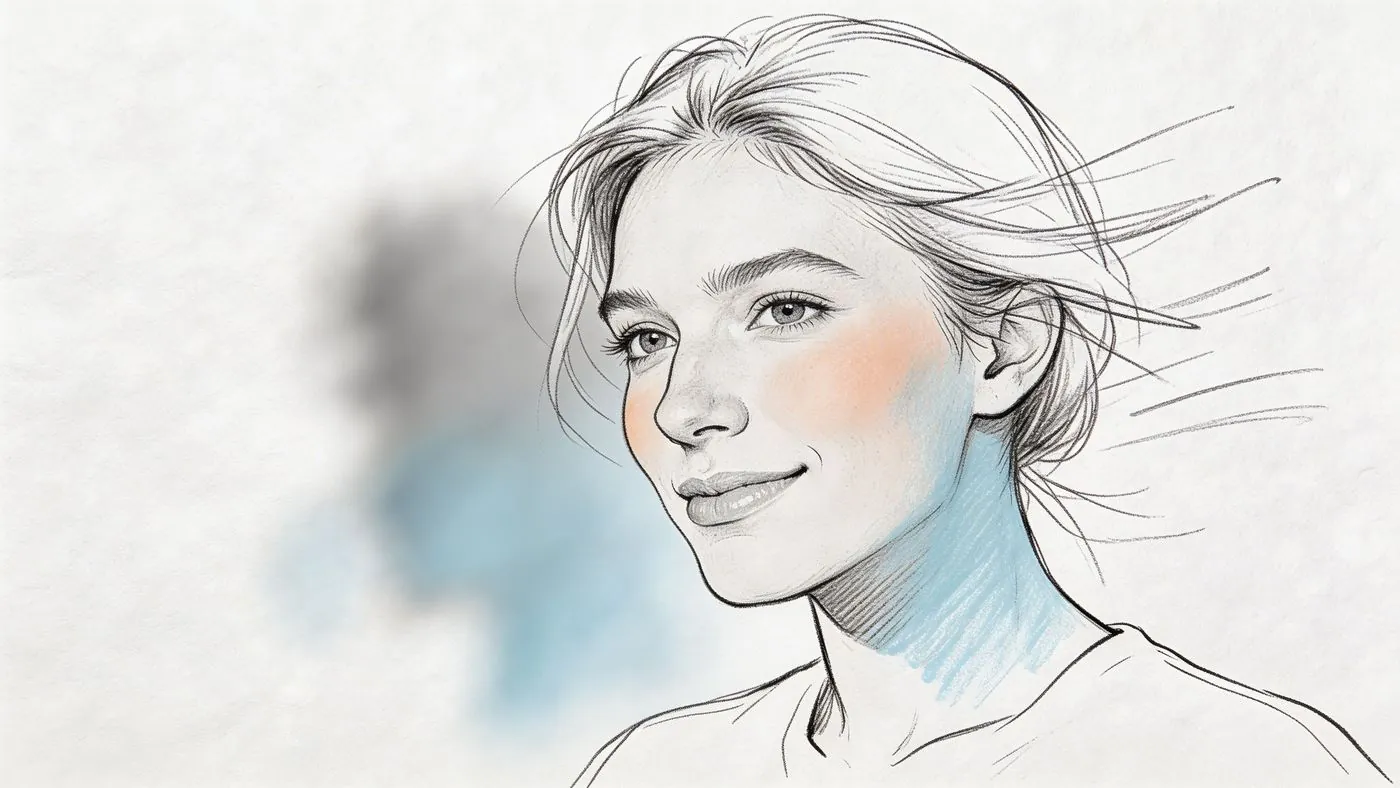
A video style dynamic headshot borrows visual cues from podcast art, webinar promos, and short form video thumbnails. The job is simple. Create a sense of energy without sacrificing clarity in LinkedIn’s small circular crop.
This style fits people whose brand already lives across multiple touchpoints. Founders, consultants, marketers, speakers, and executives who publish regularly usually benefit most. If someone sees your face on LinkedIn, a webinar registration page, and a sales deck, visual consistency helps recognition. If you are applying into conservative hiring environments, keep the styling tighter and cleaner so the photo still reads as credible first.
What makes this style work
Strong examples usually get four decisions right:
- Directional light adds shape: Light should define the face, not bury part of it. Both eyes need to stay visible.
- The pose creates movement: A slight turn through the shoulders gives the image energy while keeping the face forward enough for trust.
- The crop stays disciplined: Leave enough space around the head to survive LinkedIn’s circular crop without cutting into the chin or forehead.
- The background stays subordinate: Blur, soft texture, or office context can help, but the face must win immediately.
The practical mistake I see most often is copying a YouTube thumbnail style too closely. LinkedIn is not viewed full screen. At thumbnail size, moody shadows erase facial definition, extreme angles hide one eye, and busy backgrounds compete with your expression. A good dynamic headshot still passes the small size test in two seconds.
Do and don't
Do: ask for a slight shoulder turn, direct eye contact, and enough separation from the background to keep your face crisp in a tight crop.
Don’t: use cinematic shadows, aggressive color grading, or stylized edits that look better in a reel than on a profile.
One useful check is to shrink the photo on your phone and view it next to other LinkedIn comments or search results. If your eyes, face shape, and expression still read clearly, the image is working.
This style also works best when the rest of the profile supports it. A polished, modern photo paired with a weak headline or generic bio creates friction. Tighten the positioning at the same time with these LinkedIn summary examples.
Photographer or AI prompt
“Create a modern LinkedIn headshot with directional professional lighting, a slight shoulder angle, direct eye contact, subtle background blur, natural skin texture, and polished business casual styling. Keep the face fully readable in a tight circular crop.”
If you want to study the visual feel of dynamic framing in motion based creator content, this clip is useful context:
Be mindful of longevity. Dynamic styles can date faster than classic studio portraits because editing trends, color treatment, and creator aesthetics change quickly. Keep retouching light, avoid trend heavy effects, and refresh the image when your role, audience, or brand presentation changes.
8. Personal Brand Signature Style Photo
Repeated exposure builds recognition. If your audience sees you in comments, posts, webinars, podcasts, and sales calls, a signature photo style helps them connect those touchpoints faster.
This approach works best for founders, consultants, speakers, and creators whose reputation depends on being remembered. The goal is not a louder photo. The goal is a photo that stays consistent enough to become familiar.
A strong signature style usually includes three stable choices:
- One repeatable wardrobe cue: a color family, jacket shape, or accessory you commonly wear: One expression...
- One expression range: warm and direct, calm and authoritative, or upbeat and energetic
- One visual standard: similar lighting, crop, and polish across LinkedIn, your site, and speaker pages
Consistency matters more than novelty. If the profile photo looks more styled than your real world presence, recognition breaks. People should be able to meet you on Zoom or in person and feel an immediate match.
Keep the brand cue secondary
The face still does the work. A bold frame of glasses, a signature blazer, or a recognizable background can help recall, but none of those should compete with your eyes, expression, or facial clarity in the thumbnail.
That is the practical test. Shrink the image to LinkedIn size. If the first thing you notice is the prop or styling choice instead of the person, pull it back.
If your positioning relies on thought leadership, the photo also needs to match the tone of your profile copy. Use these LinkedIn summary examples to make sure the image and message reinforce the same brand impression.
Do: pick two or three traits you can repeat for a year or more.
Don’t: rebuild your look every few months because a new aesthetic feels interesting.
Photographer or AI prompt
“Create a LinkedIn profile photo with a distinctive but professional personal brand style, using one consistent signature color or accessory, clean flattering lighting, strong facial clarity, natural skin texture, and an expression that feels recognizable across platforms. Keep the face dominant in a tight circular crop.”
This style is not universal. Signature photos perform best when people encounter you often enough for visual repetition to matter. If the profile is aimed at formal hiring, board level trust, or conservative enterprise buyers, a classic headshot usually earns confidence faster.
8 Point Comparison of LinkedIn Profile Photos
| Style | Complexity 🔄 | Resources ⚡ | Expected Outcomes 📊 | Ideal Use Cases 💡 | Key Advantages ⭐ |
|---|---|---|---|---|---|
| Professional Headshot with Solid Background | 🔄 Moderate, simple setup, pro photographer recommended | ⚡ Moderate, studio lighting, photographer ($150 to 500) | 📊 High credibility and clear thumbnails | 💡 B2B executives, consultants, corporate profiles | ⭐ Maximizes trust and professional clarity |
| Professional Headshot with Branded Background | 🔄 Moderately high, design + photo coordination | ⚡ Moderate to High, designer + photographer, brand assets | 📊 Improved brand recall and recognition | 💡 Solopreneurs, coaches, startup founders | ⭐ Differentiates personal brand while staying professional |
| Authentic Lifestyle / Behind the Scenes Photo | 🔄 Moderate, candid shooting and careful framing | ⚡ Low to Moderate, phone or photographer, natural light | 📊 Strong relatability and engagement | 💡 Thought leaders, coaches, founders seeking authenticity | ⭐ Builds human connection and trust |
| Industry Specific Contextual Photo | 🔄 High, location shoots, permissions, staging | ⚡ Moderate to High, props, workplace access, pro photographer | 📊 Immediate industry credibility and relevance | 💡 Niche B2B pros (sales, engineers, recruiters) | ⭐ Communicates role and expertise quickly |
| Smiling, Approachable Headshot | 🔄 Moderate, capturing authentic expression | ⚡ Moderate, photographer coaching for genuine smile | 📊 Increased profile views and engagement | 💡 Sales, recruiting, client facing roles | ⭐ Enhances approachability and positive first impressions |
| Eye Level, Shoulder Frame Composition | 🔄 Moderate, technical composition rules | ⚡ Low to Moderate, camera/photographer, basic setup | 📊 Consistent clarity across thumbnails and profiles | 💡 Universal, all professionals needing polished presence | ⭐ Optimal framing for authority and clarity |
| Video Style Dynamic Headshot | 🔄 High, video production techniques applied to photo | ⚡ High, videographer/photographer, advanced lighting ($400+) | 📊 Standout, modern appearance; higher engagement | 💡 Tech leaders, creators, modern brands | ⭐ Distinctive, contemporary, signals digital savviness |
| Personal Brand / Signature Style Photo | 🔄 High, strategic brand development + execution | ⚡ High, branding work, repeated shoots, guidelines | 📊 Strong long term recognition and recall | 💡 Established thought leaders, founders, personal brands | ⭐ Creates memorable, cohesive visual identity |
From Picture to Prospect Putting Your New Headshot to Work
A better photo does not just improve aesthetics. It changes what happens after someone lands on your profile.
The sequence is simple. You comment consistently. Your name appears more often. More people click. Then your profile picture either helps the visit continue or kills momentum. If the image signals credibility, people stay longer, scan your headline, review your experience, and decide whether you are worth contacting.
That is why profile photos deserve more strategic attention than they usually get. LinkedIn users make fast judgments. Recruiters do it. Buyers do it. Prospects do it. Even peers deciding whether to accept your request do it. Your image sets the tone for every other element on the page.
The best choice depends on your role.
A neutral professional headshot is the safest default for many professionals. It is hard to misuse, easy to update, and strong across industries. A branded background works when your visual identity is already mature. A lifestyle photo helps if trust and relatability are central to your business. A contextual image can sharpen relevance in niche industries. A smiling headshot works well for relationship led roles. Eye level shoulder framing is essential. A dynamic video style portrait can modernize your presence if it looks polished. A signature style photo can increase recognition if you operate as a visible personal brand.
The practical test is not “Which one looks coolest?” It is “Which one helps the right person trust me faster?”
That answer changes by audience. A recruiter hiring for corporate finance will likely prefer a cleaner, more traditional image. A founder selling consulting or coaching may benefit from a warmer, more human frame. A sales rep prospecting on LinkedIn needs a photo that survives small circle viewing and feels approachable enough to start conversations. A content led operator may need a look that is distinctive enough to become memorable across repeated impressions.
Once the photo is right, distribution matters.
PowerIn is a natural fit. If you are using LinkedIn for pipeline, your profile needs traffic. PowerIn helps generate that traffic by posting contextual comments that place your name in front of the right people. More visibility means more profile visits. More profile visits mean your photo matters more. A stronger image helps those visits convert into connection requests, replies, and qualified conversations instead of quick exits.
This is also where the rest of your profile should support the new image. Your headline should state who you help. Your featured section should show proof. Your about section should explain value. Recommendations help too. If you are strengthening that part next, this guide on how to ask for a recommendation on LinkedIn is a useful follow up.
Treat your headshot like a growth asset. Audit it the same way you would audit a landing page. Is it current? Clear? Trustworthy? Memorable? Does it fit your market and role? Does it look like you?
Fix that first. Then put it in motion with consistent visibility.
PowerIn helps turn a strong LinkedIn profile into a lead generation system. If you want more of the right people seeing your profile, PowerIn automates contextual LinkedIn comments that drive targeted visits while keeping your engagement consistent. Pair it with a sharper profile picture, and every new click has a better chance of becoming a real conversation.