Your LinkedIn profile already says the right things.
The headline is polished. The About section sounds credible. Your experience is filled out. But if prospects, recruiters, or buyers land on the profile and leave without messaging you, the issue is usually not visibility. It is proof.
That is why learning how to add portfolio to linkedin matters. Not as a cosmetic upgrade, but as a conversion move. A good portfolio turns your profile from a text heavy resume into a working sales asset. It shows what you built, how you think, and why someone should trust you with a call, a contract, or a shortlist.
Why Your LinkedIn Profile Needs More Than Just Words
Many LinkedIn profiles fail in the same way. They describe capability but do not display it.
That matters because buyers and hiring managers do not make decisions from adjectives. "Strategic," "results driven," and "growth focused" are filler until you attach real work to them. A portfolio closes that gap.
The mistake I see most often is treating LinkedIn like a final destination. It is not. It is a decision page. A visitor scans your profile and asks one question: can this person solve my problem? If your answer lives only in text, you force them to trust your summary instead of your work.
Proof creates momentum
A portfolio gives people something to evaluate immediately. That could be a one page case study, a slide deck, a walkthrough video, a live product preview, or a project screenshot with context.
The strongest profiles do not "add media." They package evidence around outcomes and relevance. That is why interactive portfolio embeds matter so much. According to Straight In’s write up on adding a portfolio to LinkedIn, LinkedIn’s 2025 analytics updates showed profiles with interactive embeds such as Canva or FigJam previews had 3.2x higher profile visit duration and 47% more connection requests than static links.
That is a different result from dropping in a generic homepage URL and hoping people click.
If you want examples of profiles that make this shift, study strong LinkedIn profile examples. Notice how the best ones make the visitor feel informed within seconds, not after several scrolls.
Tip: A LinkedIn portfolio works best when it answers a commercial question. What problem did you solve, for whom, and what should the visitor conclude about hiring you?
Static profiles attract views. Proof based profiles start conversations
A text only profile can still rank in search. It can still get profile views. But views are not the goal. Qualified conversations are.
That is the strategic reason to add a portfolio. You are not decorating your profile. You are reducing doubt.
Using the Featured Section Your Prime Real Estate
If you add a portfolio in only one place, start with Featured.
It sits directly below your About section, which makes it your best visual space on the page. People who never reach your full experience history still see it. That is why this section should hold your strongest proof, not random posts.
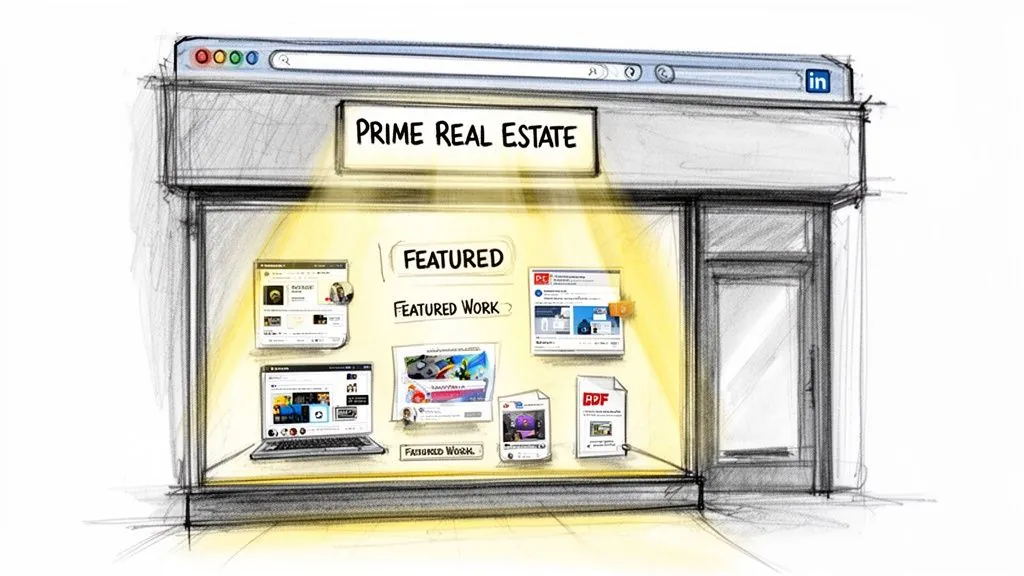
How to add portfolio to linkedin in Featured
Use LinkedIn’s native flow:
- Go to your profile.
- Scroll to Featured. If you do not have it yet, click Add profile section.
- Choose Recommended and then Featured.
- Click the + icon.
- Links for your website, Canva case study, Notion page, GitHub, Behance, or landing page
- Media for PDFs, images, or videos
- Posts or Articles if they already showcase your expertise
- Edit the title and description before saving.
- Drag items into order after publishing.
- One page PDF case study with a clear problem, approach, result, and testimonial
- Slide deck that shows process, thinking, or a framework you use
- Short video testimonial or walkthrough
- Article or thought leadership piece that proves expertise
- Project screenshot or visual before and after
- B2B Lead Gen Case Study for SaaS Founder
- LinkedIn Outreach Funnel Slide Deck
- Sales Enablement Project Screenshot and Results
- Customer Research Summary for Product Launch
- View Portfolio of Demand Gen Campaigns
- Open your profile.
- Click Add profile section.
- Go to Recommended.
- Choose Add projects.
- Project name
- Description
- Timeline
- Skills
- Contributors if relevant
- Add media or links
- Associate the project with the right experience entry
Challenge
What problem existed before your work?Approach
What did you build, change, test, design, automate, or lead?Result
What changed for the client, team, or business?- View Portfolio
- See Case Studies
- Visit Website
- Book a Call if the portfolio already did the trust building
Detached media
Uploading a document with no explanation. The file exists, but the visitor has no reason to care.Role inflation
Describing team output as if you did all of it yourself. This creates doubt fast.Skill tags without narrative
Listing tools is not the same as showing judgment. Explain what you used them to accomplish.- Keep thumbnails clean so text is readable on a small screen
- Use 16:9 visuals for better preview behavior
- Compress files so PDFs and images load quickly
- Review every item on your phone before you consider it done
- Lead with the strongest information early because mobile users scroll faster
- show a summary case study publicly
- hold detailed process documents or client sensitive material behind a direct conversation
- use LinkedIn native assets instead of risky third party embeds when privacy matters
- new case study launches
- webinar recaps
- recent client wins
- behind the scenes proof
- limited time offers tied to current demand
The setup is simple. The strategy is not.
What belongs in Featured
Think in terms of an authority mix, not a file dump. The best Featured sections combine different proof formats so visitors can evaluate you quickly from more than one angle.
A practical mix looks like this:
This is not guesswork. According to ConnectSafely’s guide to adding a portfolio to LinkedIn, optimized Featured portfolios can increase connection requests by 35% and InMail responses by 28%. The same source says a blend of one page PDF case studies, slide decks, and short video testimonials sees 40% higher engagement.
How to write titles people click
Many users waste Featured with lazy labels like "Portfolio," "Work Sample," or "My Project."
Write titles that make the asset self explanatory. Good examples:
Descriptions should do one job. Give context fast. State what the asset is, your role, and why it matters.
Use this formula: asset type + business problem + your contribution + result or takeaway.
Before you publish, watch how the interface behaves on an actual profile:
What works and what does not
A quick comparison helps:
| Approach | What works | What fails |
|---|---|---|
| Links | Interactive Canva, Figma, GitHub, case study pages | Generic homepage links with no context |
| PDFs | Tight one pagers with clear sections | Dense reports nobody reads on mobile |
| Videos | Short walkthroughs or testimonials | Long talking head clips with no clear point |
| Images | Sharp screenshots with a story | Random graphics with no explanation |
A final rule. Order matters. Put the best commercial proof first. Your first few items carry the most weight, so do not lead with the least persuasive asset.
Integrating Work into Your Experience and Projects
Featured gives you visibility. Projects and Experience give you credibility.
Here, you attach proof to the exact role or initiative where it happened. That context matters. A case study feels more believable when a visitor can see the job title, timeline, and associated skills around it.
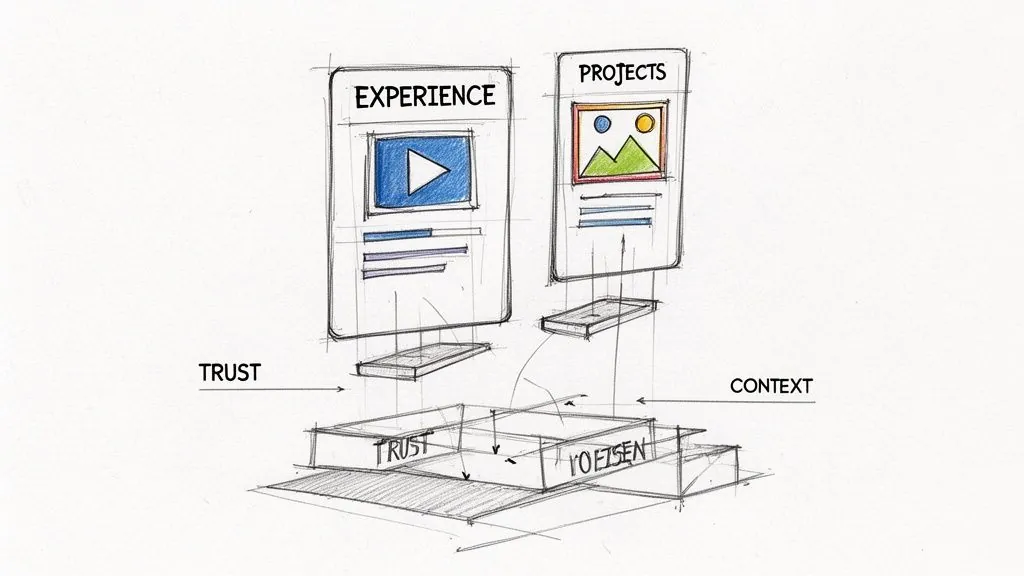
Use the Projects section when the work needs explanation
The Projects section is ideal when a simple visual preview is not enough. This works especially well for consultants, operators, marketers, founders, and technical professionals who need to explain scope, methods, and outcomes.
To add a project:
Descriptions should be concrete. If you have a real metric you are allowed to disclose, use it. If not, describe the challenge and outcome qualitatively.
A simple structure works well:
Why this section converts better than people expect
Projects are underused, which is why they stand out when done well. They make your profile feel less like a self summary and more like a proof archive.
According to TealHQ’s guide to adding projects on LinkedIn, adding rich media to the Projects section can boost profile views by 42% and job inquiries by 31%. The same source notes that, for B2B solopreneurs, quantifiable case studies in this section can lead to 50% more warm leads.
That tracks with what works in practice. Buyers trust specifics attached to real roles more than detached claims in an About section.
Add a custom button if you have a main portfolio destination
If your portfolio lives on a website, Notion hub, or another central page, use LinkedIn’s Custom Button feature too. It is a small CTA, but it helps visitors who are ready to go deeper.
Keep the label direct:
Do not make the button carry the whole strategy. It works best as support for Featured and Projects, not as a replacement.
Tip: If your portfolio link is long or messy, clean up your public facing profile first. A sharper profile URL improves how your profile looks when shared. This guide on how to get my LinkedIn URL is worth fixing before you send traffic to the page.
Common mistakes in Experience and Projects
Three show up constantly:
Projects should answer, "What did this person do?" If that is unclear, the media does not help.
Choosing Your Portfolio Strategy A Comparison
Not every portfolio asset belongs in the same place.
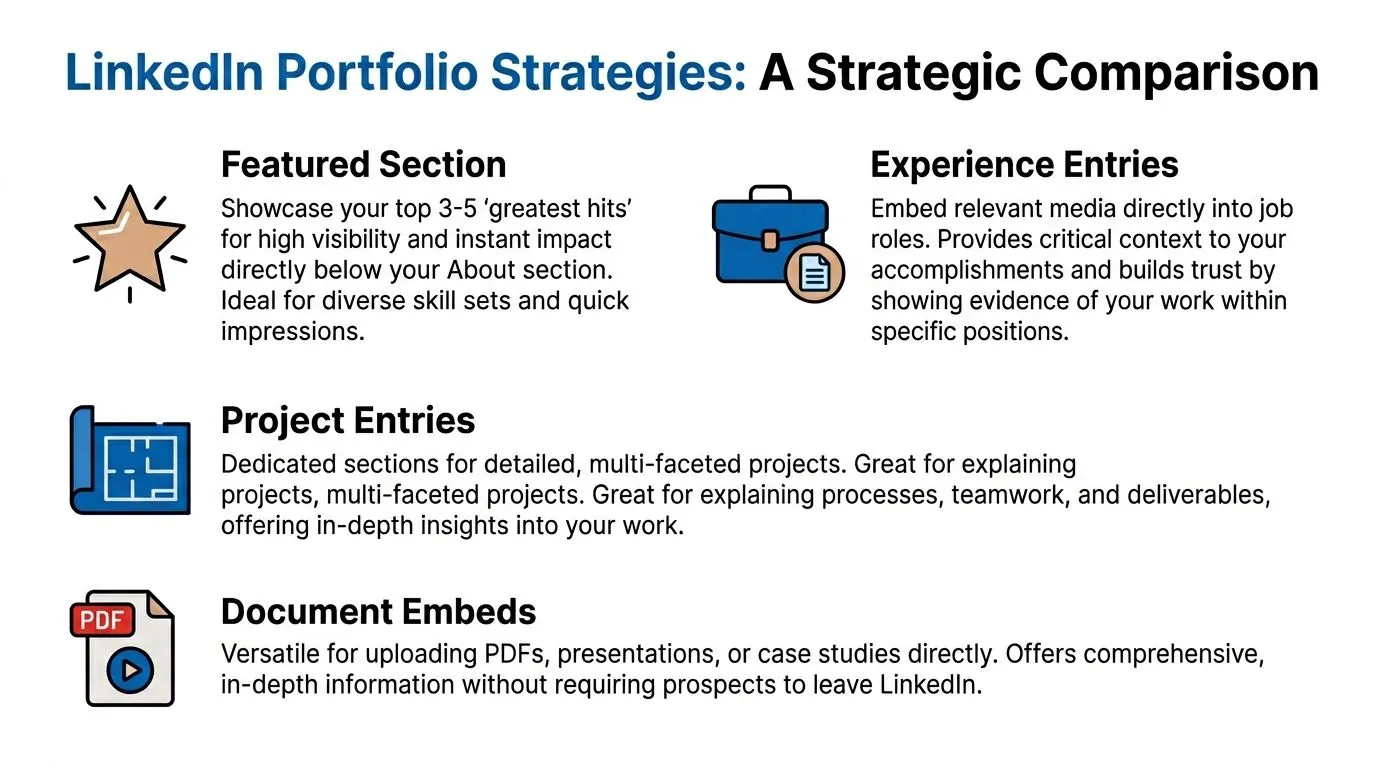
Some work should grab attention instantly. Some needs context. Some deserves a deeper document. The mistake is treating Featured, Experience, Projects, and document uploads as interchangeable. They are not.
A practical way to choose
Here is the strategic comparison I use with clients:
| Method | Best for | Trade off |
|---|---|---|
| Featured section | Fast first impression and top level proof | Limited context unless you write strong descriptions |
| Experience media | Showing evidence inside a role | Less visible than Featured |
| Project entries | Detailed case studies and multi step work | Requires more writing and curation |
| Document embeds | Deep dives such as PDFs and decks | Can lose attention if too long or poorly formatted |
Which route fits your goal
If your main goal is more inbound attention, Featured should carry the weight.
If your goal is proof with professional context, attach media inside Experience or Projects.
If your asset is a case study, audit, slide deck, or framework, a document embed often performs best because the visitor can review it without leaving LinkedIn.
The strongest profiles combine methods. Featured acts as the storefront. Projects and Experience act as the back room where serious prospects inspect the details.
If you also publish content that points people back to those assets, this guide on how to add link to LinkedIn post helps connect your posts with your portfolio strategy.
Advanced Optimization To Convert Visitors into Leads
Adding a portfolio is the baseline. Optimization is where results show up.
A weak portfolio fails for one of three reasons. It loads poorly on mobile, it reveals too much to the wrong audience, or it gives the visitor no clear next action.
Mobile is not optional
Many individuals build their portfolio assets on desktop and never test the profile on a phone. That is a mistake.
According to this video covering LinkedIn portfolio optimization and mobile behavior, 65% of LinkedIn traffic is mobile, and optimizing thumbnails to a 16:9 aspect ratio can fix 80% of visibility issues. That one decision alone prevents awkward cropping and makes your Featured section look intentional.
Use this mobile checklist:
Interactive beats static when the asset supports it
A static link asks the visitor to imagine value. An interactive preview lets them sample it.
That is why Canva case studies, embedded FigJam boards, visual Notion pages, and clickable product previews outperform plain website links. The visitor gets immediate evidence without extra friction.
Use interactive assets when the work benefits from movement, structure, or exploration. Keep static PDFs for tight summaries and one page proof.
Privacy can improve lead quality
Many people assume everything should be public. I disagree.
If you work in a competitive market, selective visibility can protect sensitive client work while keeping enough proof visible for qualified prospects. LinkedIn’s audience controls and content selection let you avoid turning your best work into a free research library for competitors.
A smart compromise looks like this:
Practical rule: Share enough to prove competence, not so much that you give away the whole playbook.
Use temporary content when timing matters
Creator Mode’s Portfolio Stories are worth testing if you sell time sensitive expertise, speak at events, launch offers, or want to highlight recent wins. Portfolio Stories have shown higher engagement for consultants.
That format works well for:
Temporary content creates a reason to check your profile now, not later. That urgency matters when attention is short.
Conclusion Turning Your Profile into a Pipeline
The true shift is not technical. It is strategic.
When you learn how to add portfolio to linkedin the right way, you stop using your profile like an online resume and start using it like a proof driven landing page. Featured earns attention. Projects and Experience add trust. Mobile formatting, privacy choices, and stronger descriptions improve what happens next.
A better portfolio should lead to more profile interest. But attention alone is not enough. Someone still needs to start the conversation, follow up, and turn curiosity into a real opportunity.
That is where disciplined engagement matters. Your portfolio gets people to stop. Your next move turns that stop into pipeline.
Frequently Asked Questions
What kind of portfolio items can I add to LinkedIn
LinkedIn supports links, media, posts, and articles in Featured. In Projects, you can also attach media and links directly to the project entry. Practical options include PDFs, screenshots, slide decks, videos, portfolio websites, GitHub repos, Behance pages, Canva case studies, and Notion pages.
Should I use Featured or Projects first
Use Featured first if you want maximum visibility. Use Projects first if your work needs context and explanation. Most professionals need both.
How many items should I add
Curate aggressively. A short selection of your best work is stronger than a crowded gallery. If everything is featured, nothing feels important.
What should I write in the description
State the problem, your role, and the outcome. Keep it clear. Avoid buzzwords. Make each item understandable without needing a call to explain it.
Can I track whether my portfolio is working
Yes, but through indirect signals. Watch for better profile engagement, more relevant connection requests, stronger DM quality, and traffic to your external portfolio if you use tracked links.
How often should I update my LinkedIn portfolio
Refresh it whenever your positioning changes, you complete stronger work, or an older item no longer represents the clients or roles you want.
If your portfolio starts driving more profile views, the next challenge is turning those visitors into conversations. PowerIn helps you stay visible on LinkedIn by automating high quality comments around your target keywords and creators, so the attention your profile earns has a better chance of becoming real inbound leads.