Before you ever type a single word in a message, you need to accept a hard truth: your LinkedIn profile is your first message. It’s the silent introduction that speaks volumes before you ever say "hello."
Think about it from the recruiter’s perspective. When your message pops up, what's the very first thing they do? They click on your name and land on your profile. If what they see is a half baked, generic page, your brilliantly crafted message is already dead on arrival.
Your Profile Is Your Opening Act
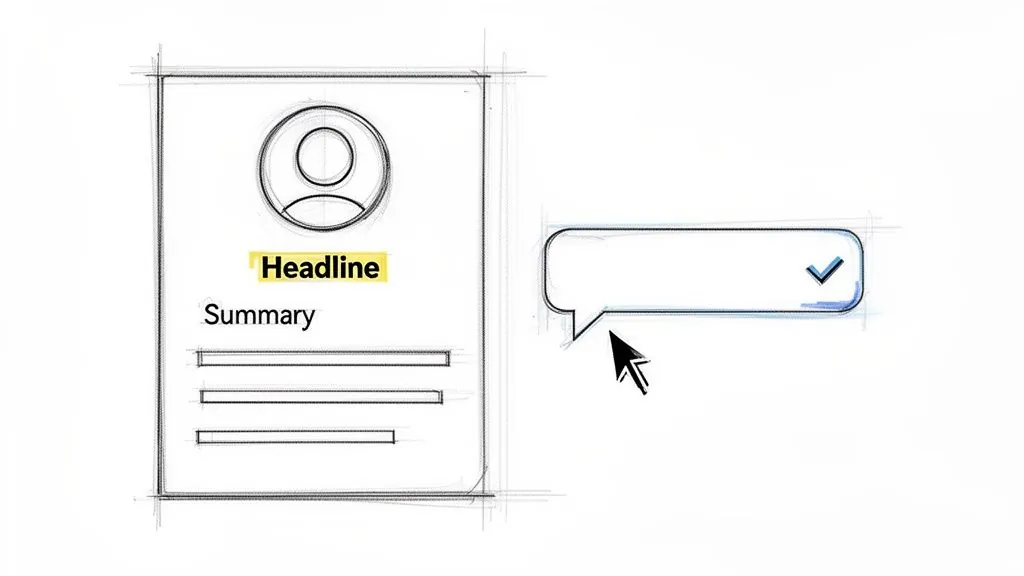
I've seen it happen countless times. A job seeker sends a fantastic, personalized note, but their profile is sparse. The recruiter takes one look, can't immediately see the connection to the role, and moves on. Your profile is the foundation of your outreach: it has to be solid enough to build a conversation on.
Before you even think about contacting a recruiter, you have to optimize your LinkedIn profile. It's non negotiable. Focus on getting these three core elements right, and you'll be miles ahead of the competition.
- A Strategic Headline: Ditch the default "Job Title at Company." Your headline is prime real estate. Pack it with keywords and value. Something like, "Senior Software Engineer | Python, AWS, Machine Learning | Building Scalable SaaS Solutions" tells a recruiter exactly who you are and what you do in seconds.
- A Compelling "About" Section: This is your career narrative. Don't just list jobs; tell a story. Connect the dots between your past experiences and your future ambitions. What drives you? What problems do you love to solve? This is your chance to show some personality and passion.
- A Professional Headshot: Seriously, this isn't optional. A clear, high quality photo where you look friendly and professional builds instant trust. No photo (or worse, a bad photo) is an immediate red flag.
My Two Cents: A sharp, well optimized profile does more than just look good. It validates your expertise and gives a recruiter all the context they need before they even read your message. It turns a cold outreach into a warm introduction.
Let's look at the numbers. With 85% of recruiters citing LinkedIn as their top sourcing channel in 2026, your message is one of hundreds they might see in a week. They’re busy. A personalized message paired with a strong profile is how you cut through that noise.
In fact, some reports show that recruiters are 7x more likely to click on your profile if you message them first. So, when they do click, you better make sure what they find is impressive and ready for business. This simple preparation is what transforms a hopeful message into a strategic career move.
Alright, let's talk about one of the first decisions you'll make when reaching out to a recruiter on LinkedIn: should you send a connection request or use an InMail? The choice you make here can genuinely make or break your chances of getting a response.
Think of a personalized connection request as your go to for a first introduction. It’s a low key, friendly way to get on someone's radar without coming on too strong. It feels more like networking and less like a direct ask.
The catch? You only have 300 characters for your note. But honestly, I see this as a good thing. It forces you to get straight to the point. A short, sharp, and value driven message often cuts through the noise better than a long, rambling one.
When to Use a Connection Request
A connection request is perfect for that initial, cold outreach to a recruiter at a company you’re targeting. It’s a soft opening: you're asking to build a professional relationship before you start talking about open roles.
This approach is especially powerful if you have something in common, like a mutual connection, the same alma mater, or a previous employer. Mentioning that shared ground right away builds instant rapport and makes an acceptance far more likely. If you want to get into the nitty gritty of this, we've broken down the full strategy in our guide on LinkedIn InMail vs. a connection request.
When to Use an InMail
InMail, which is part of LinkedIn's premium features, is your tool for a more detailed, direct conversation. It's the right move when you have a specific, pressing reason for reaching out and need more space to explain yourself.
For example, I'd always recommend an InMail if:
- You're following up after you’ve already applied for a job.
- You want to reference a specific role that you saw the recruiter post.
- You've been introduced by a mutual contact and are taking the next step.
InMail has a more formal feel and signals a higher level of intent. It tells the recruiter, "I have something specific and important to discuss." You should absolutely play that card when your message requires more detail than a 300 character note can handle.
So, how do you choose? It all comes down to context. For that first point of contact, a personalized connection request is almost always the smarter, more subtle play. Save the more direct InMail for when the conversation is already warm or when you have a clear, actionable reason to get straight to business.
Field Tested Message Templates For Any Situation
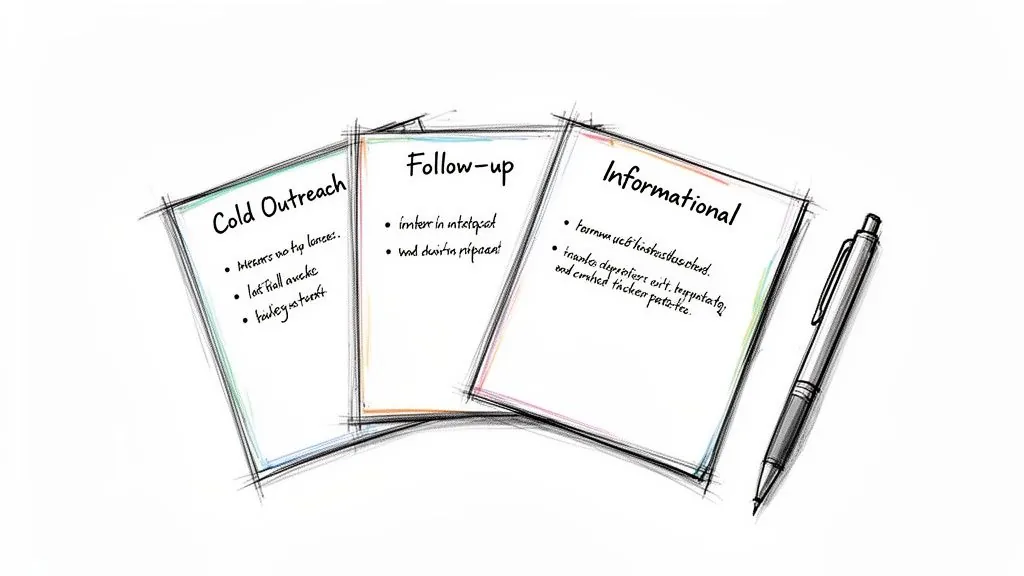
Let’s be honest, staring at a blank message box on LinkedIn can be intimidating, especially when you’re reaching out to a recruiter. What do you even say?
The good news is you don’t have to reinvent the wheel. A great template isn't for blindly copying and pasting, it’s a solid foundation you can build on. Think of it as a proven recipe that you can tweak with your own ingredients. I'll walk you through some of the most effective scripts I’ve seen work in the real world.
The Cold Outreach Connection Request
This is your digital handshake. You’re trying to get on a recruiter’s radar at a company you admire, even if there’s no specific opening. You’ve only got 300 characters for this, which is actually a blessing. It forces you to be brief and to the point.
Your goal is simple: introduce yourself and explain why you're reaching out to them specifically.
For an Experienced Professional:
- Hi [Recruiter Name], I'm a Sr. Product Manager specializing in B2B SaaS. I've been following [Company Name]'s growth and am impressed by your work in the space. Would love to connect and follow your updates.
For a Recent Graduate:
- Hello [Recruiter Name], I’m a recent computer science grad from [University Name] with a passion for mobile development. I admire [Company Name]'s innovative apps and would be grateful to connect.
The key here is that it's a low stakes ask. You're not begging for a job; you’re starting a professional conversation. That’s a much easier "yes" for a busy recruiter.
The "I Just Applied" Follow Up
You’ve polished your resume, tailored your cover letter, and hit "submit." Your work isn't done. Sending your application into the digital void and hoping for the best is not a strategy. This is where a quick, direct message to the recruiter makes all the difference.
This move shows you’re proactive and helps pull your name out of the giant stack of applications. Here's a structure I've seen work wonders:
Subject: Following up on [Job Title] Application
Hi [Recruiter Name],
I just applied for the [Job Title] position at [Company Name]. With my 5+ years of experience in [Your Key Skill] and a track record of [Mention a Specific Achievement, e.g., increasing user engagement by 20%], I believe my background aligns perfectly with the role's requirements.
I’m particularly excited about [Mention something specific about the company or role].
I look forward to hearing from your team.
Best,
[Your Name]
This isn't just a follow up; it's your first pitch. You're immediately connecting your biggest selling points to their specific needs.
The Informational Interview Request
This is a networking power move. Informational interviews let you get insider knowledge and build genuine relationships, all without the pressure of a formal job interview. It’s about seeking advice, not a job offer.
I find this works best after you've already connected with the recruiter and maybe had a brief interaction. It feels much more natural that way. The most important thing is to show you respect their time.
Here's an example of how you can frame that ask:
Hi [Recruiter Name], Thanks for connecting. I'm exploring a career pivot into [Their Industry/Field] and was so impressed by your background. Would you be open to a brief 15 minute chat in the coming weeks? I'd love to hear your insights on the industry.
Short, respectful, and focused on them. That's the trifecta.
The Post Interview Thank You And Follow Up
This one is simple: sending a thank you note within 24 hours of your interview is absolutely non negotiable. It’s professional courtesy that reinforces your enthusiasm for the role and keeps you top of mind.
Of course, these are just a few scenarios. Your outreach needs will change depending on your situation. For a deeper dive, there are some fantastic proven LinkedIn message for connecting templates that cover even more ground.
Scenario Based Message Template Comparison
To help you choose the right approach, this table breaks down the core components of each message type. Think of it as your quick reference cheat sheet for LinkedIn outreach.
| Scenario | Key Message Component | Example Snippet |
|---|---|---|
| Cold Connection | Brief intro + specific reason for connecting | "I've been following [Company Name]'s growth and am impressed by your work..." |
| "I Just Applied" | Direct value proposition + specific achievement | "With my 5+ years in [Skill] and a track record of increasing engagement by 20%..." |
| Informational Interview | Respect for their time + request for advice | "Would you be open to a brief 15 minute chat... I'd love to hear your insights..." |
| Post Interview Thank You | Reiterate interest + specific point from the talk | "I particularly enjoyed discussing [Specific Topic]. Thank you again for your time." |
Having these structures handy will give you the confidence to craft a message that not only gets read but also gets a response.
Mastering Personalization to Get More Replies
Let's be honest: generic, copy pasted messages are the fastest way to get ignored. They're the digital equivalent of junk mail, and recruiters have an almost psychic ability to spot them and hit delete.
If you want a reply, your message can't just be about a job. It needs to feel like it was written for a specific person, at a specific company, at a specific moment in time. The good news? This doesn't take hours of research. Just five minutes of focused digging on their LinkedIn profile and company page can make all the difference.
Find Your Unique Hook
Your first goal is to find a genuine "hook." This is a specific, relevant detail that proves you've done your homework and aren't just blasting out messages to every recruiter in your search results. It shows you respect their time, and that's a rare and valuable thing.
Look for these kinds of openings:
- A Recent Post or Article: Did the recruiter share a thought provoking article or post a comment that resonated with you? This is gold. Mentioning it is the perfect way to kick off a real conversation.
- Company Milestones: Has their company been in the news? Maybe they just launched a killer new product, announced a big funding round, or won an industry award. Acknowledging their team's success shows you're paying attention.
- Shared Connections: If you have a mutual connection you actually know, mentioning their name can create an instant sense of trust and familiarity.
- Their Career Path: Maybe you noticed they transitioned from a role you're currently in, or perhaps you both went to the same university. Finding these small points of common ground can build immediate rapport.
This isn't about being creepy; it's about being strategic. You're looking for a natural entry point to start a professional relationship.
A personalized message proves you’re not just looking for any job, you’re interested in this opportunity at this company. It instantly elevates you above the candidates who send generic, copy pasted notes.
From Research to Reality
So, how do you turn this research into a message that gets a reply? Let's say you're targeting a marketing role. Instead of the usual "I'm interested in your open roles," you can get far more specific.
Example: Referencing a Post
"Hi [Recruiter's Name], I saw your recent post about the importance of brand storytelling and completely agree. It’s a focus I brought to my previous role at [Your Old Company], where I led a campaign that increased engagement by 30%. I noticed you're hiring for a Marketing Manager and believe my experience would be a great fit."
See the difference? This message works because it’s timely, it connects your skills directly to a topic the recruiter personally finds important, and it backs it up with a hard number.
You've shown you share their professional interests and have the results to prove your value. For more ideas on how to frame your achievements, take a look at these excellent LinkedIn profile examples that show how to turn your experience into a compelling story. This is how you start a meaningful conversation, not just ask for a job.
You’ve done the hard work and put together a great message: it’s personal, sharp, and shows your value. But your job isn't done when you hit "send." The real pros know that when you send it and how you follow up can make all the difference.
Smart Timing and Respectful Follow Ups
Timing your outreach is more of an art than a science, but there are definitely better and worse times to reach out. From what I’ve seen, sending your message during business hours early in the week is your best bet.
Think Tuesday or Wednesday morning. Recruiters are usually playing catch up on Monday, but by Tuesday, they're in the groove and haven't been completely buried by their weekly tasks yet. A message sent late on a Friday afternoon? It’s almost guaranteed to get lost in the preweekend rush.
Of course, a well timed message is only effective if it's well crafted in the first place. It all starts with the prep work.
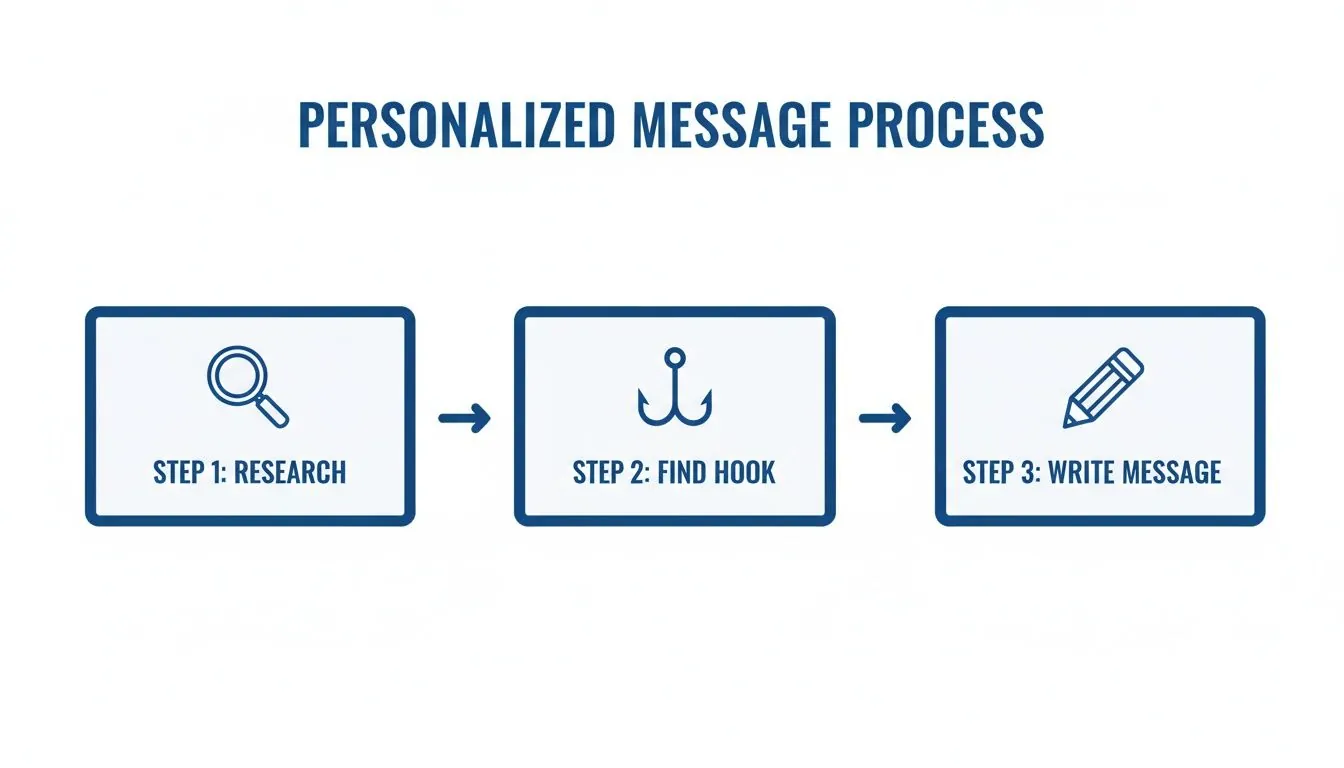
As you can see, the real work begins long before you start typing. It's all about diligent research and finding a genuine connection point to build on.
The Art of the Follow Up
So, what do you do when you hear nothing but crickets? Don't assume it's a "no." Recruiters are juggling dozens of roles and hundreds of candidates. Your message simply might have slipped through the cracks. A polite follow up is often the gentle nudge that gets your profile a second look.
The key is to be persistent without being a pest.
Give it three to five business days before you send a follow up. Keep it short and to the point.
- Here's a simple template that works: "Hi [Recruiter Name], just wanted to quickly follow up on my message from last week about the [Job Title] role. I'm still very interested and would love to chat about how my experience in [Your Key Skill] could help your team."
This approach is effective because it’s respectful of their time while reminding them of your interest. You're not demanding anything; you're just bringing your name back to the top of their list.
If you send a second follow up a week later and still don’t hear back, it’s probably time to move on. Focus your energy on opportunities where you feel valued. After all, 67% of jobs are filled through networking, so every positive connection matters, even the ones that don't lead to an immediate offer.
Warm Up Your Outreach Before You Even Message
Here’s a more advanced strategy I’ve seen work wonders: start building visibility with a recruiter before you ever slide into their DMs.
You can use AI powered tools like PowerIn to automatically leave thoughtful comments on posts from recruiters and hiring managers at your target companies. This "warm up" method changes the game completely.
By the time you send your message, you're not a total stranger. You're that person who's been adding value to their conversations on LinkedIn. That kind of familiarity builds instant credibility.
The numbers don't lie. A 2026 report found that this kind of proactive engagement can increase profile views by 21x. And when it comes to connection requests, notes under 300 characters that mention specific job details see a 52% higher acceptance rate. For some B2B professionals, this strategy has led to 500+ profile visits every week.
When you combine smart timing, professional follow ups, and a little preengagement, you stop just asking for a recruiter's attention and start actually earning it.
Common Questions About Messaging Recruiters
Even with the best scripts in hand, hitting "send" on a message to a recruiter can feel a little nerve wracking. It’s totally normal to have questions about the unwritten rules of professional outreach. Let's walk through a few of the most common situations you'll run into.
What If I Don't Hear Back After My First Message?
First off, don't panic. Silence is rarely personal. Recruiters are often juggling dozens of open roles and can receive hundreds of messages in a single day. It’s incredibly easy for a great message, even yours, to get buried in the chaos.
This is exactly why a polite follow up is your secret weapon. Give it 3 to 5 business days, then send a quick and friendly check in. Something as simple as, "Hi [Recruiter Name], just wanted to gently follow up on my message from last week," is all you need to bring your name back to the top of their inbox. If you still don't get a response after a second nudge, it's probably time to move on and focus your energy elsewhere.
Should I Message a Recruiter If I'm Not a Perfect Match for the Job?
Yes, absolutely! I've seen this trip up so many candidates. Think of job descriptions as a recruiter's "wish list," not a rigid checklist. Many companies are more than willing to be flexible for a candidate who has great potential and genuine excitement for the role.
The trick is to be honest and immediately pivot to the value you do offer. Don't focus on the boxes you can't tick.
For example, you could say: "While I saw the role asks for 5 years of experience, my 3 years of intensive work on [specific, relevant project] have given me a strong foundation in [key skill]. I'm a fast learner and am confident I can deliver results for your team."
An approach like this shows you’ve read the description carefully, and it frames your experience around your strengths. It turns a potential "no" into a compelling reason to talk.
What's the Right Tone to Use in My Message?
You're aiming for a sweet spot I like to call professionally conversational. You don't want to sound like a robot, but you also don't want to be so casual that you come across as unprofessional. Imagine you're writing to a senior colleague you respect.
- Be polite and respectful: Always use their name and a proper greeting.
- Be confident, not arrogant: Showcase what you can do without overstating it.
- Be concise: They're busy. Get to your point clearly and quickly.
One last thing on etiquette: always assume your messages could be seen by others and keep the conversation professional. You might be interested in our article that clarifies whether LinkedIn messages are private and how to manage your communications. Nailing the right tone is what separates a forgettable message from one that builds a real professional relationship.
Ready to warm up your outreach before you even send a message? PowerIn helps you automatically engage with recruiters and companies by posting high quality, relevant comments on LinkedIn. Start your free trial and see how effortless building your network can be at PowerIn.