So, are your LinkedIn messages really private? The short answer is yes... but it’s complicated.
Think of it this way: your DMs are like a private conversation in a conference room. You and the person you're talking to are the only ones inside. However, the building owner (LinkedIn) has a master key. They won't barge in without a reason, but they can access the room for security, legal compliance, or maintenance.
This means your chats are confidential between you and the recipient, but they aren't completely sealed off from the platform itself.
The Reality of LinkedIn Message Privacy
When you send a direct message on LinkedIn, it’s intended to be a private channel between you and the other person. The platform even uses encryption to protect the message from prying eyes as it travels across the internet. This basic level of privacy is what makes LinkedIn a trusted space for professional networking.
But "private" on a social platform doesn't mean "secret." It's essential to understand the difference.
Here’s what you need to know:
- User to User Confidentiality: Your 1:1 messages are just that, one to one. Other LinkedIn members can't snoop on your inbox. It’s your private space.
- Platform Access: LinkedIn’s own team can access message content, but only for specific reasons, like investigating harassment or spam, complying with legal orders, or ensuring platform safety.
- Employer Oversight: This is the big one many people miss. If you're using a LinkedIn account managed by your company, your employer might have the authority to monitor your communications.
This framework is what allows a platform with over 1.3 billion members to function. It’s a delicate balance. After all, this is where 75% to 85% of all B2B social media leads are generated. That trust is built on the assumption that messages are generally private. You can find more details on LinkedIn’s importance for B2B professionals at leadcrm.io.
The bottom line is this: Your LinkedIn messages are private from the public and other users, but they are not invisible to LinkedIn itself or, in some cases, your employer. Grasping this distinction is key.
Understanding this balance is the first step to using LinkedIn messaging safely and effectively. It’s not about being paranoid; it’s about being aware. This knowledge lets you navigate B2B sales and networking with confidence, knowing exactly who might see your conversations and why.
How LinkedIn Message Privacy Actually Works
To figure out just how private your LinkedIn messages are, you first have to realize that not all messages are the same. The platform gives you a few different ways to communicate, and each one has its own rules of engagement. A good way to think about it is like sending mail: a sealed letter is worlds apart from a postcard, which is totally different from a newsletter mailed out to an entire neighborhood.
The most common way people chat is through a 1:1 direct message (DM). This is a closed conversation between you and one other person, usually a connection. It’s the closest you’ll get to a private chat on the platform, since no one else can see it. But that doesn’t mean it's a completely sealed vault. It's crucial to understand what is a data breach to appreciate how even "private" information can get out.
Different Message Types and Their Privacy Levels
Who you're connected to is the biggest factor in who can message you and how. While DMs are the standard for connections, LinkedIn has other tools for reaching out, each with its own privacy implications.
- Group Messages: When you start a conversation in a LinkedIn Group, you're essentially posting on a community bulletin board. It's visible to all other members of that group, making it an open forum, not a private chat.
- InMail: This is a premium feature that lets you message people you aren’t connected with, essentially skipping the "handshake" of a connection request. While the content of the message is private between you and the recipient, the act of using InMail itself signals a specific kind of outreach, usually for sales or recruiting. If you want to dive deeper, we have a guide that compares LinkedIn InMail vs. a connection request.
The image below breaks down this concept, showing how a message that starts out private can be accessed by other parties under specific circumstances.
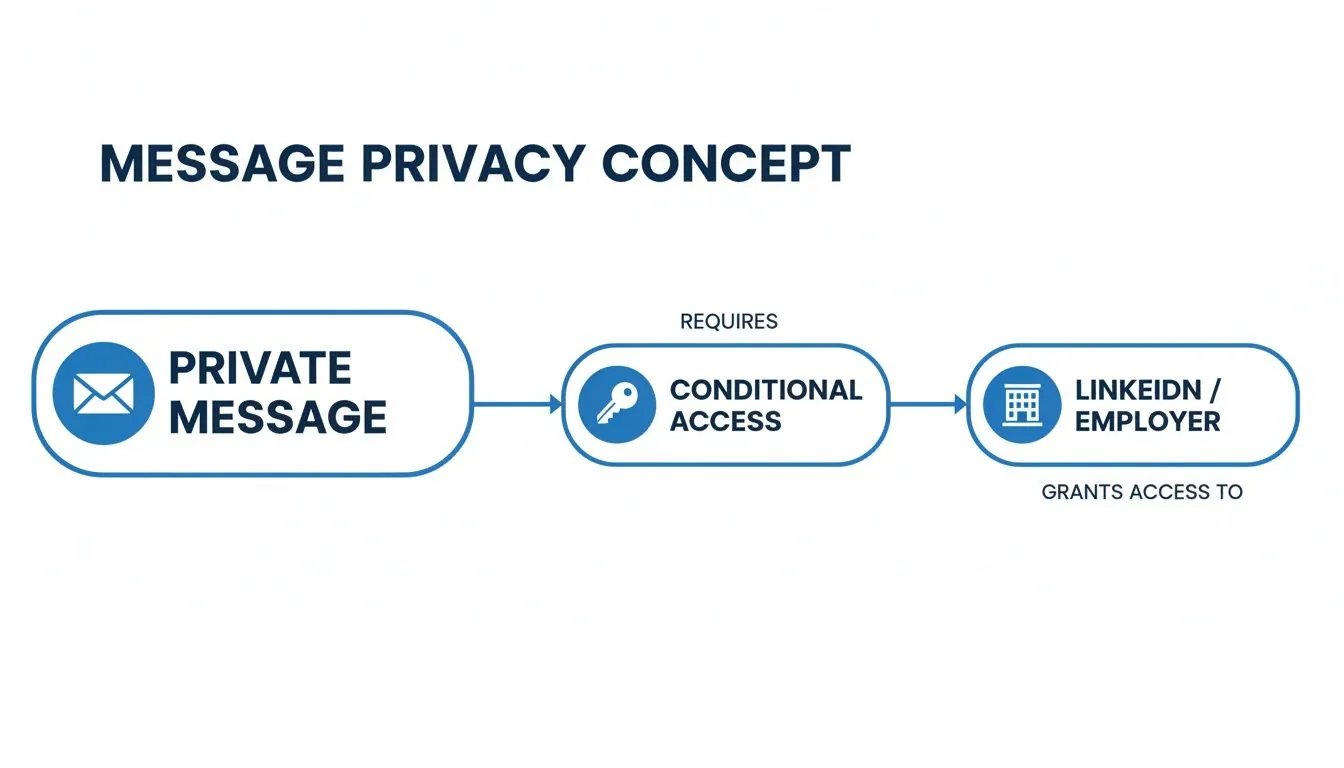
As you can see, even though your conversation feels private, both the platform and, in some cases, your employer might hold a "key" that can unlock it.
The bottom line is this: the type of message you send determines its audience. A direct message is a one on one dialogue, while a group message is a public announcement to a niche community.
Think of your connection status as the first line of defense. By default, only your connections can message you directly. But you can change your settings to allow InMail from Premium members or even open the floodgates to messages from anyone, drastically altering your privacy on the platform. Making the right choice here is your first, most important step in controlling who sees your conversations.
Who Else Can Access Your LinkedIn Messages
So, you've sent a direct message on LinkedIn. It's just between you and the other person, right? Well, not exactly. While your DMs aren't plastered on a public billboard, they aren't locked away in a digital fortress, either.
Think of your LinkedIn inbox less like a sealed envelope and more like a private office in a large building. You have the key, but a few other people, like building security or the company that owns the building, have a master key they can use under specific circumstances. Knowing who holds those keys is the first step to messaging smarter.
When LinkedIn Can Review Your Messages
The first key holder is LinkedIn itself. The platform’s staff aren’t sitting around reading your chats for fun, but they absolutely have the ability, and the responsibility, to access messages when a situation calls for it.
This access is almost always about keeping the platform safe and functional for everyone. Here are the main reasons they might step in:
- Safety Investigations: If someone reports a message for harassment, threats, or sharing inappropriate content, LinkedIn’s safety team needs to look at the conversation to see what happened and take action.
- Spam and Scam Detection: The platform has automated systems designed to spot suspicious activity. If you suddenly send the exact same message to 500 people, or your message contains links known for phishing, an algorithm will flag it for review.
- Legal Compliance: Like any major U.S. company, LinkedIn must respond to valid legal requests. If law enforcement shows up with a subpoena or a court order, they are legally required to hand over user data, and that can include private messages.
It’s a common myth that LinkedIn messages are totally off limits to the platform. In reality, this access is essential for enforcing community rules and complying with the law.
The Overlooked Risk of Employer Access
This is the one that catches most people by surprise: your own employer might be able to see your messages. If you’re using a company laptop, a corporate email for your LinkedIn account, or your company uses enterprise level LinkedIn tools, your conversations may not be private at all.
This is especially true for businesses that use Single Sign On (SSO), which lets you log into LinkedIn with your work credentials. In that setup, your company's IT administrators can have a surprising amount of oversight. The same goes for teams using high tier corporate products like Sales Navigator. Admins on these accounts often have visibility into team messaging activity to track performance and engagement.
To get a better sense of how these corporate tools work, you can check out the price and features of LinkedIn Sales Navigator for Teams in our other guide.
Always operate under the assumption that if you're using company resources, your activity isn't truly your own. That chat about a job offer with a competitor or a complaint about your boss could easily land on your manager's desk. It's a risk you shouldn't ignore.
Navigating Common Privacy Traps and User Mistakes
You can have every privacy setting on LinkedIn locked down, but at the end of the day, the biggest risk to your message privacy isn't a hacker: it’s human nature. Think of it like this: your message is a confidential note. Even if you hand it over in a sealed envelope, you lose all control the second the other person opens it. They can make a copy, show it to someone else, or just leave it lying around.
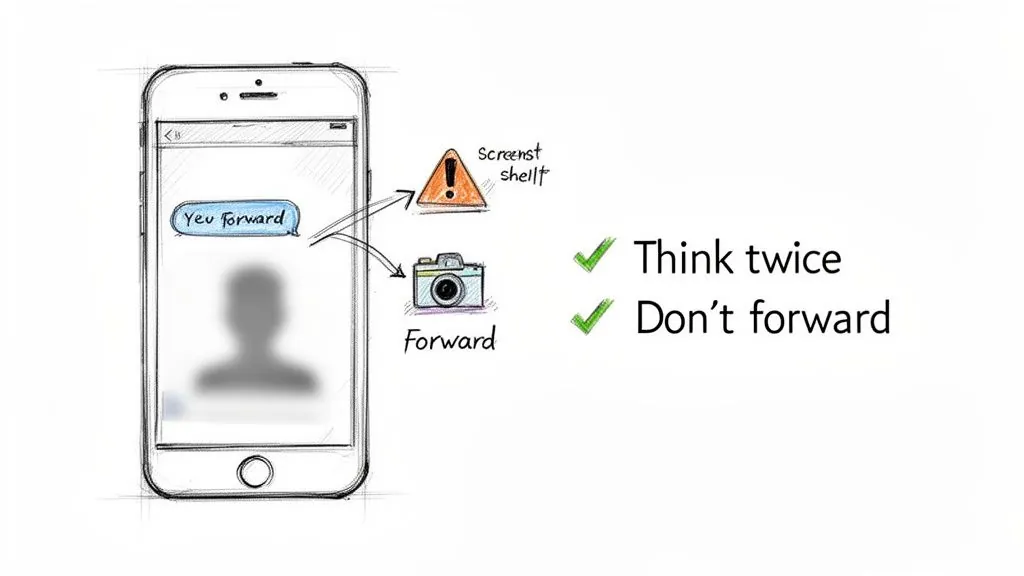
Most of the time, a "privacy breach" isn't some sophisticated attack. It's a simple, everyday slip up. That carefully crafted sales pitch you sent? It can be screenshotted and shared with a competitor in a heartbeat. That private thread? Your contact might forward it to their entire team for feedback, no questions asked. The best defense you have is knowing what these common traps look like.
How Your Private Messages Accidentally Go Public
The most common ways your DMs leak have nothing to do with LinkedIn's platform and everything to do with what people do after you hit send. Once your message is in someone else’s inbox, it’s their content to manage, or mismanage.
Here are the classic mistakes we see all the time:
- The Sneaky Screenshot: There is nothing stopping someone from taking a quick screenshot of your conversation. They might do it to get a colleague's opinion, but in a worst case scenario, they could be sharing your proposal with a direct competitor. You'll never even know it happened.
- The Casual Forward: A recipient can easily copy and paste your entire message thread into an email or a Slack channel. In an instant, your words are stripped of their original context and shared with an unknown audience.
- The Wrong "Add": This one’s a classic group chat blunder. Accidentally adding the wrong person to a conversation gives them immediate access to the entire chat history. It’s a frequent and often costly mistake.
The moment you hit "send," you are placing trust in the recipient. The fundamental rule is to never write anything in a LinkedIn message that you wouldn't be comfortable with being seen by a wider audience, including their boss or your own.
Practical Steps to Avoid These Pitfalls
Staying out of trouble means shifting your mindset. Stop assuming your messages are private and start actively protecting them. It’s all about being more conscious of where you're having these digital conversations.
First off, always double check recipients before you send anything, especially when you're in a fast moving group chat. It is incredibly easy to add the wrong "David Miller" to a thread, so take that extra second to confirm it's the right person. And a simple but crucial tip: always log out of your LinkedIn account if you're using a public or shared computer.
For those of us in B2B sales or leadership, it’s also critical to know when to take a conversation offline. If you’re getting into sensitive territory (like financial data, intellectual property, or delicate contract negotiations) it’s time to switch channels. Move the discussion to an encrypted email or a secure, company approved platform. Sometimes this means finding their contact details outside of LinkedIn. If you need help with that, you can learn more about how to get contact info from LinkedIn without a connection in our guide.
By recognizing these common mistakes, you can start building better habits and thinking more critically about what you share. That awareness is what will truly keep your private messages on LinkedIn from going public.
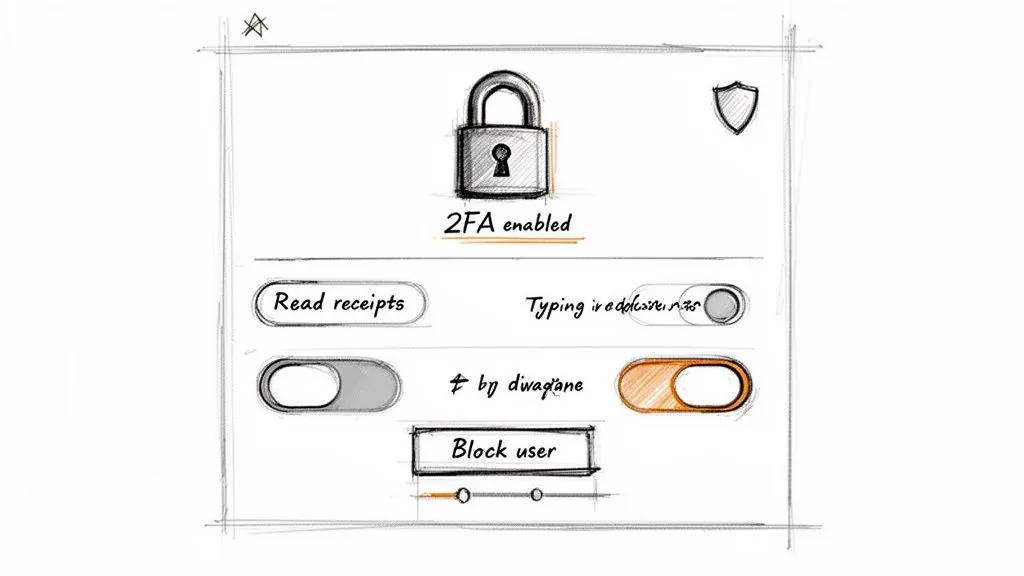
Knowing the theory behind LinkedIn's message privacy is one thing, but putting that knowledge into practice is what really counts. Instead of just hoping your private conversations stay that way, it's time to take control. Think of your LinkedIn settings not as a static page, but as a control panel for your professional privacy.
You have a surprising amount of power to adjust who sees what and when. Taking a few moments to tweak these settings means you're no longer a passive user: you're actively safeguarding your data and your conversations.
Dial In Your Message Indicators and Visibility
Some of the quickest privacy wins come from managing the small signals your account sends out. These features were built for convenience, but they often reveal more about your online activity than you'd prefer.
Start with your read receipts and typing indicators. You can find these in your Settings & Privacy menu, under the Visibility tab. By turning them off, you prevent others from seeing the exact moment you’ve read their message or are in the middle of typing a reply. It's a simple change that gives you the breathing room to respond on your own terms, not on theirs.
Next, decide who gets a direct line to your inbox. In your settings, you can limit incoming messages to your connections only, or you can leave the door open for InMail from any Premium member. If you want to cut down on unsolicited sales pitches and potential spam, restricting messages to your existing connections is a very effective move.
Your Go To Actions for Securing Individual Chats
Beyond your account wide settings, you have powerful tools to manage specific conversations and users as they happen. These are your first line of defense options when a chat takes a wrong turn or you need to clean up sensitive information.
Here are the essential actions you can take right inside your inbox:
- Block and Report: If you ever receive messages that are harassing, spammy, or just plain inappropriate, don't hesitate to use the Block feature. This immediately stops the person from seeing your profile or contacting you again. Reporting them also flags their behavior for LinkedIn's safety team.
- Delete a Message: Sent something you regret? You can delete any message you've sent, but only within 60 minutes. After that, it’s permanent on their end even if you remove it from yours. Use this for quick typos or immediate second thoughts.
- Delete a Conversation: You can always delete an entire conversation thread from your inbox to clean things up. Just remember, this only hides it on your side. The other person (or people) in the chat will still have a complete copy of the history.
By far the most critical security step you can take is enabling two factor authentication (2FA). This adds a second layer of security, like a code sent to your phone, making it incredibly difficult for anyone to access your account, even if they somehow get your password.
Finally, make it a habit to do some digital housekeeping. Periodically review the third party apps connected to your LinkedIn account. You can find these in your settings and should revoke access for any services you no longer use or recognize. Each connected app is another potential doorway to your data, so keeping that list clean is a simple but crucial security practice.
To make this easier, here's a quick checklist of the most important settings to review.
Your LinkedIn Privacy Settings Checklist
Use this table as a quick reference to audit and improve your account's privacy right now. Running through these steps can make a big difference in securing your professional communications.
| Action | Where to Find It | Why It's Important |
|---|---|---|
| Enable 2FA | Settings & Privacy → Sign in & security | The single best way to prevent unauthorized account access. |
| Turn Off Read Receipts | Settings & Privacy → Visibility → Messaging experience | Gives you the space to reply on your own time, without pressure. |
| Turn Off Typing Indicators | Settings & Privacy → Visibility → Messaging experience | Prevents others from seeing when you are actively typing a response. |
| Control Who Can Message You | Settings & Privacy → Visibility → Messages | Limits unsolicited messages and spam by restricting inbox access. |
| Review Connected Apps | Settings & Privacy → Data Privacy → Other applications | Removes old or untrusted apps that may have access to your data. |
Taking these five steps is a fantastic starting point. It puts you firmly in control of your digital footprint on the platform and ensures you're communicating on your own terms.
Alright, let's put this all into practice. Knowing the rules of LinkedIn message privacy is one thing, but using that knowledge to actually grow your business is where the magic happens. For anyone in sales, marketing, or leading a company, grasping that LinkedIn messages are private, but not secret, is a huge strategic advantage. It's how you build real trust while keeping your company's valuable information safe.
Think of your LinkedIn activity like this: the main feed is a bustling public square. It’s the perfect place for first introductions, chatting with people who comment on your posts, and generally building rapport. The real skill is knowing exactly when to invite someone from that public square into a more private office for a serious conversation.
Know When to Move the Conversation
I've seen this happen a hundred times: a great conversation in LinkedIn DMs starts to get into the weeds, and suddenly, sensitive details are flying back and forth. This is a classic mistake. Your LinkedIn inbox is not a secure, internal channel like Slack or your company email.
The moment a discussion veers into specific pricing, contract terms, intellectual property, or any kind of confidential client data, it’s your cue to switch venues.
This transition doesn't have to be awkward. In fact, handling it gracefully makes you look even more professional.
A simple and effective way to do this is to say something like, "This is getting into some exciting details! To make sure we handle this properly, I’m going to send you a follow up via email. What’s the best address to reach you?"
This line does two things beautifully: it respects the prospect's privacy and signals that you take security and professionalism seriously. It builds trust, right there in the moment.
Use DMs for Trust Building Outreach
For sales pros, the real power of LinkedIn messaging is turning a public interaction into a private, one on one conversation. Someone left a thoughtful comment on your post? Don't just leave a public "thanks!" Send them a direct message that acknowledges their input and opens a real dialogue.
Here’s how you can approach this without seeming pushy or robotic:
- Start with the context. "Thanks for your insightful comment on my post about AI in marketing."
- Immediately add value. "I noticed from your profile that you're in ecommerce. We actually found that a similar strategy boosted conversions by 15% for a client in your space."
- End with an open ended question. "What's been your biggest challenge in that area?"
This flow feels natural because it is. You're showing you paid attention, you're not just blasting a generic template, and you're genuinely curious about their world.
By respecting the platform's boundaries and the privacy of the conversation, you're doing more than just selling: you're building a relationship. And that trust is the foundation for turning a simple LinkedIn connection into a valuable, long term customer.
Frequently Asked Questions About LinkedIn Privacy
Even after you’ve got a handle on the basics, some specific questions about LinkedIn message privacy always seem to come up. Let's tackle some of the most common ones head on to clear up any lingering confusion.
Can My Employer Read My LinkedIn Messages?
The short answer is yes, and it's more possible than you might think. If you're using a company issued laptop or phone, or you signed up for LinkedIn with your work email, you should assume your messages aren't entirely private.
This is especially true if your company uses premium tools like Sales Navigator at an enterprise level or has implemented Single Sign On (SSO). In those cases, IT administrators might have the ability to access communications. It's always safest to operate as if your employer could see messages sent from a work device.
Are Deleted LinkedIn Messages Gone Forever?
Not usually. When you delete a message, there’s a critical time window. If you delete it within 60 minutes of sending, it vanishes for both you and the recipient.
After that 60 minute mark, deleting a message, or even an entire conversation, only removes it from your own inbox. The other person will still have a full copy.
Key Takeaway: Deleting a message on your end doesn't erase it from the recipient's inbox unless you do it within the first hour.
Can Police or Law Enforcement Access My Messages?
Yes. Like any company based in the U.S., LinkedIn is required to comply with valid legal requests from law enforcement.
If they receive a legitimate subpoena, court order, or search warrant, LinkedIn can and will hand over user data, which can include the content of your private messages.
Do Read Receipts Affect My Privacy?
While read receipts aren't a security threat, they do impact your privacy in a different way. They reveal your online activity and can create an unspoken pressure to reply instantly.
Leaving them on tells the sender the exact moment you've read their message. Turning them off is a simple move to regain control over your response time and keep your online habits a little more private.
For a deeper dive into using the platform for professional outreach, check out these proven strategies for B2B growth on LinkedIn to help maximize your efforts while respecting privacy.
Ready to engage prospects without spending hours on LinkedIn? PowerIn uses AI to post relevant, human sounding comments on your behalf, attracting leads and starting conversations around the clock. Start your 5 day free trial today.