Most advice on automated linkedin outreach is wrong because it starts at the ask.
It tells you to build a list, send connection requests, add a one line note, and automate the follow ups. That workflow scales activity, but it doesn't scale trust. Prospects still experience it as interruption.
A better model starts before the connection request. If someone has seen your name in their comments, noticed that you responded to a post with a relevant observation, and clicked your profile once or twice, the direct outreach lands differently. It feels familiar. It feels earned.
That matters because automated outreach is already mainstream. A significant majority of companies use these tools, yet results vary sharply. The upside is clear when execution is disciplined. Multichannel automation can boost responses significantly over single channel efforts, and LinkedIn DMs average a 10.3% response rate versus 5.1% for cold email according to Snov's LinkedIn statistics roundup. But those outcomes don't come from blasting generic invites. They come from targeting, timing, and relevance.
The playbook below is the one that holds up in practice. Warm the audience first. Use comments as the first touch. Send fewer requests. Make each one easier to accept.
Why Most Automated LinkedIn Outreach Fails
Most failed campaigns share the same flaw. They treat LinkedIn like a cold database instead of a social platform.
The classic sequence goes like this: scrape a list, send a generic request, push a pitch after acceptance, then keep bumping the thread. That approach creates volume, but it also creates resistance. Buyers recognize templated outreach fast, especially when the message ignores what they post, what they care about, or why you reached out now.
Volume hides weak strategy
A lot of teams think bad outreach can be fixed by sending more of it. It can't.
LinkedIn inboxes are full of messages that look personalized at first glance but collapse on inspection. The sender mentions your first name, your company, maybe your title, then jumps straight into a demo ask. There's no context and no relationship. Automation didn't create that problem. Lazy campaign design did.
Practical rule: If your first touch could be sent unchanged to a hundred people in different industries, it isn't personalized enough for LinkedIn.
The platform rewards familiarity
People reply more often when they recognize the sender. That's why the warm up layer matters.
A prospect who has seen you comment on a creator they follow, or on their own post, is no longer cold in the same way. You've moved from stranger to known name. That changes how your connection request is processed mentally. It also protects your brand. Instead of looking like another outbound rep with a sequence tool, you look like someone participating in the same conversation.
Spammy behavior hurts more than reply rates
Poor automated linkedin outreach doesn't just underperform. It creates downstream problems:
- Brand damage: Buyers remember the person who pitches too early.
- Wasted capacity: Reps spend time managing campaigns that were flawed from the start.
- Bad data: Low acceptance and low reply rates make it harder to know whether targeting or messaging is the core issue.
The shift that works is simple. Automate the repetitive parts of thoughtful outreach, not the repetitive parts of bad outreach.
Building a Foundation for Safe Automation
Teams usually blame LinkedIn automation when results drop. In practice, the account setup is often the primary problem.
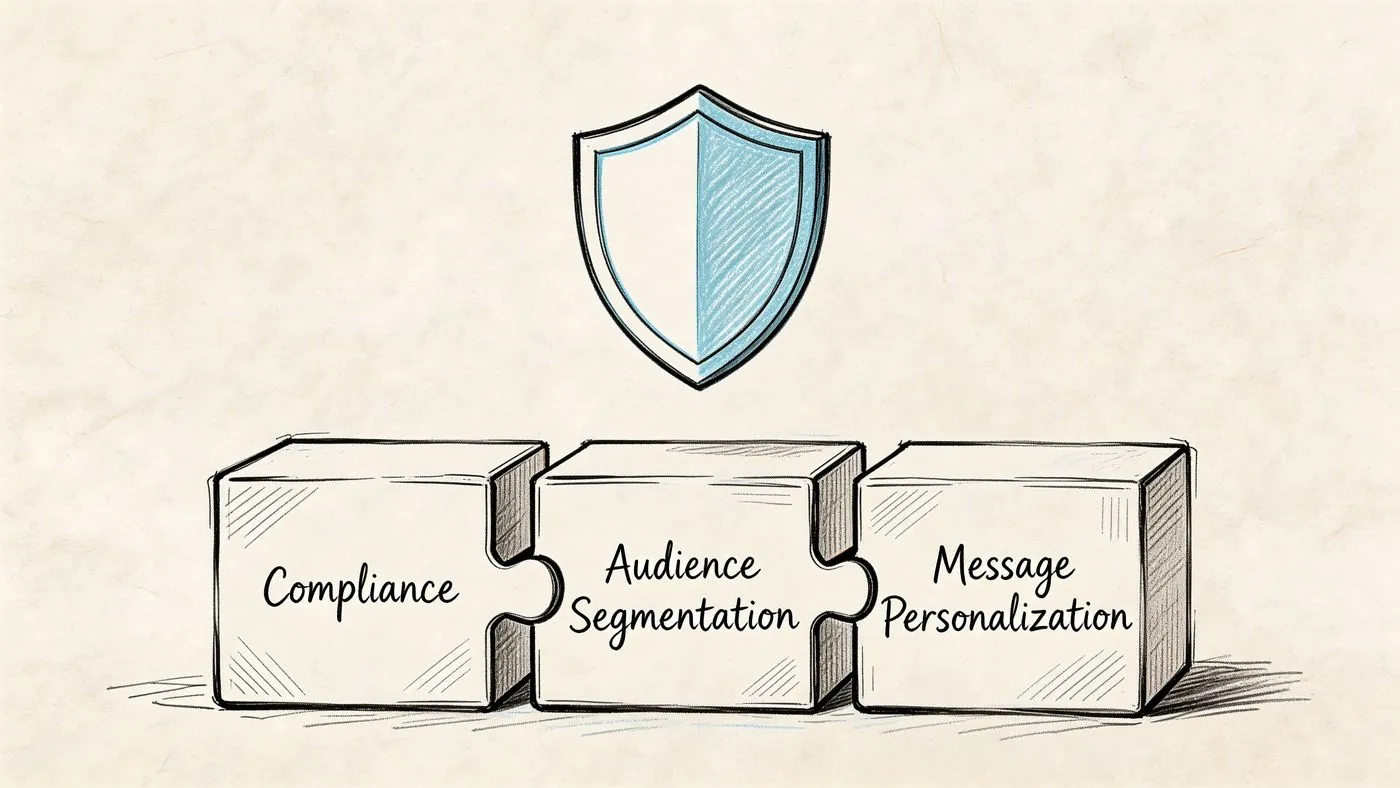
A weak profile cuts response rates before the first message is even read. Aggressive settings create patterns that look manufactured, which puts the account at risk and makes your comment first strategy less believable.
Make your profile convert
On LinkedIn, your profile works like the page people check after they notice your name in the feed. That matters even more with comment first outreach, because prospects often click before you ever send a connection request.
The profile needs to answer three questions fast. Who do you help? What problem do you solve? Why should this person take you seriously?
A few changes carry most of the weight:
- Headline: State the buyer you work with and the outcome you help create. A job title alone leaves too much to guess.
- Banner: Show the category you operate in or the problem you solve. Keep it clean enough to read on mobile.
- About section: Write to prospects, not recruiters. Explain your focus, your point of view, and the situations where a conversation makes sense.
- Featured section: Add proof. Case studies, a useful teardown, a webinar clip, or a clear booking link all work.
- Recent activity: Stay active enough that your account looks current. Comments matter here too. If your strategy depends on visible engagement, an empty activity feed weakens the signal.
I have seen solid targeting and decent copy lose momentum because the profile looked generic. The prospect clicked, saw no proof, and moved on.
Keep automation inside believable limits
Safe automation comes down to pacing and sequencing.
Accounts that jump straight into high volume invites or messages tend to create the wrong pattern. A better setup starts with lower activity, mixes action types, and gives the account time to build normal looking behavior through views, follows, likes, and selective comments. I recommend starting with lower limits, especially if the account is new to automation.
That matters for a comment first model. If an account is engaging on creator posts, visiting profiles, and then sending a small number of invites later, the activity looks closer to how a real operator works. If the account fires invites at scale with no visible engagement trail, the automation is easier to spot and less effective.
Choose tools that let you control the mechanics:
- Action caps: Set daily and weekly limits for profile views, follows, likes, comments, invites, and messages separately
- Timing controls: Add realistic gaps between actions so everything does not happen in bursts
- Manual approval: Review comments and first touch messages before they go out
- Timezone scheduling: Run activity during local business hours
- Cloud execution: Reduce the inconsistency that often comes with browser dependent setups
If you need to build lead lists before launch, this guide on how to scrape data from LinkedIn explains the data collection side without turning the whole process into a scraping exercise.
For teams using an engagement first workflow, LinkedIn social listening is useful for spotting which creators, topics, and conversations your buyers already pay attention to.
Segment before you automate
Automation gets safer as the audience gets tighter.
Broad segments create blunt campaigns, and blunt campaigns push teams to increase volume to make the numbers work. That is usually where quality drops. Specific segments give you a cleaner path. The comments are more relevant, the profile visits make more sense, and the outreach can reference a real shared context instead of a generic pain point.
Build segments around role, company type, geography, and active buying context. Silent accounts can still convert, but active posters and people who engage with industry creators are better fits for a comment first motion because you have a natural way to warm the relationship before the direct ask.
The safest campaign is usually the one with the clearest reason for reaching out.
Designing Your Engagement First Outreach Strategy
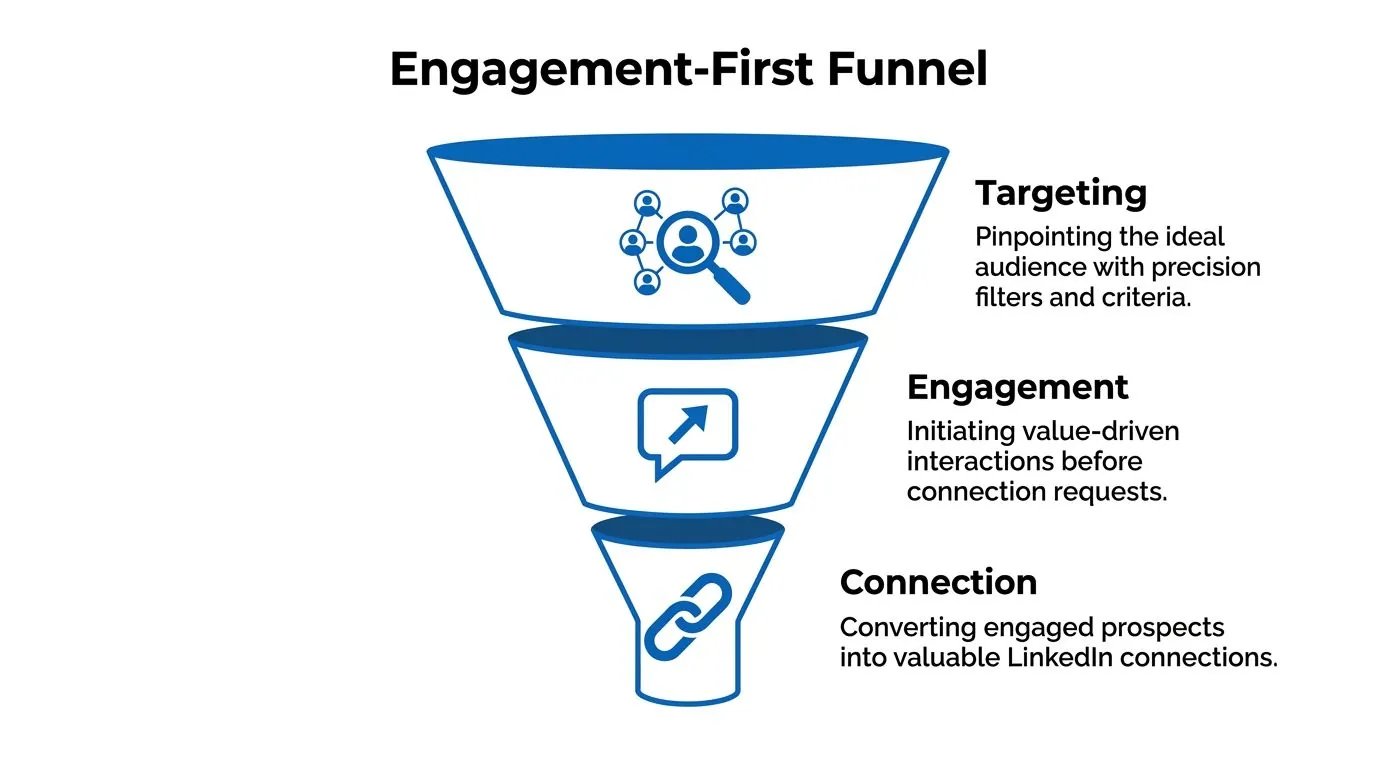
The highest converting outreach system I've seen on LinkedIn doesn't begin with a request. It begins with visibility.
That means you identify the right people, engage where they're already active, and only then move into direct outreach. The structure is simple, but the order matters.
Start with a tighter ICP than you think you need
A useful automated linkedin outreach campaign usually targets a slice of the market, not the whole category.
Good targeting combines:
- Role specificity: VP Sales is different from Head of Growth, even in the same company size band.
- Company fit: Industry, team size, maturity, and sales model all matter.
- Buying context: Hiring, product launches, founder led selling, demand gen expansion, and other observable signals.
- Network proximity: Second degree connections and active posters are often easier to warm than silent profiles.
If you're refining search logic, this breakdown of how LinkedIn search works and how to hack it helps when you're moving past broad Sales Navigator filters.
Use comments as the warm up engine
This is the underused move. Instead of relying only on profile views and likes, use thoughtful comments on posts from your target buyers and the creators they follow.
A good comment first workflow does three things at once:
- It puts your name in front of prospects without asking for anything.
- It gives them a reason to click your profile.
- It gives you live context for later outreach.
That context is more valuable than static profile data. A post tells you what someone is thinking about now. That's far more useful than knowing they work at a certain company.
Tools in this category vary. Some focus on sequencing, some on scraping, some on engagement automation. For teams building this layer, LinkedIn social listening is a useful concept to understand because it reframes outreach as signal detection first and messaging second.
A practical comment first sequence often looks like this:
| Stage | What happens | Why it matters |
|---|---|---|
| Discovery | Track target accounts, creators, and topic keywords | You stop guessing where attention already exists |
| Engagement | Comment on relevant posts with short, specific observations | You create recognition before outreach |
| Reinforcement | Add profile views and selective likes | You increase familiarity without pressure |
| Connection | Send a customized request tied to the earlier interaction | The invite feels contextual, not random |
Later in the funnel, personalization becomes critical. Including a personalized message in a connection request can lift reply rates to 9.36% from 5.44%, and personalized messages see 40 to 67% higher acceptance and response rates overall, according to Closely's 2025 benchmark report.
That stat matters more when you've already warmed the lead. Personalization works best when it's attached to real observed behavior, not a token variable.
A quick visual helps when you're mapping this out in your CRM or sequencing tool:
What good engagement looks like
Most automated comments fail because they sound like generic applause.
Use comments that do one of these well:
- Add a perspective
- Ask a grounded follow up question
- Pull out one implication the post didn't fully unpack
- Connect the post to an operational reality buyers face
Keep them short. Keep them specific. Avoid trying to close business in public.
Writing Outreach Messages That Get Replies
Once the engagement layer is doing its job, the direct messages get much easier to write. You no longer have to create relevance from nothing. You just have to continue a thread that already exists.
That changes the copy completely.
The job of each message
Many teams overload the first message. They explain the company, the offer, the value prop, and the CTA all at once. That usually kills the reply.
Each step should have one job:
- Comment: Be visible and relevant.
- Connection request: Establish familiarity.
- First message: Start a conversation.
- Follow up: Add value or sharpen context.
- Final touch: Give an easy out.
Good outreach doesn't try to win the deal in one message. It earns the next response.
Comment and connection examples
For comments, avoid empty praise.
Weak:
"Great post. Thanks for sharing."
Better:
"Interesting point on pipeline quality. The teams I observe often don't have a lead problem; they have a qualification problem."
For connection requests, reference a real interaction if one exists.
Weak:
"Would love to connect with fellow B2B leaders."
Better:
"Saw your post on outbound sequencing and liked your point about timing. Sending a connection request because we're working on a similar problem from the engagement side."
The second version works because it's anchored in something the recipient recognizes.
Use AI for the part AI is good at
AI is useful for generating first draft personalization from recent activity, role context, and public language patterns. It's not useful when you let it write every message unchecked.
The benchmark worth knowing is this: AI assisted first messages achieve a 4.19% reply rate versus 2.60% for non AI, and total reply rates reach 7.66% with AI compared to 6.50% without, based on Landbase's multi channel outreach statistics summary.
The practical takeaway isn't "let AI run wild." It's "use AI to accelerate relevant first lines, then edit for tone."
Watch for three common AI mistakes:
- It over explains
- It flatters too hard
- It fabricates specificity from weak signals
The fix is human review. Keep the useful context. Remove the robotic polish.
Sample 4 Step Outreach Sequence
| Step | Action | Example Snippet |
|---|---|---|
| 1 | Comment on a relevant post | "Your point about handoff friction is real. Many teams don't lose deals in demo. They lose them between interest and follow up." |
| 2 | Send connection request | "Saw your post on pipeline handoff. Relevant to work I'm doing with B2B teams, so I wanted to connect." |
| 3 | First message after acceptance | "Thanks for connecting. You mentioned handoff issues between marketing and sales. Curious, is that mostly a process issue on your side or a tooling issue?" |
| 4 | Follow up with value | "One pattern I've noticed is that teams track response rate but not conversation quality. Happy to share the framework if useful." |
The follow up should create movement
A bad follow up says, "Just bumping this."
A useful follow up introduces one of three things:
- A question that narrows the problem
- A lightweight resource
- A short observation tied to their role or recent content
Keep follow ups short and calm. If the message feels like it was written by someone trying to hit quota before lunch, it usually reads that way too.
What to avoid in every message
Most campaigns lose credibility fast here:
- Pitching in the connection request
- Asking for a meeting too early
- Writing long paragraphs
- Using fake familiarity
- Sounding "optimized" instead of natural
If your message sounds polished but not human, revise it. LinkedIn is conversational. Your copy should be too.
Executing Your Automated Campaign Correctly
Execution is where good targeting and decent copy get wasted.
The failure point usually is not the message. It is the setup. Teams compress too many actions into a short window, automate the wrong behavior, or send direct outreach before any familiarity exists. On LinkedIn, that order matters. A comment first sequence works because it creates recognition before the ask.
Build the sequence around visible intent
The safest campaigns follow behavior a real person could plausibly take over several days.
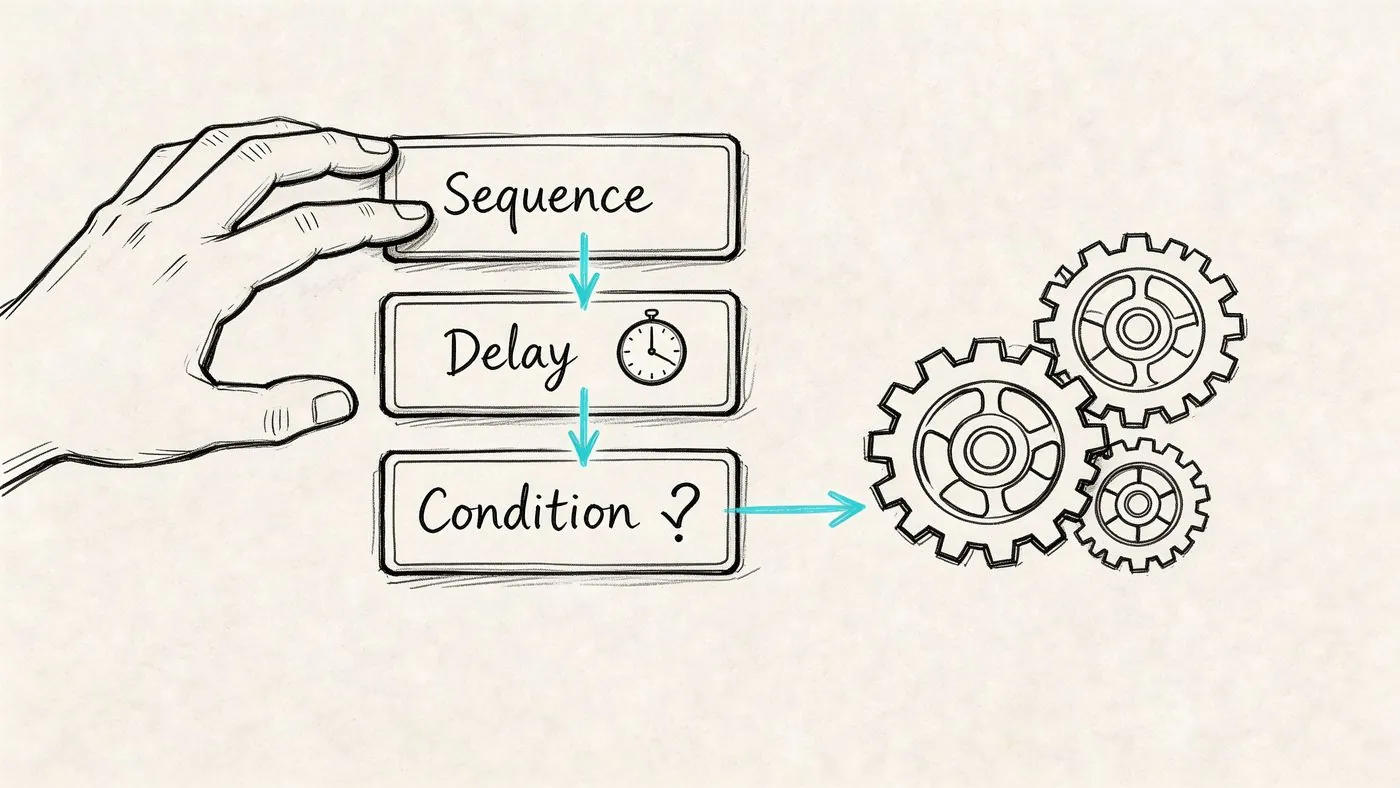
Start with a profile view. Then engage with a post, ideally a relevant comment rather than a passive like. Then send the connection request. Only message after acceptance. After that, follow up based on what the prospect did.
That order matters for two reasons. First, it lowers the chance that outreach feels abrupt. Second, it gives the prospect context when your name appears in their inbox. Earlier in the article, I cited research showing warm up actions improve acceptance and reply performance. In practice, I have seen the same pattern. Accounts get better results when they earn familiarity before asking for attention.
The underused move here is creator post engagement. If a target account has not posted recently, comment on posts from creators, partners, or peers they regularly engage with. You are still entering their field of view, but in a lower risk way than forcing a cold connection request.
Use logic, not just steps
A strong campaign is a ruleset.
If a prospect replies to your public comment, reduce the direct sequence and keep the first message short. If they accept the connection but stay silent, wait longer than you think you should, then send a smaller follow up. If they are active in another region, schedule engagement and messages during their workday. If they never post but often react to industry creators, route them into a comment first track built around adjacent conversations.
That is why tool choice matters. Some products handle branching well. Others are better at engagement actions across post comments and profile activity. If you are comparing platforms, this list of best automation tools on LinkedIn in 2026 gives a useful breakdown by use case.
Your profile has to carry its weight
Automated outreach gets the click. Your profile decides whether that click turns into trust.
Comment first campaigns perform better when the prospect lands on an active profile with a clear point of view, recent posts, and evidence that you understand the problem you are discussing. A dead profile weakens the whole sequence, even if the automation logic is solid. Teams that struggle to keep that layer consistent should tighten their publishing process. This guide on how to schedule posts on LinkedIn effectively is useful for that.
Configuration mistakes that kill otherwise good campaigns
Three errors show up repeatedly:
- Action stacking: profile view, like, connection request, and message fired too close together
- Fixed delays: every prospect gets touched at the same interval, which looks artificial fast
- One workflow for every segment: founders, VPs, recruiters, and consultants do not respond to the same pacing or triggers
The fix is straightforward. Separate segments early. Add timing variation. Review live campaign behavior after the first batch, especially acceptance patterns, profile views back, comment responses, and silent accepts.
I also avoid scaling a sequence until I have checked how it feels from the prospect side. If the activity trail looks too neat, too fast, or too repetitive, LinkedIn users will notice it before any platform flags it.
Advanced Tactics for Global Scale and Optimization
Many teams stop optimizing once they have a working campaign in one market. That's a mistake.
The bigger opportunity in automated linkedin outreach is global relevance. Not just broader reach, but localized timing, language, and context. That's where comment first automation becomes much more valuable than connection request automation alone.
Local timing changes how engagement is perceived
A comment that lands while a prospect is actively working feels timely. The same comment posted far outside local business hours can feel automated, even when the wording is good.
That matters because 89% of B2B marketers use LinkedIn globally, and comments posted during local business hours can increase reply rates by 2 to 3x, according to GetSales' guide on LinkedIn outreach automation.
For global teams, timezone targeting isn't a nice extra. It's part of message quality.
Multilingual commenting is still underused
Many LinkedIn outreach programs stay English first even when the audience isn't.
That's a missed opportunity because comments are one of the easiest surfaces to localize. A short, natural comment in the language of the original post does more to signal relevance than a translated connection request sent days later.
A tool like PowerIn is well suited for this scenario. It automates contextual comments on LinkedIn and X based on targeted keywords and creators, supports multilingual output, and allows timezone based engagement with manual approval when needed. Used properly, that lets teams build familiarity across markets before they move into direct outreach.
Measure the right KPIs
When teams scale too quickly, they often watch only top line reply volume. That's not enough.
Track performance in layers:
| KPI | What it tells you | What to change if it slips |
|---|---|---|
| Connection acceptance | Whether targeting and warm up are working | Tighten ICP or improve preconnection engagement |
| Reply rate | Whether message relevance is strong enough | Rework first lines and CTAs |
| Positive reply quality | Whether you're attracting real opportunities | Refine audience and problem framing |
| Time to first response | Whether your handoff process is hurting momentum | Improve rep responsiveness |
Test one variable at a time
A/B testing fails when teams change targeting, message, and timing together.
Keep the test simple:
- Try one comment style against another
- Compare creator led warm up versus prospect led warm up
- Test local language comments against English comments in the same region
- Compare a question led first message to a value led first message
The winners are usually not dramatic. They're just slightly more relevant, slightly better timed, and slightly more human.
Automation Is a Tool Not a Magic Wand
The strongest automated linkedin outreach campaigns don't feel automated to the buyer.
That's the standard. Not maximum volume. Not most actions per day. Not the fanciest sequence builder. The standard is whether the outreach feels like a natural continuation of visible, relevant interaction.
That's why the comment first model works. It uses automation for what automation is good at: monitoring activity, maintaining consistency, and handling repetitive execution. Then it leaves room for judgment where judgment matters: message quality, audience selection, and reply handling.
If your campaign is underperforming, the answer usually isn't "send more." It's one of these:
- your targeting is too broad
- your warm up is too thin
- your copy is too eager
- your timing is off
- your profile doesn't support the ask
Used well, automation gives a small team an advantage. Used poorly, it scales the wrong behavior faster.
Treat it like an operating system for relationship building, not a shortcut around it.
If you want to run a comment first outreach model instead of another connection request spam loop, PowerIn is built for that workflow. It helps teams monitor target keywords and creators, post contextual comments at scale, and warm leads before direct outreach begins.