So, you want to pull data from LinkedIn. You're not alone. At its core, this means using automated software to extract public information (names, job titles, company details) from the millions of profiles on the platform. The end game is almost always the same: building lists for lead generation, market research, or recruiting.
The Realities of LinkedIn Data Extraction in 2026
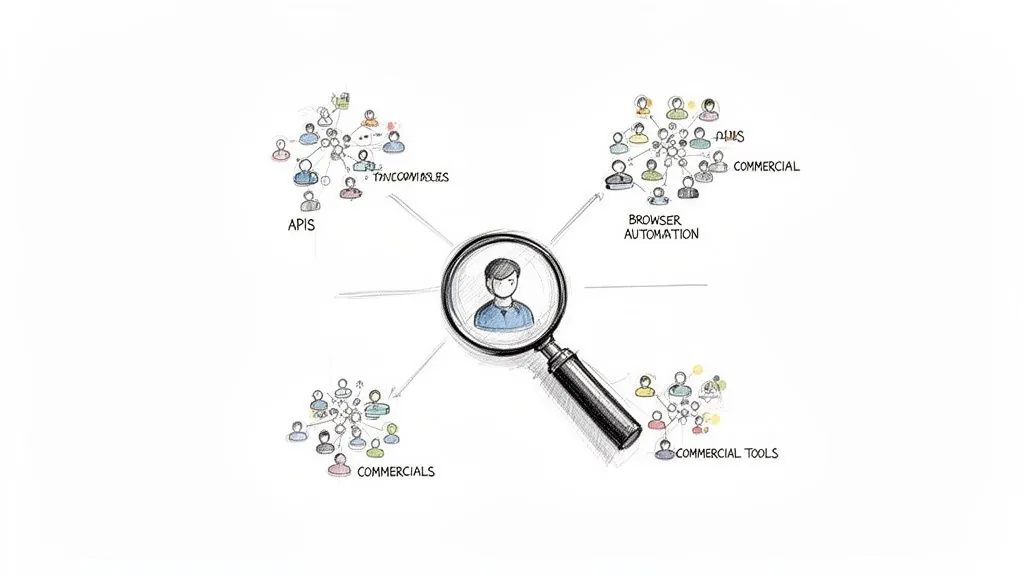
The push to get data from LinkedIn comes from one simple fact: it's the largest professional network on the planet. For anyone in B2B sales or marketing, it’s a goldmine. Having access to profile data lets you build incredibly targeted lead lists, see what your competitors' talent pool looks like, and track industry trends almost in real time.
With a user base that has swelled to over 900 million+ members as of 2026, it's no surprise that data extraction has become a cornerstone strategy for B2B teams. A pivotal moment was the hiQ v. LinkedIn court case back in 2019. The ruling suggested that scraping publicly available data isn't a violation of the Computer Fraud and Abuse Act (CFAA), which gave many a green light for ethical data gathering. To get the full picture, it's worth understanding how businesses legally scrape LinkedIn data.
The Game Has Changed
But let's be clear: that legal nod didn't mean it was open season. In the years since, LinkedIn has poured massive resources into beefing up platform security. The old days of aggressively scraping tens of thousands of profiles in a single run are pretty much over.
The strategy has fundamentally shifted. We've moved from mass data collection to smart, targeted data gathering. Success in 2026 is all about flying under the radar, respecting the platform's rules, and choosing data quality over sheer volume.
This new approach accepts the risks, like getting your account suspended or your IP address banned, and works around them. It's less about a brute force data grab and more about surgically extracting only the most valuable information without setting off any alarms.
Common Ways to Get LinkedIn Data
When it comes to actually pulling the data, you generally have three routes to choose from. Each has its own distinct set of pros and cons, and the right one for you depends entirely on your resources, technical skill, and risk tolerance.
To make it easier to compare your options, here’s a quick breakdown of the primary methods.
LinkedIn Data Scraping Methods At a Glance
| Method | Best For | Technical Skill | Risk Level |
|---|---|---|---|
| Official APIs | Enterprise partners needing sanctioned, reliable data access for specific integrations. | Moderate to High | Very Low |
| Browser Automation | Custom, small to medium scale scraping projects where you need full control. | High | Moderate to High |
| Commercial Tools | Teams needing a ready made solution without the technical overhead. | Low | Varies (Low to High) |
Choosing the right path is the first, most critical step. Browser automation with tools like Selenium, Playwright, or Puppeteer gives you ultimate flexibility, but it demands serious coding skills and constant upkeep. Official APIs are the safest bet, but access is incredibly restricted. Commercial tools offer convenience but come at a cost and carry their own risks depending on the provider's methods.
Throughout this guide, we'll dive deep into the technical, legal, and practical side of each method. My goal is to equip you with the knowledge to gather the data you need while keeping the risks to a minimum, helping you find a sustainable and respectful approach to data extraction.
Navigating the Legal and Ethical Minefield
So, you're thinking about scraping LinkedIn. Before you write a single line of code, we need to have a frank conversation about the legal and ethical gray areas you’re about to step into. The big question is always the same: can you really do this without getting into trouble?
The answer isn't a simple yes or no. It's complicated.
The Court Case vs. The User Agreement
You've probably heard about the landmark hiQ Labs v. LinkedIn case. This ruling was a huge deal because it established that scraping publicly available data doesn't violate the Computer Fraud and Abuse Act (CFAA). On the surface, this sounds like a green light for scrapers everywhere.
But here’s the catch. That court ruling doesn't stop LinkedIn from enforcing its own rules. When you signed up for your account, you agreed to their User Agreement, which flat out forbids using bots or scrapers to copy profiles and data from their platform.
The hiQ ruling might protect you from federal prosecution under the CFAA for scraping public data, but it won't protect you from LinkedIn. Breaking their rules means they can, and will, take action against your account.
The Real World Consequences of Getting Caught
And make no mistake, LinkedIn has gotten incredibly good at spotting and shutting down automated activity. This isn't some theoretical risk; the consequences are real and can escalate quickly.
The most common penalty is getting your account locked, either temporarily or permanently. This usually happens when their systems detect a spike in activity: too many profile views, a sudden burst of connection requests, or just unnatural browsing behavior. We talk a lot more about these thresholds and how to navigate them in our guide on LinkedIn's connection request limits.
If they decide you're a problem, you could also face:
- IP Blacklisting: LinkedIn can just block your scraper's IP address, effectively cutting off your access.
- Shadowbanning: This one is subtle. Your account looks fine to you, but your posts and messages are hidden from everyone else, making your outreach completely invisible.
- Brand Damage: If people figure out you're scraping their data, especially in a clumsy or spammy way, it can seriously harm your professional reputation.
Drawing a Clear Line: Public vs. Private Data
To keep your risk as low as possible, you have to draw a hard line between public and private information.
Public data is anything you can see without being logged into a LinkedIn account. Think names, job titles, company names, and maybe the first few lines of a summary.
Private data is everything else. This is information that's only visible once you log in or become a connection, like email addresses, direct phone numbers, or mutual contacts.
Attempting to scrape private information is where you cross from a legal gray area into a clear violation of user privacy and LinkedIn's terms. When trying to find contact information, your best bet is to scrape email from LinkedIn with ethical, compliant methods that respect these boundaries.
A simple rule of thumb I always follow is to ask: "Can I see this information in an incognito browser window without logging in?" If the answer is no, then don't scrape it. Period. Sticking to this principle is the foundation for a much safer and more responsible data collection strategy.
If you've got some technical chops, you might be tempted to build your own LinkedIn scraper. It’s a rewarding route that gives you full control, letting you bypass third party tools and their limitations. The basic idea is to use a browser automation library to programmatically control a web browser, making your script behave just like a person would.
The go to tools for this job are Selenium, Playwright, and Puppeteer. Selenium is the old guard, it’s been around forever and has a massive community, so you’ll find an answer to almost any problem you run into. Playwright and Puppeteer are the newer, often faster, kids on the block, built to handle the JavaScript heavy, dynamic nature of sites like LinkedIn. When it comes to getting this done, many companies look for skilled Python developers since Python's libraries are perfect for this kind of data extraction work.
Choosing Your Automation Framework
Each framework has its own personality. Selenium is a true workhorse. It supports multiple languages (Python, Java, C#) and has stood the test of time, making it a reliable, all purpose choice.
On the other hand, Playwright and Puppeteer (mainly for JavaScript/Node.js) are designed for the modern web and are known for their speed. They come with brilliant features right out of the box, like auto waits that pause the script until an element is actually visible on the page. Anyone who has dealt with LinkedIn’s sometimes sluggish interface knows what a huge win that is.
Here’s a quick rundown:
- Selenium: The best choice for multi language projects and for leaning on a huge knowledge base. It’s the safe, solid bet.
- Playwright: Fantastic for today's web apps. It handles multiple browsers and has powerful features for managing network events and complex interactions.
- Puppeteer: Built by Google for Chrome, this is your best bet if you’re in a Node.js environment and only need to worry about Chromium browsers.
Mimicking Human Behavior to Avoid Detection
Let's be clear: the single biggest hurdle you'll face is not getting banned. LinkedIn has sophisticated anti bot systems that are frighteningly good at sniffing out automated activity. If your script is too fast, too predictable, or uses a generic browser fingerprint, your account's days are numbered.
Your number one goal is to make your script act less like a robot and more like a human. That means you need to get strategic.
- Randomized Delays: Real people don't click on something new every 2.5 seconds on the dot. Neither should your script. Throw in random delays (say, between 3 and 8 seconds) between page loads, scrolls, and clicks.
- Simulate Scrolling: Don’t just teleport to the bottom of a profile. Program your script to scroll down gradually, just like someone reading the content would.
- Custom User Agent: This little string tells a website what browser you’re using. Always use a common, up to date user agent to blend in with the crowd.
- Smart Session Management: This is a big one. Don't log in over and over. Authenticate once, grab the session cookies, and reuse them. Repeated logins are a massive red flag.
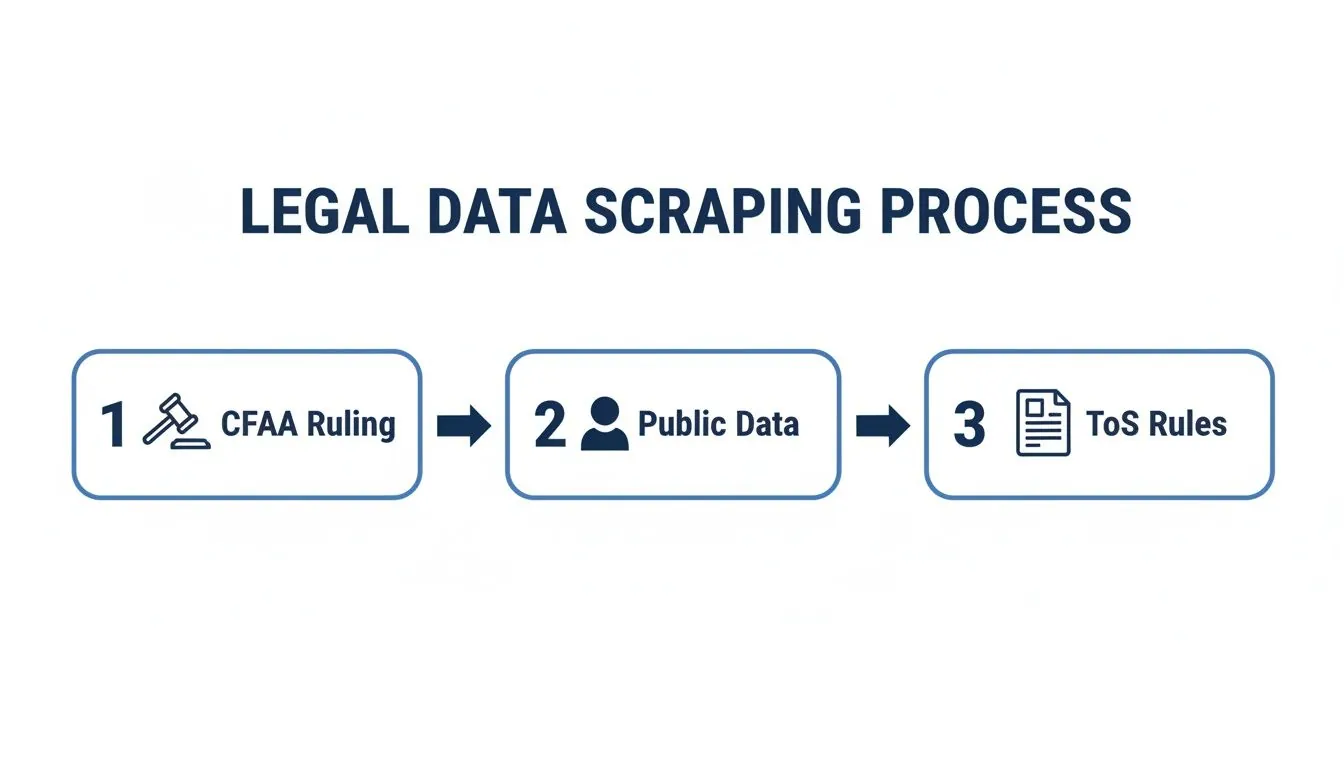
This process highlights a key point: while scraping public data is legally permissible under current interpretations of the CFAA, you still have to contend with a platform's Terms of Service.
A successful scraper isn't just about elegant code; it's about a clever strategy. The best scripts are the ones that don't act like scripts at all. They're patient, a little unpredictable, and designed to play nice.
This "low and slow" method is far more sustainable than aggressive scraping. The data backs this up, too, unchecked scraping can get 75% of your sessions flagged. Adopt these best practices, and you’ll dramatically lower your risk. And for another pro tip on navigating LinkedIn's ecosystem, check out our guide on how to convert Sales Navigator URLs to standard LinkedIn URLs: /blog/how-to-convert-sales-navigator-urls-to-linkedin-urls.
As B2B intelligence has become more data driven, LinkedIn remains the top prize. Industry data reveals that 65% of businesses use scraped data for lead generation and competitor research. Because LinkedIn’s official API is so restrictive, we’ve seen a 200% spike in web scraper adoption since 2023. By sticking to public data and using smart automation, developers have slashed their ban risks by up to 80%. Building your own scraper is a tough but rewarding challenge that demands constant learning and adaptation.
Best Practices for Safe and Scalable Scraping
Getting a scraper to work is the easy part. The real challenge is keeping it running long term without getting your LinkedIn account shut down. If you go in with a brute force, high volume approach, you’re just asking for a permanent ban. Success here is a marathon, not a sprint.
Your entire strategy should revolve around one thing: blending in. You want your scraper to look like a regular person using the site, not an aggressive robot. Think of it as a stealth mission where staying undetected is your primary goal.
The Foundation of Anonymity: Proxy Management
Your first line of defense is a solid proxy. A proxy is just a middleman that hides your real IP address from LinkedIn’s servers. Scraping without one is like leaving your driver's license at the scene of the crime: it makes it trivially easy for LinkedIn to see who you are, track your activity, and block you.
You'll run into three main types of proxies, and choosing the right one is critical:
- Datacenter Proxies: These are fast and cheap because they come from cloud hosting providers. The downside? LinkedIn knows the IP ranges of these data centers by heart, making them the easiest to spot and block.
- Residential Proxies: These are the real deal. They use IP addresses from actual Internet Service Providers (ISPs) assigned to homes. This makes your traffic look completely legitimate, but they come at a higher cost and are a bit slower.
- Mobile Proxies: This is the top shelf option. These proxies use IPs from mobile phone carriers. Since thousands of real users often share a small number of mobile IPs, blocking them is incredibly difficult for LinkedIn without impacting legitimate traffic. They offer the best protection but are also the most expensive.
For most serious scraping projects, rotating residential proxies hit the perfect balance of cost and effectiveness. A quality provider will automatically switch your IP address with every request or new session, making it appear as if your activity is coming from dozens of different users.
Rate Limiting and Human Like Behavior
Even with the best proxies, you'll stick out if your scraper moves at a machine's pace. LinkedIn's anti bot systems are smart enough to detect unnatural speed and perfectly predictable patterns. You have to deliberately slow your script down and introduce some randomness.
A slow and steady approach always wins. Aggressive scraping that hits hundreds of profiles in a short burst is a surefire way to get noticed. Your script needs to act less like a bot and more like a bored human browsing during their lunch break.
As a rule of thumb, keep your activity below 100 profile views per hour for any single account. Even more importantly, add randomized delays between actions. A real person doesn't click a new profile exactly every 2.1 seconds. They pause, they scroll, they read. Your script needs to mimic that behavior.
The data backs this up. Recent reports show that rotating residential proxies can reduce detection rates by as much as 60%. When you pair that with random delays and human like scrolling, you build a much more resilient operation. It's also worth noting that legal interpretations increasingly focus on public data, straying from that is what leads to up to 85% of account suspensions for aggressive scrapers.
Secure Session and Account Management
Logging in and out of a LinkedIn account repeatedly is a massive red flag. A far safer and more professional method is to use session cookies. You simply log in once, either manually or with your script, and then save the session cookies. For all future requests, you just load those cookies to resume the session, making it look like you never left.
And if you're planning to scrape data from LinkedIn at any real scale, relying on a single account is a recipe for disaster. It's much smarter to use a small pool of accounts to distribute the workload. This way, if one account gets flagged or suspended, your entire operation isn't dead in the water. For a deep dive into this technique, check out our guide on how to manage multiple LinkedIn accounts from one device.
To help you stay on track, here’s a quick checklist of the most important safety measures.
LinkedIn Scraping Safety Checklist
This table summarizes the core tactics you need to implement to avoid detection and keep your accounts safe. Think of this as your preflight checklist before launching any scraping job.
| Tactic | Why It Matters | Implementation Tip |
|---|---|---|
| Rotate Residential Proxies | Makes your traffic look like it's from many real users, not a single server. | Use a reliable proxy service like Bright Data or Oxylabs that automates IP rotation. |
| Randomized Delays | Mimics human browsing behavior, avoiding predictable, robotic patterns. | Add a sleep() command with a random interval (e.g. 5 to 15 seconds) between page loads and clicks. |
| Limit Daily/Hourly Actions | Keeps your activity volume below LinkedIn's detection thresholds. | Stick to under 100 profile views per hour and 300 to 400 total actions per day, per account. |
| Use Session Cookies | Avoids frequent logins, which are a major red flag for automation. | Log in once, save the cookies to a file, and load them for all subsequent scraper sessions. |
| Mimic Human Scrolling | Simulates a real user interacting with the page, making headless browsers less detectable. | Use JavaScript execution in your script to scroll the page naturally, not just jump to elements. |
| Use Multiple Accounts | Distributes risk and prevents your entire operation from depending on one account. | Create a small pool of aged, warmed up accounts and rotate your scraping tasks among them. |
By layering these strategies (smart proxies, realistic rate limits, and secure session handling) you can build a scraping operation that’s both effective and sustainable. This is how you gather the data you need safely for months or even years to come.
The Smarter Alternative: Engaging Leads Without Scraping
After weighing the risks of browser automation and the limitations of official APIs, you might be wondering if there's a better path. Is it possible to generate leads from LinkedIn without the constant threat of account bans or legal notices?
Absolutely. The answer is to shift your mindset from data extraction to strategic engagement. Instead of trying to pull names off the platform into a spreadsheet, you can use that same data intelligence to fuel real, automated conversations on the platform. You get the benefit of finding the right people, but in a way that LinkedIn actually encourages: genuine interaction.
Turning Data Intelligence Into Engagement
Think about why you want to scrape data from LinkedIn in the first place. You’re looking for professionals talking about topics related to your business. A smart engagement tool starts with that exact same goal but takes a completely different turn. Instead of just grabbing data, it joins the conversation for you.
Tools like PowerIn are designed around this very idea. They can monitor LinkedIn for specific keywords, keep an eye on influential people in your niche, and spot high engagement posts the moment they start getting traction. This is the same intelligence a scraper looks for, but the result is far more powerful.
Instead of a static CSV file, you get dynamic, automated engagement. Imagine your account automatically posting a genuinely helpful, human like comment on a prospect's post about a problem your product solves. That single action can drive more warm, inbound profile visits than a hundred cold emails ever could.
This strategy flips the script entirely. You stop chasing prospects and start attracting them. By consistently adding value to relevant conversations, you draw a steady stream of profile visits from people who are already interested in what you have to say.
How Automated Engagement Works
This isn't about blasting generic "Great post!" comments across the platform. Modern tools use AI to create comments that are actually contextual and useful, all while matching your unique brand voice. The whole process is built for scale, but with safety as the top priority.
Here's how it typically plays out:
- Set Your Monitors: You tell the system what to look for. This could be keywords like "SaaS marketing trends" or "B2B lead generation." You can also have it follow up to 50 key creators in your industry to engage with their content.
- AI Powered Commenting: When a relevant post pops up, the AI drafts a comment based on the post's content and the tone you've defined. You can fine tune everything, from its personality to its use of emojis or hashtags.
- Built in Safeguards: To keep your account safe, the tool operates well within LinkedIn's known activity limits. It avoids sensitive topics and spaces out comments to look completely natural.
- You're Always in Control: The best platforms give you a manual approval queue. You can review, edit, or reject any AI generated comment before it goes live, ensuring every single interaction is a perfect reflection of your brand.
This approach effectively automates the very top of your sales funnel. You're building brand awareness, establishing your expertise, and generating inbound leads: all while your account engages potential customers around the clock.
The Benefits Over Traditional Scraping
When you put this engagement first strategy head to head with traditional scraping, the advantages are undeniable. You dodge all the major risks while getting a much better result.
- Zero Risk of Bans: You’re not using scrapers or breaking the User Agreement. Your account stays safe, period.
- Higher Quality Leads: The people who visit your profile are already warm. They've seen your name, read your helpful comment, and clicked through out of genuine curiosity.
- Scalable and Sustainable: This strategy works 24/7. You don't have to constantly fix a scraper every time LinkedIn pushes an update.
- Builds Real Brand Equity: Instead of just taking data, you're giving back to the community. You become known as an expert and a helpful voice in your field, which is invaluable.
In the end, the goal isn't just to have a list of names. It’s to start conversations that turn into business. By using intelligence to drive high quality, automated engagement, you can build a powerful and sustainable lead generation engine right inside LinkedIn: no scraping required.
Common Questions About Scraping Data from LinkedIn
Even when you have a plan, scraping LinkedIn can feel like walking a tightrope. A lot of questions pop up along the way. I've heard them all over the years, so let's tackle the most common ones head on.
This is the stuff you need to know before you even think about writing a single line of code or signing up for a scraping tool.
Can I Get Banned for Scraping LinkedIn?
Yes. Let’s be perfectly clear about this: you absolutely can. Scraping is a direct violation of LinkedIn’s User Agreement, and they have sophisticated systems in place to catch it.
If you get flagged, you might just get a slap on the wrist with a temporary restriction. But in more serious cases, they can ban your account permanently or even block your IP address. The only way to fly under the radar is to make your scraper act as humanly as possible, which means randomizing your actions and keeping your activity low.
Is It Better to Build a Scraper or Buy a Tool?
This really boils down to your resources: time, money, and technical skill. There’s no single right answer here.
Building a scraper yourself with something like Selenium or Playwright gives you total control. You can build it exactly how you want it. The catch? It's a massive time sink. LinkedIn is constantly updating its website, and your custom script will break. Be prepared for a constant cycle of fixing and updating.
Buying a commercial tool is the fast lane. You can get started almost immediately. But it comes with its own trade offs, namely the subscription cost and the fact that you’re putting your LinkedIn account's safety in someone else’s hands. Do your homework, because not all tools are created equal.
For most people in sales or marketing, the best move is to skip direct scraping entirely. Safer alternatives, like automated engagement tools, can bring in high quality leads without the risk of getting your account shut down or dealing with the technical drama.
What Kind of Data Is Safest to Scrape?
Stick to the information that’s publicly visible to anyone on the internet, even without a LinkedIn account. Think of the data you can see when you’re not logged in.
This typically includes:
- Full names
- Job titles or headlines
- Current and past employers
- Publicly shared "About" sections
Trying to grab data that's behind a login wall (like email addresses, phone numbers, or a user’s connection list) is where you really start playing with fire. It dramatically increases your odds of getting banned and wades into some murky ethical waters around privacy. If it’s not public, just don’t touch it.
How Many Profiles Can I Safely Scrape Per Day?
LinkedIn doesn't publish a hard limit, but the consensus in the community is to stay under 100 to 150 profile views per day on a single account. Pushing past that number is one of the easiest ways to set off their alarms.
But it's not just about the total count. How you browse those profiles is equally important. A script that visits exactly 100 profiles at a rate of one every 30 seconds is obviously a bot. A much safer approach is to introduce randomness. Vary your pace, take breaks, and mix in other actions. Slow, steady, and unpredictable always wins.
Ready to attract leads without the risks of scraping? PowerIn uses AI to post high quality, automated comments on relevant LinkedIn posts, driving a steady stream of warm, inbound profile visits. Try it free and see how to turn engagement into opportunity at PowerIn.