You’ve got the right prospect open on LinkedIn. The title fits. The company fits. The pain is obvious. You click Message and then the common reaction sets in. You stall.
That hesitation usually isn’t about writing ability. It’s about not knowing which move comes first. Should you send a connection request, use InMail, or wait and comment on their post first? Should you pitch, ask a question, or just introduce yourself? If you’re searching for how to send message linkedin and get a reply, the answer isn’t one clever line. It’s a system.
The strongest LinkedIn outreach I’ve seen doesn’t start in the inbox. It starts in public. Your prospect sees your name on a smart comment, notices you understand their world, and then your private message feels familiar instead of random. That one shift changes the quality of the conversation.
Beyond the Blank Message Box
A lot of people treat LinkedIn messaging like a one step action. Find prospect. Send note. Hope for reply. That’s why so many messages read like they were written in a rush by someone who hasn’t earned the right to ask for anything yet.
The better approach is simpler than people think. Pick the right channel. Write a short message with real context. Send it at a time when the recipient might read it. Then follow up without sounding needy. If you can warm the prospect publicly before the DM, even better.
Most salespeople also blur together terms that matter. If you need a clean refresher on the basics of private messaging across platforms, What is a DM on Social Media? is useful context before you start applying the same idea inside LinkedIn’s different message types.
A LinkedIn message works when it feels like the next logical interaction, not the first unwanted interruption.
That’s the shift. Stop thinking about “sending a message.” Start thinking about starting a conversation with a reason.
Choosing Your LinkedIn Messaging Channel
A rep comments on a prospect’s post Monday, sends a connection request Tuesday, and gets a reply in the DM on Thursday. Another rep sends a cold InMail to the same title and gets ignored. Same offer. Different channel choice.
That is why channel selection matters on LinkedIn. The message does not stand on its own. It is judged by how it arrives, how familiar you are, and how much attention the recipient has to give you.
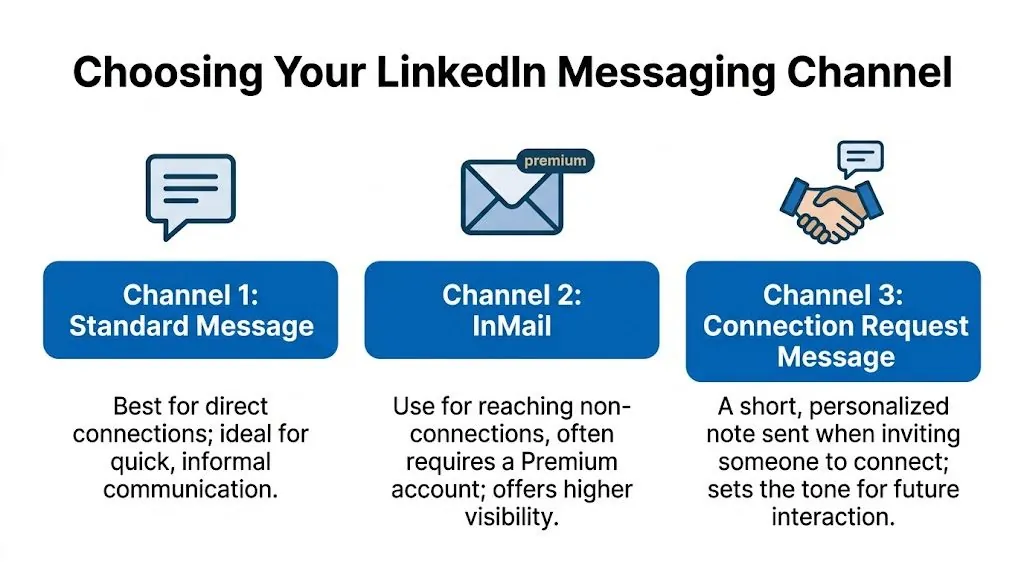
The mistake I see from outbound teams is treating every prospect the same. They pick one channel, usually InMail or a connection request, and run it at scale. That works for a week, then response quality drops because the approach ignores context. A VP who just replied to your comment should get a different entry point than a founder who has never seen your name.
Connection request note
This is usually the best starting point for cold outreach if you have a real reason to connect. The character limit helps. It forces discipline.
A good connection note does one job. It makes the accept feel reasonable.
Use it when you can point to something specific:
- A recent post or comment
- A shared niche or customer base
- A mutual connection with actual relevance
- A timely trigger, like hiring, expansion, or a product launch
What works:
- Light context
- Clear relevance
- No pitch
What fails:
- Calendly links
- Product paragraphs
- “I’d love to pick your brain” copy
If you plan to include a resource after they accept, make sure you know how to add a hyperlink in a LinkedIn message without making the follow up look like a brochure.
InMail
InMail is useful, but I treat it as a precision tool, not a default. It costs more attention from the buyer and more money from your team, so the bar for relevance needs to be higher.
Use InMail when the account is high value, the timing matters now, or the person is unlikely to accept connection requests from strangers. It also helps when you have strong context but no warm path yet.
Good fit for InMail:
- Named accounts with real deal size
- Senior buyers who are hard to reach elsewhere
- Time sensitive outreach tied to a clear event
Bad fit for InMail:
- Broad prospecting lists
- Weak personalization
- Messaging that would work just as well as a connection note
InMail can get replies, but it feels colder than a standard DM. If you can warm the prospect first through public engagement, even a few thoughtful comments, the message lands better because your name is no longer unfamiliar.
Standard direct message
This is the strongest channel once you are connected. It feels normal. It gives you room to have an actual conversation instead of forcing a mini sales letter into a tight character count.
The best DMs are rarely fully cold. They follow some prior signal:
- They accepted your request
- They reacted to your comment
- You have exchanged a few public touches
- A mutual connection has already mentioned you
That is the main advantage of a complete LinkedIn outreach system. Public engagement warms the account first. The DM then feels like a continuation, not an interruption.
LinkedIn messaging channels compared
| Channel | Best For | Pros | Cons |
|---|---|---|---|
| Connection Request Note | Starting contact with a relevant prospect | Low friction, natural first touch, opens access to DMs if accepted | Very limited space, weak fit for detailed asks |
| InMail | Reaching non connections when the account justifies it | Direct access, useful for selective or senior prospects | Paid, easier to ignore, harsher penalty for weak targeting |
| Standard Message | Building a conversation after connection or light engagement | Feels more natural, flexible, strongest for back and forth | Requires a connection first |
A practical decision rule
Use this sequence:
- Start with public engagement if the prospect is active.
- Send a connection request note if you have a sharp reason to connect.
- Use InMail only when access matters enough to justify the interruption.
- Use a standard DM once you have even a small amount of familiarity.
Practical rule: choose the channel that matches the current relationship, not the one that gives you the most room to talk.
Crafting Messages That Actually Get Replies
Most LinkedIn messages fail for one reason. They ask for too much trust too quickly.
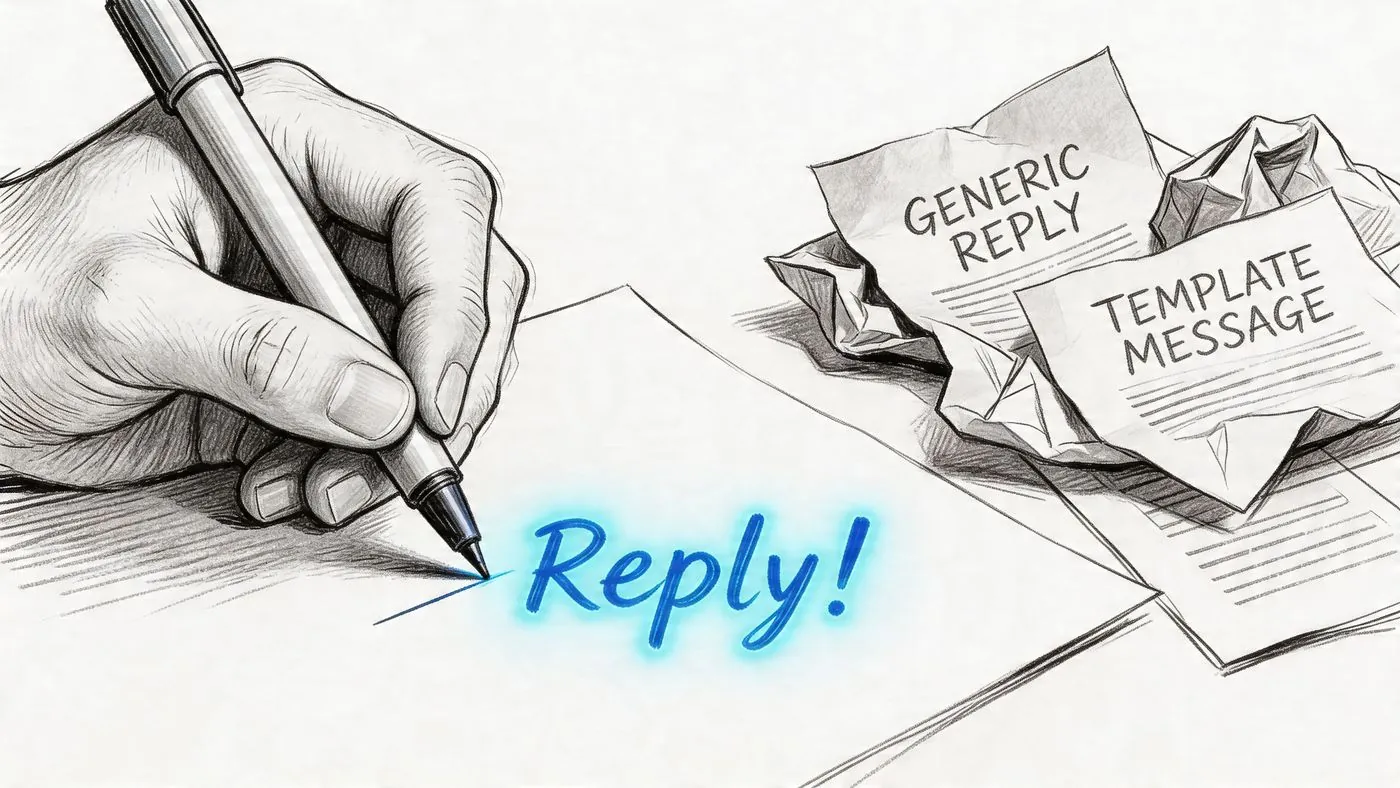
A high performing message has four parts. The framework is backed by Berkshire Jobs’ breakdown of effective LinkedIn message structure: a recipient specific hook, personalized context, a clear purpose statement, and a soft call to action. That same analysis found that messages referencing specific recent activity from the last 30 days generate 60 to 70% higher response rates than generic outreach.
Part one: lead with a real hook
The opening line has one job. Prove this wasn’t pasted into fifty inboxes.
Weak hooks:
- Hi, I came across your profile
- I’d love to connect and learn more
- Hope you’re doing well
Stronger hooks:
- Saw your post on hiring AEs after founder led sales
- Noticed you just expanded into the UK market
- Your comment on attribution in B2B SaaS was sharper than most posts on that topic
The hook should be specific enough that the recipient knows you looked at something recent.
Part two: add context without writing a biography
You only need a sentence or two. Explain why you’re reaching out in a way that relates to them, not just to your quota.
Examples:
- We work with founders who hit the point where outbound gets inconsistent because sales still depends on whoever has time that week.
- I spend a lot of time with RevOps leaders trying to tighten handoff between marketing and SDR teams, so your post caught my eye.
People usually over explain. Don’t. If your message needs a full paragraph to justify itself, your targeting is probably weak.
Part three: state your purpose clearly
Vague intent kills replies. “Would love to connect” says nothing. “Wanted to pick your brain” says even less.
Say what you want with plain language:
- I’m reaching out because I think there may be a fit to help your team generate more sales conversations from LinkedIn.
- I wanted to ask whether outbound ownership still sits with sales or has shifted into growth on your side.
- I’m looking to compare how teams in your segment handle inbound qualification.
If your ask is commercial, don’t hide it behind fake networking language.
For messages that include links, examples, or resources, it helps to understand LinkedIn’s formatting limitations. This guide on how to add a hyperlink to a LinkedIn message is practical if you need to share something without making the message look messy.
Part four: use a soft CTA
The CTA should feel easy to answer from a phone between meetings.
Bad CTAs:
- Are you free for a 30 minute demo next Tuesday?
- Can I send over a proposal?
- Let me know when you’re available for a call
Better CTAs:
- Worth a quick exchange here?
- Open to a brief chat if this is relevant?
- If this isn’t on your plate, happy to point the question elsewhere
That last line matters. Low pressure often gets more replies than urgency.
Here’s a short walkthrough worth watching before you finalize your own templates:
Templates you can adapt
After a connection accept
Hi Sara, thanks for connecting. Your post on partner led pipeline stood out because it's often discussed loosely and you got specific. I work with founders trying to make LinkedIn outreach more consistent. Curious whether your team handles prospecting centrally or by rep.
For a recent post
Hi Daniel, I saw your post on reducing friction in the buying process. Strong point about speed between demo and follow up. I’m reaching out because a lot of sales teams still lose momentum inside LinkedIn after the first touch. Open to a brief exchange on what you’re seeing?
For a mutual niche
Hi Priya, noticed we both spend a lot of time around B2B lead gen for small teams. I’m comparing how operators are using LinkedIn for warm outbound rather than pure cold messaging. If useful, happy to swap notes here.
Keep the message short enough that it can be read in one screen without effort.
The Art of Strategic Timing and Follow Up
A solid LinkedIn message can disappear fast if it lands while your prospect is in meetings, traveling, or clearing a backlog. Timing does not rescue a weak message, but it does decide whether a good one gets seen.
I treat timing as part of the outreach system, not a final tweak. If you are already using automated LinkedIn outreach workflows, schedule around the buyer’s workday and leave room for human judgment. Senior operators often check LinkedIn in short windows between calls. Midday inbox pushes and late night sends usually lose to whatever feels more urgent.
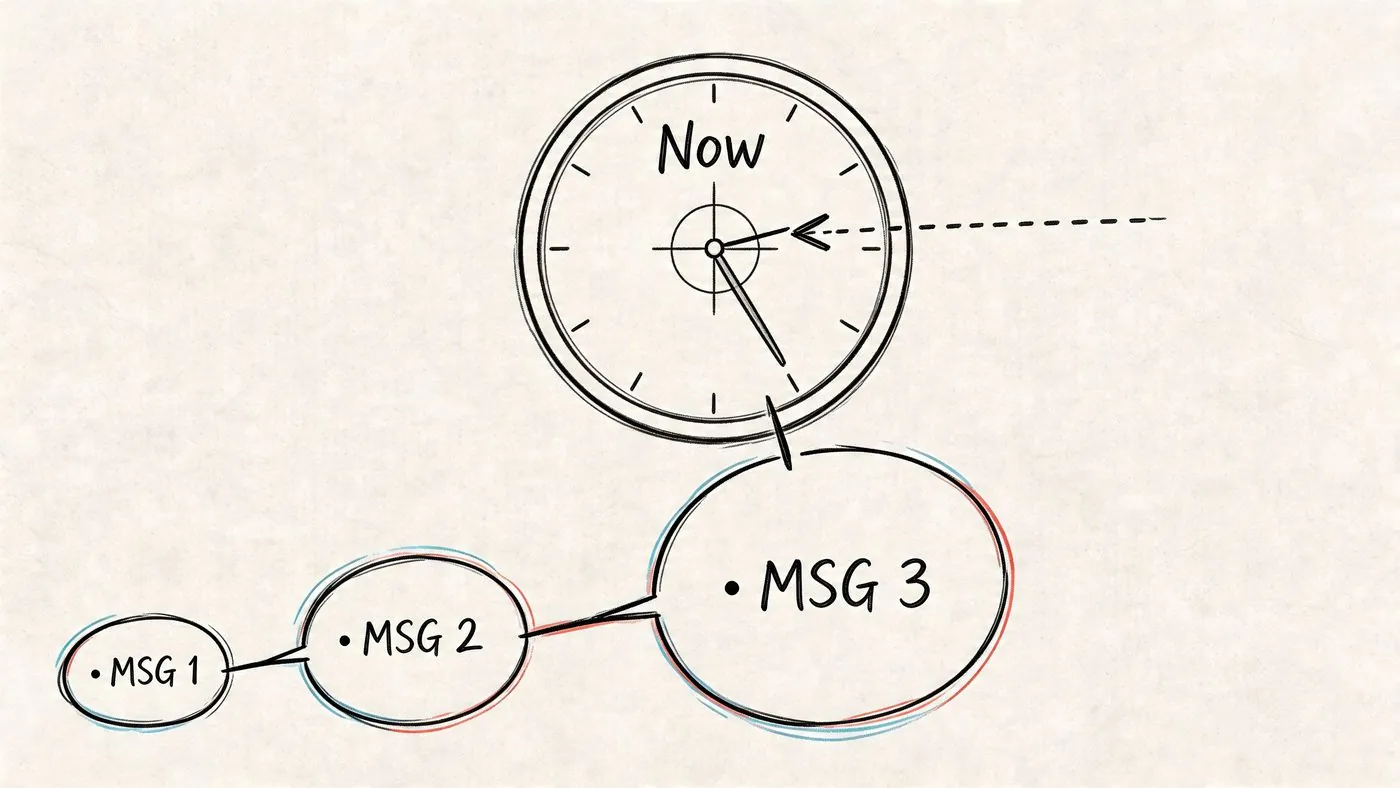
Timing rules that hold up
- Send during the prospect’s local business hours. If they are in London and you are in New York, schedule for London.
- Start with weekday mornings. That is usually the cleanest window for a first read and a fast reply.
- Avoid weekends for first touches. Weekend sends can work for a small subset of founders and recruiters, but for B2B sales outreach, reply quality usually drops.
- Match timing to role. Sales leaders often reply early. Marketing leaders tend to check between meetings. Founders are less predictable, so test small batches before scaling.
Follow up matters more than perfect timing. A lot of reps stop after one message, while others send three low value nudges in five days and burn the thread.
A simple cadence works better.
Day 1
Send the first message. Keep it short, specific, and easy to answer.
Day 4 or 5
Send a follow up that adds context or asks a narrower question.
Template:
Hi Mark, quick follow up with a more specific question. Is your team trying to increase LinkedIn sourced conversations this quarter, or is that lower on the list right now?
About a week later
Add a relevant observation from their market, team structure, or recent activity.
Template:
Hi Mark, one reason I asked is that reply rates usually improve when the conversation starts in public before the DM. If your team is testing that approach, happy to compare notes here.
That second follow up works because it introduces the broader system. Public engagement first. Private message second. If you use a tool like Expandi, keep the sequencing tight and the copy varied enough that each touch still feels tied to the prospect, not the campaign.
What to avoid in follow up
| Mistake | Why it fails |
|---|---|
| “Did you see my last message?” | It creates pressure and adds nothing useful |
| Resending the same note | It signals low effort and obvious automation |
| Following up every day | It turns mild interest into irritation |
| Dropping a full pitch in message two | It asks for too much before interest is established |
Respect silence.
In practice, no reply usually means one of three things. Bad timing, low priority, or weak relevance. The fix is rarely “send more.” The fix is better sequencing, sharper context, and a follow up that earns another look.
Warm Up DMs with Automated Public Engagement
The biggest mistake in LinkedIn outreach is trying to start trust inside a private inbox when you could’ve started it in public first.
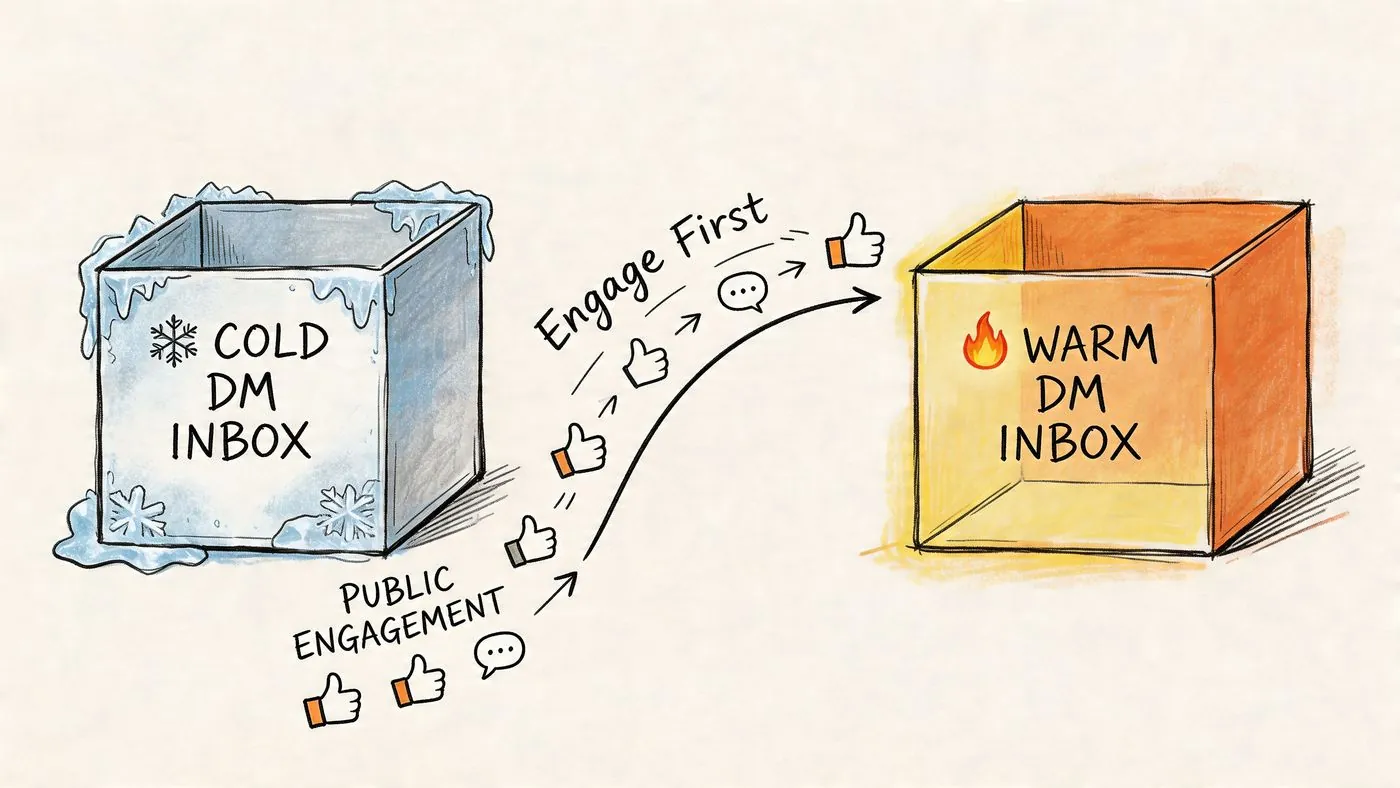
LinkedIn’s messaging system punishes repetition. Based on the technical guidance summarized in this YouTube breakdown of LinkedIn message limits and account behavior, the platform throttles accounts that send too many similar messages too quickly, around 50 to 100 per day. The safer move is a two phase funnel: first leave contextual comments on new content, then send a personalized DM that references that interaction.
Why public engagement changes the inbox dynamic
A thoughtful comment does three things before you ever send a message:
- It creates recognition. Your name isn’t unfamiliar anymore.
- It demonstrates relevance. You’ve shown you understand the topic.
- It gives you a natural opening. Your DM can continue a conversation already started in public.
That means your first private message doesn’t have to manufacture context. It already has some.
What a warm DM looks like
Cold version:
Hi Emma, I help B2B teams generate leads on LinkedIn. Open to a quick chat?
Warm version:
Hi Emma, I commented on your post about founder visibility driving pipeline. Your point about consistency was dead on. Reaching out because I work with teams trying to turn that visibility into actual conversations. Worth discussing?
Same offer. Different temperature.
How to scale this without sounding robotic
You don’t need to manually monitor every prospect’s posts all day. Some teams use outreach platforms like Expandi for sequencing and account workflows. For the warm up layer specifically, PowerIn’s guide to automated LinkedIn outreach is relevant because it focuses on automating contextual comments before the DM rather than treating direct messaging as the entire strategy.
The key is the quality of the comment. “Great post” does nothing. A useful comment reacts to the actual idea, adds one sharp point, and matches the tone of the thread.
A practical warm up sequence
Step one
Identify prospects who post regularly. Silent profiles are harder to warm up through comments.
Step two
Comment quickly while the post is still fresh. The earlier your comment appears, the more likely the prospect notices it.
Step three
Wait until the interaction feels natural, then send a DM that references the post or your comment directly.
Example:
Hi Nate, I added a note on your post about SDR ramp time because I liked the way you framed the management side of it. Reaching out separately because I think there’s a practical angle on using LinkedIn engagement to warm outbound before reps message. Happy to share if useful.
The comment is not the pitch. It’s the proof that you belong in the conversation.
Messaging Etiquette and Avoiding Account Restrictions
A lot of LinkedIn advice still pushes hacks that were shaky even before enforcement tightened. Join a bunch of groups. Message event attendees in bulk. Find side doors into inboxes. That approach might produce activity, but activity isn’t the same as good pipeline.
The bigger problem is account risk. According to the Q4 2025 messaging limit discussion summarized here, 42% of users who reported temporary messaging limits were engaged in rapid group joining or bulk event messaging, and those tactics often produce only 8 to 12% reply rates. Low yield and higher risk is a bad trade.
What professional outreach looks like
It’s slower at the start and stronger over time.
- Respect non response. If someone doesn’t reply after a sensible follow up, leave it alone.
- Keep your language clean. Sloppy grammar and lazy formatting lower credibility fast.
- Use context, not tricks. A relevant note beats a loophole every time.
- Avoid bursts of nearly identical messages. Similar wording at scale is exactly what spam systems are built to catch.
Why safety first wins
Founders and reps usually get impatient when pipeline is light. That’s when they start looking for shortcuts. But LinkedIn is not just a lead source. It’s your professional identity, your network, and often your warmest outbound channel. Burning that for a short term message burst is poor judgment.
If privacy is part of your concern, this explainer on whether LinkedIn messages are private is worth reading before you start sharing sensitive details in outreach.
A good rule is simple. If your process would look embarrassing if the recipient posted it publicly, don’t send it.
Frequently Asked LinkedIn Messaging Questions
A few situations come up constantly in live outreach. The right answer usually depends less on clever phrasing and more on judgment.
FAQ
| Question | Answer |
|---|---|
| Should I send a blank connection request? | Only when the prospect already knows your name or sees your profile regularly. If there’s no recognition, a short personalized note is safer. |
| Is InMail better than a connection request? | Not automatically. InMail is useful for high priority non connections, but connection first outreach often creates a more natural path to a real conversation. |
| What should I do if someone accepts my request but doesn’t reply? | Wait a bit, then send one short message tied to something specific about their role, post, or company. Don’t treat the accept as permission to paste a full pitch. |
| How long should my first message be? | Short enough to read quickly on mobile. If it turns into a mini email, cut it down. |
| Should I include a pitch in the first DM? | You can state commercial intent, but keep it light. Clarity is good. Pressure isn’t. |
| What’s the best opener if they post often? | Reference a recent post and react to one real point from it. That’s stronger than generic praise. |
| What if they never post? | Use profile details, role changes, company direction, or mutual context. If you have no specific angle, your targeting may not be strong enough yet. |
| Can I automate everything? | You can automate parts of the process, especially monitoring and public engagement, but the actual message still needs to sound like a person with a reason to reach out. |
If you want a steadier way to start LinkedIn conversations, PowerIn fits the front end of the process. It helps teams automate contextual comments on LinkedIn posts so prospects recognize your name before you ever send a DM. That makes your outreach warmer, more relevant, and easier to continue naturally once you move into private messages.