Your SDR opens LinkedIn, copies a company name into a data tool, checks the CRM for duplicates, exports a list, cleans a few emails, then hands the file to an outreach tool. Two hours later, the team has activity logged but no clear signal that the right buyers are more likely to respond.
That is the problem with a lot of B2B lead generation setups. The issue is rarely access to tools. It is that the tools do not work together in a way that matches how your team sells.
Strong pipeline generation now comes from systems, not one off apps. Teams need a way to identify the right accounts, enrich contact data, spot timing, and create familiarity across channels before asking for a meeting. That often includes outbound email, LinkedIn prospecting, CRM routing, enrichment, and social engagement running in one connected workflow. If LinkedIn is a core channel for your team, this guide to LinkedIn prospecting workflows is a useful starting point.
The better question is not which platform has the biggest database or the most features. The better question is which stack fits the role. An SDR needs speed, coverage, and clean handoffs. A founder needs a lighter setup that creates visibility and conversations without a full sales ops layer. A marketer needs tighter account targeting, enrichment, and campaign sync across the CRM and ad platforms.
That is the angle of this guide. Instead of giving you another flat list of tools, I’m focusing on where each one fits, what trade offs come with it, and how to combine them into practical stacks for founders, SDRs, and marketers.
Below are the B2B lead generation tools I’d put on the shortlist for 2026, plus where each one earns its place and where it creates friction.
1. PowerIn
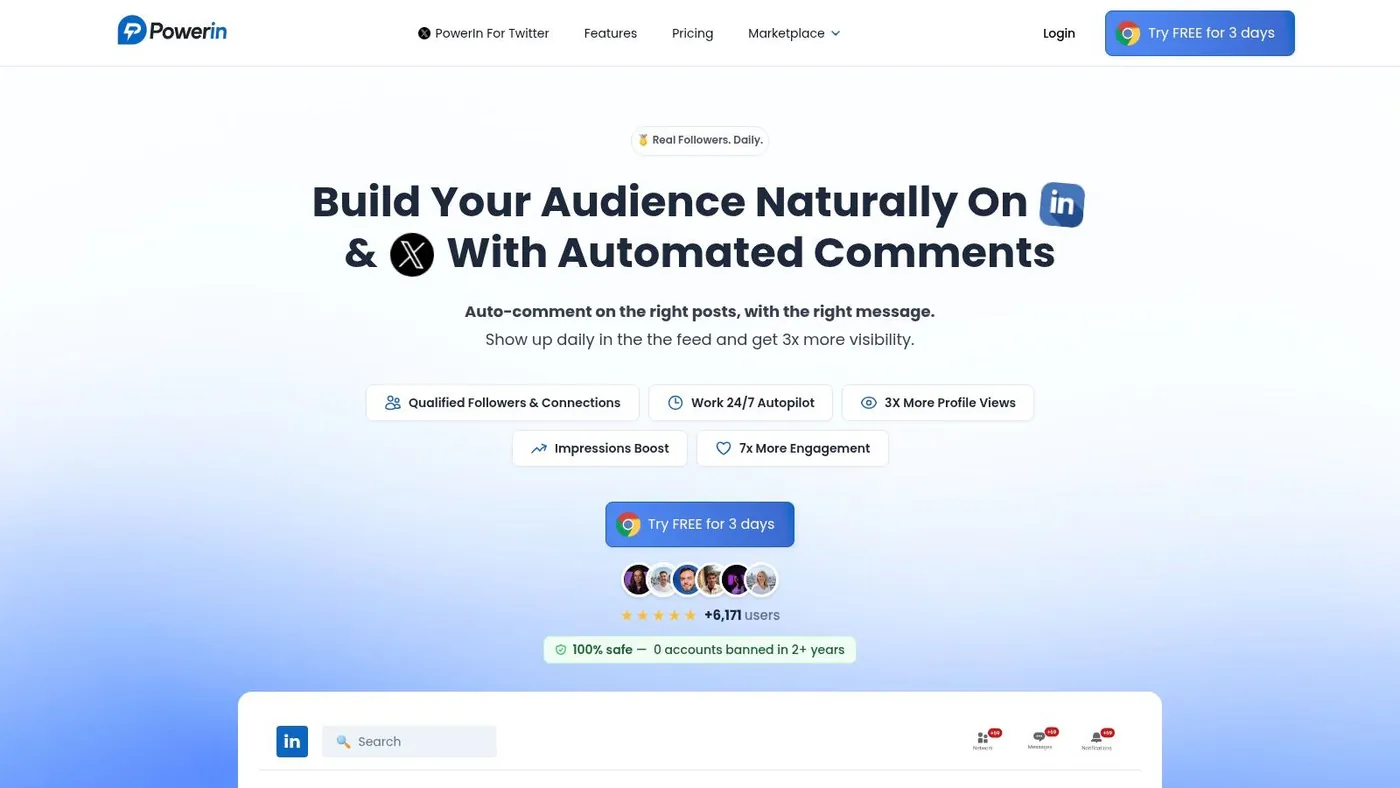
PowerIn solves a problem most lead gen stacks ignore. Visibility on LinkedIn and X is now part of prospecting, but many teams still handle it manually or not at all.
Instead of pulling a list and pushing messages, PowerIn watches posts that match your keywords or target creators, then places contextual comments while the conversation is still fresh. That matters because the best social lead generation often starts before a direct message, not after it.
Where PowerIn fits best
This is one of the few b2b lead generation tools built around engagement rather than databases. If you’re a founder, SDR, recruiter, consultant, or growth marketer trying to become visible in the right conversations every day, it fills a gap that email and contact data platforms do not.
The strongest use case is simple. Pick a narrow market, monitor the people and topics your buyers follow, then show up consistently with useful comments that sound like a person, not a bot.
PowerIn supports creator targeting, keyword targeting, multilingual replies, timezone aware scheduling, tone customization, hashtags, emojis, manual approval, comment history, CSV export, a Chrome extension, and daily analytics emails. It also puts clear emphasis on account safety by operating within platform limits and skipping sensitive topics.
Start with manual approval. Teams often benefit from training tone and targeting first, then automate more once the comments consistently sound like the brand.
The practical edge is speed. If your comment lands early on the right post, you can create profile visits, inbound connection requests, and warmer outbound follow up without opening a single cold email thread first.
The trade offs to know
PowerIn is not a full database, CRM, or sequencing platform. It works best as the front end of attention, not the whole system.
That means you need to tune it. Good keyword logic matters. Creator selection matters. Tone settings are particularly important if your buyer is senior and your market is nuanced. Teams that treat it as “set and forget” get weaker results than teams that review outputs, adjust prompts, and tighten targeting each week.
A second trade off is volume planning. PowerIn is tiered, so if your motion depends on broad comment coverage across many segments, you need to match the plan to your throughput.
If LinkedIn is already your main prospecting channel, pair PowerIn with a profile list and outreach workflow. This guide on LinkedIn prospecting is a useful next step if you want to connect comments, profile visits, and direct outreach into one motion.
Best stack for a founder led motion
A clean founder stack looks like this:
- PowerIn for visibility: Build familiarity in public threads.
- LinkedIn Sales Navigator for list quality: Save target accounts and people.
- HubSpot for pipeline tracking: Capture replies, notes, and follow up tasks.
That stack works because each tool has a clear role. PowerIn earns attention. Sales Navigator narrows who matters. HubSpot keeps the motion organized.
Direct website: PowerIn
2. LinkedIn Sales Navigator
An SDR has a clean ICP, a list of target accounts, and a full day blocked for prospecting. Two hours later, they still have a messy search, irrelevant profiles, and no clear reason to reach out. Sales Navigator fixes that part of the workflow.
It is one of the best tools for turning a broad market into a workable target list. If you sell into specific functions, company sizes, hiring patterns, or account tiers, Sales Navigator gives you far more control than standard LinkedIn search. The value is not just access to profiles. It is the ability to save the right accounts, watch what changes, and act when there is a timely trigger.
Why it earns a seat
Sales Navigator is strongest when your outreach depends on context. Job changes, new posts, headcount growth, leadership hires, and account activity all help reps write better first messages and choose better timing.
That matters because raw contact data is not enough. A verified email gets you a delivery path. It does not tell you whether the account is worth attention this week.
Teams that use Sales Navigator well treat it as the targeting and signal layer inside a broader outbound system. Build account lists here. Refine persona filters here. Monitor buying signals here. Then pass the right people into your contact data provider or CRM. If you are comparing enrichment vendors for that second step, this guide to B2B email list providers is a useful complement.
Its best use is focused prospecting. Find the right people, then watch for reasons to contact them.
Where it falls short
Sales Navigator does not solve contact coverage, verification, sequencing, or data hygiene. You still need another tool for email addresses, phone numbers, workflow automation, and CRM sync.
Search quality is the other trade off. The platform is powerful, but only if reps know how to build tight searches. Weak Boolean logic produces noisy lists. Overly narrow filters hide good prospects. I have seen teams blame the tool when the underlying issue was poor search setup and no review process for saved leads.
If you want to tighten your filters, this walkthrough on how to use Sales Navigator Boolean search is worth studying.
Use Sales Navigator as your prospecting control panel, not your full outbound stack.
Best stack for an SDR
A practical SDR stack often looks like this:
- Sales Navigator: Build saved lead lists, account lists, and trigger based views.
- Apollo or Lusha: Add verified contact data once a lead is worth pursuing.
- HubSpot or Salesforce: Track activity, ownership, and follow up.
That setup works because each tool handles a different job. Sales Navigator improves who gets targeted and when. Your data provider improves reachability. Your CRM keeps the motion accountable.
Direct website: LinkedIn Sales Navigator
3. Apollo.io
An SDR pulls a strong list in the morning, enriches it, writes the first sequence, and starts sending before lunch. That speed is Apollo’s main appeal.
Apollo works best for teams that want one platform to handle prospecting, contact data, enrichment, and outbound execution. If the current stack feels stitched together with exports, CSV cleanup, and manual handoffs between tools, Apollo can remove a lot of operational drag fast.
That convenience comes with trade offs.
Where Apollo works
Apollo fits lean outbound teams that need reps live in market quickly. Early stage sales teams, founder led sales motions, and small SDR pods often get value from it because setup is simpler than managing separate tools for data, sequencing, and list building.
The browser extension helps in day to day prospecting. A rep can review a company, check contacts, add people to a list, and push them into outreach without switching between five tabs and two systems. That reduction in friction matters more than teams admit. Prospecting quality often drops because the workflow is annoying, not because the rep lacks intent.
Apollo is more effective when speed matters more than perfect specialization. A team can accept "good across several jobs" if the alternative is a stack they never fully configure.
If you are still comparing databases before you choose a provider, this guide to b2b email list providers gives useful context.
Where teams get stuck
Credit usage can quickly become problematic. Large exports, broad enrichment rules, and sequence testing across multiple reps can burn through allowances before leadership notices.
Data quality is the other common friction point. Apollo is useful because it covers a lot of ground, but broad coverage is not the same as perfect coverage in every segment. Teams selling into niche industries, non US markets, or phone heavy motions often pair Apollo with a second data source rather than forcing one tool to do everything.
Execution can also get sloppy if Apollo becomes the default answer to every workflow problem. I have seen teams import weak lists, enrich everything, sequence everyone, and call it scale. The result is bloated lists, lower reply quality, and avoidable credit waste. Apollo is more effective when the ICP is tight and list rules are clear before reps start pulling contacts.
For a side by side view of those trade offs, the ProfileSpider vs Apollo comparison is a useful read.
Best stack for a founder led outbound motion
A practical founder stack often looks like this:
- Apollo: Build targeted lists, enrich contacts, and run light outbound sequences.
- PowerIn: Engage priority prospects on LinkedIn before the first email.
- HubSpot: Track replies, meetings, and pipeline movement in one place.
That setup works because it keeps the stack light without making the workflow fragile. Apollo handles the data and sending. PowerIn adds warm account engagement. HubSpot keeps follow up and attribution clean.
Direct website: Apollo.io
4. Lusha
Lusha is one of the easier B2B lead generation tools to operationalize. That simplicity is a strong advantage for smaller sales teams.
If your reps spend their day on LinkedIn and company sites and just need a clean workflow to reveal contact details, Lusha does that job without much ceremony.
Why smaller teams like it
The product feels straightforward. Install the extension, inspect profiles or company pages, pull contact paths, and move on. For teams that do not want a heavy platform rollout, that matters.
It is useful when the outreach motion is targeted and reps are hand picking accounts. In that setup, ease of use often beats an oversized feature set.
This is also where Lusha compares with all in one tools. A focused data product can be better than a larger platform if your process is already defined elsewhere. If sequencing happens in another tool and the CRM is clean, you may not need your data provider to do much more than reveal contacts quickly.
A useful side by side perspective is this ProfileSpider vs Apollo comparison, which highlights the kind of trade offs teams run into when they compare simple contact workflows with broader platforms.
Where Lusha can frustrate you
The credit model requires discipline. Teams that depend heavily on phone first outreach need to pay close attention because phone data usually consumes more budget than email lookup.
Lusha also works best when paired with a defined outbound process. It is not a demand generation engine. It will not create intent signals or social visibility on its own.
Best use case
Use Lusha when your sales team already knows who it wants to contact and needs fast contact discovery inside a straightforward rep workflow.
Direct website: Lusha
5. Hunter.io
An SDR has a clean account list, a founder has 30 dream prospects, or an agency needs to launch outreach for a client by Friday. In each case, the bottleneck is usually the same. You need valid work emails fast, and you need enough confidence in the data to send without creating a bounce problem.
Hunter fits that job well.
It is built for domain search, email finding, and email verification. That narrow scope is why it stays useful even when a team already has a CRM, a sequencer, and a separate prospecting workflow. Hunter handles the email layer without forcing a bigger platform decision.
The practical value is speed and restraint. Teams that already know which companies they want to contact can move from account list to verified emails with less friction. Consultants, recruiters, agencies, and founder led sales teams get more from that simplicity than from paying for account intent, org charts, or routing features they will not set up.
Bulk verification is another strong use case. If you are importing lists from referrals, event leads, or manual research, Hunter helps clean the file before the first campaign goes out. That protects deliverability and reduces wasted touches.
What it does not try to solve
Hunter will not define your ICP, prioritize accounts, or run multichannel outbound. It will not replace a broad contact database either. Use it for email discovery and verification. Choose something else if your team needs mobile numbers, buying signals, deeper account intelligence, or enrichment across the full funnel.
That trade off is healthy. A lot of smaller teams get into trouble by buying a platform designed for a larger go to market motion. If your workflow is list building in Sales Navigator, email discovery in Hunter, and sequencing in your outreach tool, forcing everything into one system can add admin work without improving results.
If verified email is a core requirement, buy the tool that handles verified email well.
Best stack for consultants and small agencies
A simple stack works best here:
- Hunter: Find and verify work emails.
- HubSpot free CRM or equivalent: Track contacts, pipeline, and follow ups.
- Sales Navigator or PowerIn: Build the target list and add context before sending.
That setup suits teams that run low volume, targeted outreach and care more about accuracy than database breadth.
Direct website: Hunter.io
6. ZoomInfo SalesOS
A familiar pattern shows up once a sales team has a few reps, a RevOps owner, and clear account coverage targets. The team outgrows lightweight prospecting tools, starts caring about territory rules and account ownership, and needs one system that can feed outbound, enrichment, and account research without constant CSV work. That is the point where ZoomInfo SalesOS starts to make sense.
Its appeal is scale paired with operational control. Teams use it to build account lists, pull contact data, add firmographic and technographic context, and route records into the rest of the revenue stack. For larger outbound programs, that consolidation matters more than a lower entry price.
Where ZoomInfo earns the spend
ZoomInfo fits best when lead generation is already a coordinated motion, not a side task handled by one rep between calls. SDR teams use it to segment named accounts and map buying groups. Marketing teams use it to enrich records and tighten audience definitions. RevOps teams use it to keep routing, field mapping, and ownership rules cleaner across systems.
That is the primary trade off. You are not only buying contact data. You are buying a heavier operating layer for prospecting and account selection.
The upside is clear if your team can use it well. Reps spend less time piecing together account context from five tabs. Managers get more consistency in how territories and target lists are built. Data work shifts from ad hoc research toward a repeatable workflow.
Where it creates drag
Smaller teams often buy ZoomInfo before they have a repeatable outbound process. Then the platform feels expensive because the bottleneck was never database depth. It was weak ICP definition, inconsistent messaging, or poor follow up discipline.
Founder led sales is a good example. If the founder is selling through warm intros, partner channels, and a short named account list, ZoomInfo can be more system than strategy. The same goes for consultants and niche agencies running targeted outreach to a narrow market.
Contract structure matters too. A platform at this level usually brings setup decisions, admin overhead, and pressure to standardize how teams work. That is reasonable for a mid market or enterprise motion. It is unnecessary friction for a small team still proving channel fit.
Best stack for SDR leaders and mid market outbound teams
This is the setup I would use when an SDR team needs both coverage and process discipline:
- ZoomInfo SalesOS: Account selection, contact discovery, enrichment, and buying team research.
- Sales engagement platform: Sequencing, task management, and rep execution.
- CRM: Source of truth for ownership, stages, pipeline, and reporting.
- LinkedIn Sales Navigator or PowerIn: Social context and account level outreach support.
That stack works for teams where one tool finds the market, another runs execution, and the CRM keeps the motion accountable.
Direct website: ZoomInfo
7. Clearbit by HubSpot
A common scenario: marketing is generating form fills, sales wants cleaner account data, and ops is stuck patching field mappings across too many tools. Clearbit by HubSpot fits best when HubSpot already runs the core system and the primary need is cleaner enrichment inside the workflows your team uses every day.
That matters more than feature count.
For HubSpot centric teams, the advantage is execution speed. Enrichment, routing, scoring, and lifecycle updates can happen closer to the CRM instead of passing through another layer of sync logic. Fewer handoffs means fewer broken automations, fewer duplicate records, and less debate about which system holds the right data.
Clearbit by HubSpot works well for marketer led motions where inbound volume is healthy and fast qualification matters. A demand gen team can capture a lead, enrich company attributes, route by segment, and trigger follow up without asking sales ops to maintain a complicated chain of connectors.
The trade off is straightforward. Teams that are not committed to HubSpot will get less value from this setup. If your CRM, outbound stack, and automation live elsewhere, a standalone data provider or workflow tool often gives you more flexibility.
I would not buy this as a primary top of funnel prospecting tool. I would buy it when the problem is lead processing quality inside HubSpot. That distinction saves a lot of budget.
Best stack for a marketing led team
- HubSpot plus Clearbit: Form capture, enrichment, lead routing, and segmentation in one operating flow.
- Google Ads or a content engine: Demand creation.
- PowerIn: Social engagement around target accounts and active buying themes.
Direct website: Clearbit by HubSpot
8. Cognism
Cognism tends to come up when teams care about phone based prospecting, global coverage, and compliance posture.
If your outbound motion relies on mobile numbers and your team sells across regions, Cognism makes more sense than a tool selected for broad database size.
Where Cognism stands out
The draw is phone verified mobile data and a compliance forward position. For teams working in regulated environments or multiple markets, that combination matters more than a flashy all in one promise.
Cold calling teams in particular care about one thing before anything else. Can reps reliably connect with the right people? That is why verified phone coverage remains a deciding factor.
Cognism also fits better than some US centric platforms when your addressable market spans more than one region and you do not want your reps constantly second guessing coverage quality.
What to watch
The product is usually best value for teams that call. If your motion is mostly email and social, you may be paying for strengths you barely use.
Pricing is another reality check. Since it is not public in the same way as lightweight tools, buyers need a disciplined evaluation process. Define the outreach channel first, then choose the data provider. Too many teams buy premium phone data and then spend most of the quarter sending emails.
A useful benchmark from G2’s lead generation roundup is that 42% of reps cite poor data quality as a barrier, according to G2’s lead generation statistics. That is exactly the problem Cognism is trying to solve for call heavy teams.
Best stack for phone first SDR teams
- Cognism: Mobile numbers and global contact coverage.
- Sales Navigator: Prioritize named prospects.
- CRM and dialer workflow: Log connects, callbacks, and next actions.
Direct website: Cognism
9. Seamless.AI
Seamless.AI is positioned as a more accessible option for teams that need contact data and direct dials without moving into the heaviest enterprise contracts.
That makes it attractive to rep led outbound teams that value speed and volume.
When Seamless makes sense
If your team is running a straightforward find, export, and contact workflow, Seamless can fit well. The browser extension and CRM integrations support a simple process, which is what high activity SDR teams need most.
It also gives smaller teams a way to test data quality before making a larger commitment. That matters because contact platforms are easy to buy and harder to evaluate. A clean pilot matters more than a polished demo.
Where caution is needed
This category has one recurring problem. Teams confuse list volume with pipeline quality.
A lower friction data tool can be helpful, but only if your rep workflow is disciplined enough to avoid spamming weak fit contacts. Otherwise the tool becomes a force multiplier for bad targeting.
Seamless is a better fit for teams with a clear ICP and a rep manager who will inspect list quality, not just activity totals.
Best stack for a volume SDR pod
- Seamless.AI: Pull contact data fast.
- CRM and sequence tool: Keep activity controlled.
- PowerIn: Add social touchpoints for top tier named accounts.
Direct website: Seamless.AI
10. Clay
A team reaches for Clay after hitting the limits of standard prospecting tools. The problem is no longer finding names. It is combining intent, firmographic data, hiring signals, technographics, and custom research into one workflow that sales can effectively use.
That is where Clay earns its place.
Clay is best for operators who want to design lead generation around their own logic instead of a vendor's default filters. You can pull from multiple providers, run enrichment waterfalls, score accounts against a narrow ICP, and push only the strongest records into your CRM or outbound tool.
For the right team, that changes the workflow. SDRs stop wasting time on weak lists. Founders can build tight account maps for a small set of targets. Marketing teams can create segments based on strong buying signals instead of broad industry buckets.
Why advanced teams choose Clay
Clay gives you control that all in one databases do not. If one provider is thin on direct dials but stronger on company data, you can route around that gap. If your ICP depends on details like recent funding, job changes, tech stack, or open roles, you can build that logic into the table instead of asking reps to research it by hand.
It also supports a more useful way to work across roles.
A founder can use Clay to build a named account list with custom research fields before any outreach starts. An SDR manager can create a waterfall that checks one source, then another, then verifies the record before export. A marketer can score accounts for campaigns and send only high fit companies into paid or outbound plays.
This represents a key advantage. Clay is not just a data source. It is the workflow layer that lets you combine sources into a system.
Where teams get stuck
Clay takes ownership.
Someone has to define the logic, maintain the workflows, and decide what counts as a qualified record. Without that, teams end up with a complicated table, high credit usage, and no consistent handoff to sales. I have seen that happen when companies buy Clay before they have a stable ICP or before anyone on the team is responsible for ops.
It is also easy to overbuild. A simple SDR motion does not need twelve enrichments and a custom AI prompt on every row. Start with the minimum workflow that improves targeting or saves rep time, then add steps only when they change outcomes.
Buy Clay when your advantage comes from custom sourcing, scoring, or research workflows. Skip it if your team still needs a simple plug and play contact database.
Best stack for a growth operator or founder led outbound motion
- Clay: Orchestrate enrichment, waterfalls, scoring, and research.
- Apollo, ZoomInfo, or another data provider: Supply core contact and company records.
- HubSpot or Salesforce: Route qualified accounts and contacts into the sales process.
- PowerIn: Warm up priority accounts with visible social engagement before direct outreach.
Direct website: Clay
Top 10 B2B Lead Gen Tools Comparison
| Product | Core features ✨ | Quality & impact ★ | Pricing / Value 💰 | Best for & USP 👥 |
|---|---|---|---|---|
| PowerIn 🏆 | AI driven contextual comments; keyword & creator targeting; timezone & multilingual; manual approval & analytics | ★★★★★ · ↑+478% profile views; 3 to 5× response vs cold outreach | 💰 Growth ~$59/mo · Advanced ~$99 · Scale ~$149 · free trial (3 to 5d) | 👥 B2B founders, SDRs, growth marketers · ✨ real time automated engagement |
| LinkedIn Sales Navigator | Advanced lead/account filters; real time signals; InMail & CRM sync | ★★★★☆ · best in class profile coverage | 💰 Seat based tiers; scaling cost for teams | 👥 SDRs & teams running LinkedIn outreach · ✨ live buyer signals |
| Apollo.io | B2B contact DB + sequences, dialer, AI assistant & enrichment | ★★★★☆ · all in one prospecting stack | 💰 Credit model for exports/calls; tiered plans | 👥 Growth/SDR teams wanting unified outreach · ✨ multichannel sequences |
| Lusha | Verified emails & phones; Chrome extension; CRM export | ★★★☆☆ · reliable on page contact discovery | 💰 Credit based (free starter credits) | 👥 SMB sales reps · ✨ simple, fast contact lookup |
| Hunter.io | Email finder, domain search & verifier; bulk CSV | ★★★★☆ · strong deliverability & verification | 💰 Tiered credits; affordable plans | 👥 Consultants & small teams focused on email · ✨ email verification focus |
| ZoomInfo SalesOS | Enterprise contact/company data; direct dials, intent & technographics | ★★★★☆ · deep US mid market/enterprise coverage | 💰 Custom/quoted (enterprise contracts) | 👥 Revenue orgs & enterprise teams · ✨ scale, governance & intent signals |
| Clearbit by HubSpot | Real time enrichment (100+ data points) native in HubSpot | ★★★★☆ · tight HubSpot integration | 💰 Packaged through HubSpot pricing | 👥 HubSpot users seeking native enrichment · ✨ CRM native activation |
| Cognism | GDPR first B2B data with phone verified mobile numbers | ★★★★☆ · high connect rates for phone outreach | 💰 Custom pricing (contact sales) | 👥 Regulated/multiregional teams · ✨ Diamond Data mobile verification |
| Seamless.AI | Email & cell discovery; browser extension; daily credit refresh | ★★★☆☆ · volume phone/data focus | 💰 Tiered plans; speak to sales | 👥 High volume SDR teams · ✨ daily credits & exports |
| Clay | Orchestration across 150+ data sources; workflows & automations | ★★★★☆ · flexible data pipelines & enrichment waterfalls | 💰 Actions/credits model; tiered | 👥 Growth/ops teams blending vendors · ✨ custom data orchestration |
From Tools to a System: Your Next Steps
A common failure pattern looks like this. The team buys Sales Navigator for targeting, Apollo for data, Clay for enrichment, and PowerIn for LinkedIn visibility. Six weeks later, reps still miss follow up windows, founders are commenting without a clear account list, and marketing is pushing leads into a CRM with weak routing rules. The issue was never tool count. It was stack design.
Start with the bottleneck that is slowing pipeline today.
If buyers are not noticing your team early enough, fix visibility first. PowerIn helps when LinkedIn is part of how deals start, especially for founder led growth, recruiting, social selling, and warming accounts before a cold email or call. If the primary issue is account selection, use LinkedIn Sales Navigator or a data provider that fits your motion and market. If the issue is workflow sprawl, reduce overlap before adding anything new. Apollo works well as a starting point for teams that want prospecting, sequencing, and data in one place. Clearbit by HubSpot works better when HubSpot is already the center of your go to market process. Clay earns its place when you need enrichment waterfalls, routing logic, and custom workflows across multiple sources.
It is important to understand this: tools fail in predictable ways. Database heavy stacks often create more records than action. All in one stacks are fast to launch but can become limiting once segmentation, enrichment, and channel orchestration get more complex. Best of breed stacks give you more control, but they also add admin work, vendor overlap, and failure points between steps.
The practical move is to build for one role and one motion first, then expand.
Here are four stack patterns that hold up in the field:
Founder led pipeline: PowerIn, Sales Navigator, HubSpot.
Use PowerIn to stay visible in buyer conversations, Sales Navigator to track the right people and accounts, and HubSpot to capture replies, meetings, and next steps.SDR outbound: Sales Navigator, Apollo or Cognism, CRM.
Start with account and persona filters in Sales Navigator, pull contacts from Apollo or Cognism based on your need for breadth versus phone accuracy, then run activity and reporting from the CRM.Marketing led capture and nurture: HubSpot, Clearbit, Google Ads, PowerIn.
Use Clearbit to enrich inbound traffic and form fills, HubSpot to score and route, Google Ads to capture active demand, and PowerIn to support branded visibility on LinkedIn before prospects convert.Advanced RevOps build: Clay, ZoomInfo or Apollo, CRM, social engagement layer.
This setup fits teams that need custom enrichment logic, waterfalling across vendors, and tighter control over lead routing by segment, territory, or trigger.
For a broader vendor view, see 12 best lead generation tools for B2B.
Once the stack is chosen, assign clear ownership. One tool should own visibility. One should own account selection. One should own contact data or enrichment. One should remain the system of record. If two tools perform the same job, keep both only when the gap is distinct and measurable, such as stronger mobile coverage in one region or better enrichment on inbound records.
Then inspect behavior inside the workflow. Are SDRs acting on job changes, website visits, or intent signals within a day? Are founders following profile viewers and post engagers with a defined next step? Is marketing sending enriched leads to the right rep with the right context attached? Pipeline quality improves when these handoffs are clear.
LinkedIn now sits inside many B2B buying paths whether teams plan for it or not. Buyers see a comment, check a profile, visit a site, open an email, and only then reply. The stack should support that sequence instead of treating social, outbound, and CRM activity as separate programs.
Good systems create timing, context, and accountability. That is what turns a pile of lead generation tools into a repeatable pipeline.
If LinkedIn is already central to your pipeline, PowerIn is one of the fastest ways to turn attention into opportunity. It helps founders, SDRs, marketers, recruiters, and solo operators show up consistently in the right conversations with contextual comments that feel human, stay on brand, and scale without the daily manual grind.