So, you've posted on LinkedIn. You're waiting for the likes and comments to roll in, but what’s the very first thing that happens? Before anyone can react, they have to see your post. That simple act of seeing is what LinkedIn calls an impression.
Think of it like a digital billboard on a busy highway. Every single time a car drives by and your ad is visible on the screen, that's one impression. It doesn't matter if the driver stops to read it, or even notices it. It was simply there, on their screen, in their line of sight.
Your Guide to LinkedIn Impressions
Getting a handle on impressions is your first real step toward making LinkedIn work for you, whether you're building a brand, chasing leads, or carving out a space as an expert. It's the most fundamental metric you have. After all, if no one sees your content, no one can like, comment, or share it.
An impression is just a tally of how many times your content was shown to someone. If one person scrolls past your post in their feed, then sees it again later in a search, that’s two impressions for that single person. This number is your earliest clue that the LinkedIn algorithm has picked up your content and is starting to show it around.
Let's break down exactly what an impression is, and what it's often confused with.
LinkedIn Impression at a Glance
This quick table cuts through the noise, showing you exactly what this metric means.
| Concept | What It Is (Impression) | What It Is NOT |
|---|---|---|
| Basic Unit | A single display of your content on a user's screen. | A unique person seeing your content (that's Reach). |
| Measurement | A count of total views, including multiple views by one user. | A click, like, comment, or share (those are Engagements). |
| User Action | Requires no action from the user: they just need to scroll by. | A user clicking to watch your video or open your document (that's a View). |
| Primary Goal | Measures visibility and how often your content is being shown. | Measures direct user interaction or unique audience size. |
This table makes it clear: impressions are all about visibility. They’re the raw fuel for everything else.
Why This Metric Is Foundational
So, why obsess over a number that doesn't even track clicks or comments? Because it gives you immediate feedback. A high impression count tells you that LinkedIn is putting your post in front of people, creating the opportunity for all those other, more glamorous metrics to happen.
Here’s why that matters so much:
- The Gateway to Engagement: Every like, comment, and share starts its life as an impression. Without it, you're invisible.
- Building Brand Awareness: Seeing your name and face repeatedly builds familiarity. Consistent impressions keep you top of mind, which is how trust is built over time.
- An Algorithmic Nudge: Strong initial impressions signal to LinkedIn that your post might be valuable. This can trigger the algorithm to show it to an even bigger audience, creating a snowball effect.
An impression is your content's ticket to the game. It doesn't guarantee you'll score points with engagement, but without it, you're not even on the field.
Ultimately, impressions are a raw measure of your content’s potential. With LinkedIn projected to hit over 1.3 billion members by 2026, every impression is a chance to connect. This is especially true for personal profiles, which tend to get far more organic reach than company pages. If you're an individual trying to scale your influence, mastering impressions is non negotiable. To get a better sense of the platform's scale, check out the latest LinkedIn statistics.
Impressions vs. Reach vs. Views: What's the Real Difference?
Ever looked at your LinkedIn analytics and felt a bit lost? You see numbers for "impressions," "reach," and "views," and they all sound pretty similar. But here’s the thing: they each tell a completely different part of your content's story.
Getting a handle on these terms isn't just about vanity metrics; it's about truly understanding how your content is performing and who it's actually connecting with. Let's break it down.
Think of impressions as the total number of times your post has been shown to someone, any screen, any time. If a single person sees your post in their feed and then sees it again when a coworker shares it, that’s two impressions. It’s a raw count of total exposure.
Reach, on the other hand, is about unique people. In that same scenario, even with two impressions, your reach is only one. Reach tells you how many individual human beings your content has actually landed in front of, not just how many times it flashed across a screen.
The Bus Ad Analogy
Still a little fuzzy? Let's try an analogy. Imagine your LinkedIn post is an advertisement plastered on the side of a bus.
- A commuter sees the ad on their way to work.
- They spot the same bus and ad again while out for lunch.
- On the commute home, they see it one last time.
The result? You’ve racked up 3 impressions (the total times the ad was seen), but your reach is only 1 (the single person who saw it). The difference is crucial. High impressions with low reach might suggest you're hitting the same small audience over and over. High reach, however, means you're breaking into new networks.
This diagram shows how those impressions add up from different places on LinkedIn.
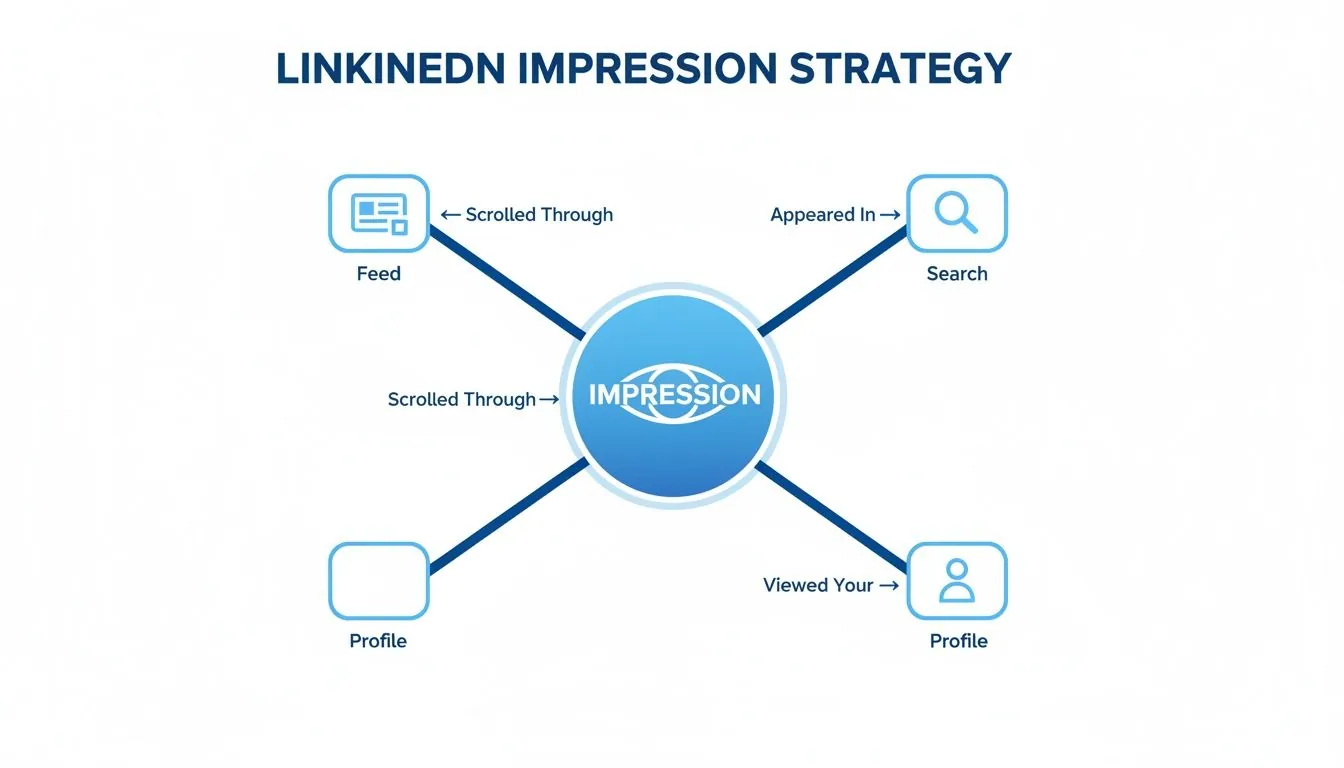
As you can see, impressions aren't just from the main feed. They come from people finding you in search, checking out your profile, and more: all of it contributes to your total visibility.
So, What About Video Views?
Just when you think you've got it, LinkedIn throws another metric into the mix: views. This one is a bit different because it has stricter criteria and usually applies to media like videos or documents.
For a video, a "view" isn't counted the second it appears. It’s only counted after playing for at least three seconds while at least 50% of the video player is visible on the screen.
An impression happens the instant your post shows up. A view only happens when someone stops scrolling and actually starts watching.
This means your video might get thousands of impressions from people flying by it in their feed, but only a small portion of those will become actual views. If you're putting effort into video, you need to watch both numbers. It's key to unlocking the power of visual content on LinkedIn and making sure your hard work pays off.
Understanding the broader context of what are impressions on social media across various platforms can also help solidify these concepts. Each metric gives you a unique lens through which to measure your impact and refine your strategy.
Where to Find and Analyze Your Impression Data
Alright, so you get what impressions are. But where do you actually find this data, and more importantly, how do you turn those numbers into something useful? Thankfully, LinkedIn doesn't hide its analytics. Let's walk through exactly where to look so you can see what’s resonating with your audience.
You’ll find your impression data in three main spots on the platform.
For Individual Posts
This is your most immediate feedback. Right below any post you’ve published, you'll see a small bar graph icon or a button that says "View analytics." A quick click there opens up a dashboard showing your total impressions for that specific post, plus other goodies like reactions, comments, and clicks.
For Your Personal Profile
Want the bigger picture? Head to your profile page. Look for the "Analytics & tools" section, which is private to you. From there, click on "Post impressions." This gives you a performance summary of all your content over the last 7, 14, 28, 90, or even 365 days. It’s perfect for spotting long term trends.
For a Company Page
If you’re managing a Company Page, your analytics are even more robust. As a page admin, just navigate to your page and select the "Analytics" tab. This dashboard offers a deep dive into your content and visitor stats, with impressions front and center.
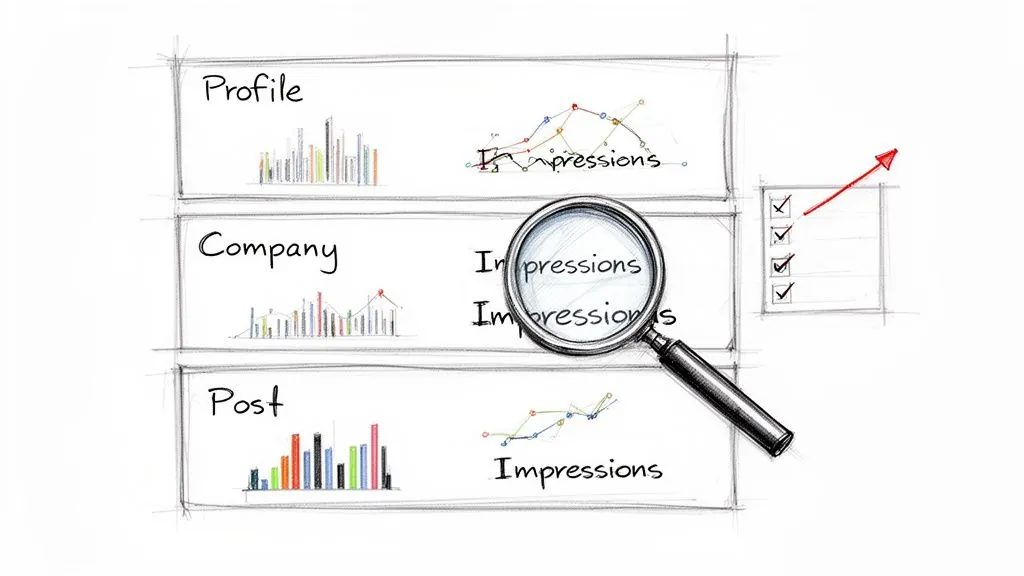
This snapshot gives you a great real time pulse on how a single piece of content is doing out in the wild.
Turning Numbers into Actionable Insights
Finding the data is the easy part. The real skill lies in interpreting what it's telling you. Seeing a big impression count is great, but the pros know to dig deeper and ask why a particular post took off.
This is where you put on your detective hat. Start connecting the dots. Do your posts with carousel slides consistently get more screen time than your simple text updates? Did that article you shared on a Tuesday morning get more traction than the one from Friday afternoon? These aren't random occurrences; they're clues from your audience.
Don’t just stare at the number; look for the story behind it. A sudden spike in impressions isn't just a data point: it's the algorithm giving you direct feedback on what people want to see from you.
For instance, you might notice that a post where you tagged a well known industry expert suddenly pulled in 5,000 more impressions than your usual content. That’s a huge signal! It tells you that strategic tagging is a powerful way to expand your reach. For marketers running paid campaigns, getting this tracking right is crucial. Many use tools like the LinkedIn Pixel Helper to double check that every impression is being counted correctly.
When you get into the habit of checking these analytics and linking the numbers back to your content choices, you stop throwing spaghetti at the wall. You start building a smart, repeatable strategy that genuinely grows your visibility.
Why High Impressions Do Not Always Equal Success
It's easy to get caught up in chasing big numbers on LinkedIn. But if you’re only focused on your impression count, you’re playing a vanity game, one that rarely translates to actual business results.
While getting seen is the first step, we have to be honest: not all impressions are created equal. The real key is understanding the difference between empty impressions and meaningful impressions.
Think about it this way. Imagine a law firm that specializes in complex corporate tax law decides to post a viral cat meme. The post blows up, hitting millions of impressions across a huge, general audience. But how many of those people are C suite executives looking for tax advice? Almost none. Those are empty impressions: plenty of eyeballs, but zero connection to the people who actually matter to their business.
Your goal isn't just to be seen; it's to be seen by the right people. A post that gets 1,000 impressions from decision makers in your target industry is infinitely more valuable than one with 100,000 impressions from an irrelevant audience.
From Visibility to Business Impact
So, how do you know if your impressions are actually moving the needle? You have to look beyond the raw count and pair it with metrics that signal real interest from the right audience.
These are the numbers that give you the full story:
- Engagement Rate: If you have a high engagement rate on a post with fewer impressions, it’s a great sign that your content is resonating deeply with a specific, niche audience. That’s a win.
- Profile Clicks: This is a huge indicator. It tells you someone saw your content and thought, "I need to know more about this person." They were intrigued enough to take the next step.
- Follower Demographics: Take a hard look at who is actually seeing and following your content. Are they the job titles and industries you’re trying to reach? LinkedIn gives you this data, so use it.
Meaningful impressions come from content that naturally attracts your ideal customer. It’s the difference between shouting into a megaphone in a crowded stadium and having a focused conversation in a boardroom.
When you start prioritizing quality over sheer quantity, everything changes. It’s all about creating content that speaks directly to a specific group of people, even if that group is smaller. This is how you stop just asking what is an impression on LinkedIn and start using your content as a genuine lead generation tool.
For instance, simply adding a relevant image to your post can lead to 98% more comments, which drives the kind of targeted engagement you want. You can find more practical data points like this in these recent LinkedIn statistics to sharpen your strategy.
Once you shift your focus to tracking meaningful impressions, you’re no longer just chasing visibility, you’re creating real business impact. To dive deeper into generating the right kind of attention, check out our guide on how commenting on LinkedIn boosts visibility.
Actionable Strategies to Increase Meaningful Impressions
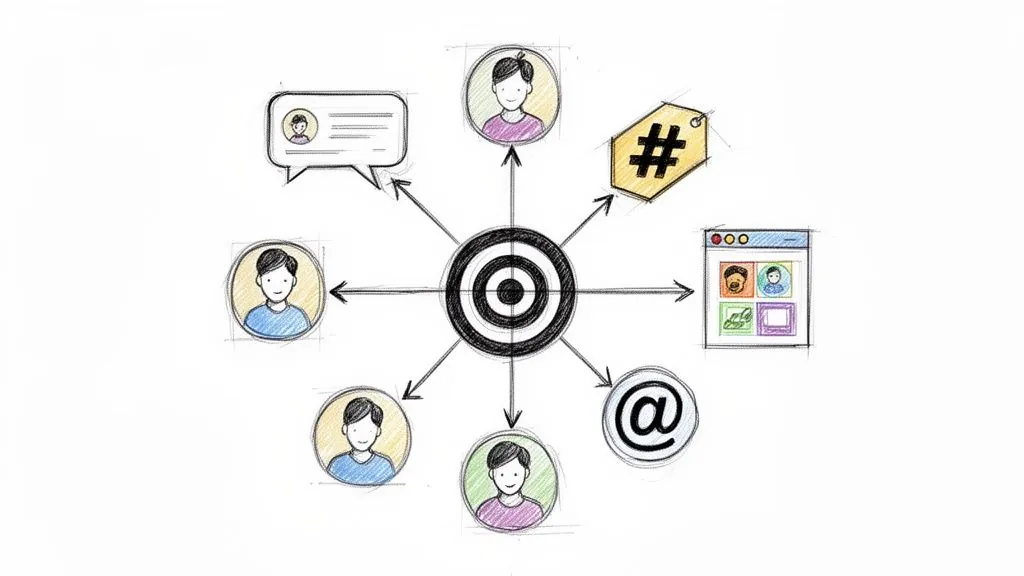
Understanding what an impression is gets you to the starting line. But the real race is about getting the right eyes on your content, the people who will actually become prospects and clients. It’s time to move past just posting more often and get intentional with every single thing you do on the platform.
One of the most effective, yet consistently overlooked, strategies has nothing to do with your own content. It’s about engaging with other people's posts. When you drop a genuinely insightful comment on a post from someone influential in your niche, your name, photo, and professional headline are put on display for their entire audience. It’s a shortcut to getting seen in the right circles.
Diversify Your Content to Appeal to the Algorithm
If you want to win with the LinkedIn algorithm, you have to give it some variety. Sticking to text only posts is like playing a video game on the easiest setting; you're leaving a lot of potential on the table. To really grab attention, you need to mix up your formats.
- Carousels (PDFs): These are absolute gold for breaking down big ideas into easy to digest slides. The more time someone spends swiping through your carousel, the more LinkedIn’s algorithm flags your post as valuable, pushing it out to more people.
- Polls: Think of polls as a low effort way to spark immediate engagement. They practically beg for participation, which gives your post a quick velocity boost, a huge signal to the algorithm to show it to a wider audience.
- Native Video: A short, sharp video can be a powerful scroll stopper, helping you build a much more personal connection. Just make sure to include captions, as most people are watching with the sound off.
Switching between these formats keeps your feed from getting stale and gives the algorithm more reasons to feature your work. Don't just take my word for it; the data consistently shows that native documents and multi image carousels tend to pull in the highest engagement, which directly fuels your impressions. For a deeper look, check out the full research on current social media benchmarks.
Use Strategic Mentions and Hashtags
You don’t have to wait for people to find you: you can pull them into your content’s orbit. When you mention a relevant person or company in your post, they get a notification. If they engage, your post suddenly appears in front of their entire network. Use this genuinely when shouting out a collaborator, a tool you love, or a piece of expert advice you’re building on.
Hashtags, on the other hand, are like a filing system for your content. The trick is to use a balanced mix of 3 to 5 relevant tags:
- Broad Tags: Think big, like
#leadership. This exposes your content to a massive audience. - Niche Tags: Get specific with something like
#B2BSaaSMarketing. This connects you with a smaller but much more targeted group of people.
This combination gives you the best of both worlds: wide visibility and focused attention from the exact people you want to reach.
The secret to high impressions isn't just creating content; it's creating conversations. Every comment you leave and every relevant tag you use is an opportunity to step into a new spotlight.
For anyone serious about scaling their engagement, leaving high quality comments consistently is non negotiable. This is where a tool like PowerIn can be a total game changer. It helps automate the process of leaving thoughtful comments on posts from your target creators and keywords. This keeps your profile constantly in front of the right audiences, helping turn those meaningful impressions into actual profile visits and inbound leads. If you’re ready to dive deeper, check out our full guide on specific strategies to expand your reach on LinkedIn.
Frequently Asked Questions About LinkedIn Impressions
Alright, so you've got the basics of LinkedIn impressions down. But let's be honest, a few specific questions are probably still rattling around in your head. It's one thing to know the definition, and another to understand how it all works in practice.
Let's clear up some of the most common points of confusion.
Do My Own Views Count as Impressions on LinkedIn?
Nope! Thankfully, LinkedIn is smart enough not to count your self admiration. Every time you check on your own post, that activity is filtered out of your analytics.
An impression is only registered when your content appears on the screen of another LinkedIn member. This keeps the metric clean and focused on what truly matters: your actual audience reach.
How Long Does a Post Need to Be Seen for an Impression?
This one surprises a lot of people. For an impression to count, at least 50% of your post needs to be visible on a user's screen for just 300 milliseconds.
Yes, you read that right: it's less than half a second. It's a technical check to confirm the post actually loaded, not just a blur in someone’s feed as they scrolled past at warp speed. It’s a much lower bar than a video "view," which requires a few seconds of watch time.
This rapid fire counting means impressions measure immediate visibility. It's the first spark of potential before any deeper engagement can happen, capturing even the quickest glances in a fast moving feed.
Why Did My LinkedIn Impressions Suddenly Drop?
Seeing your impressions take a nosedive can be jarring, but don't panic. It's almost always traceable to one of a few usual suspects.
- Algorithm Changes: LinkedIn is always tweaking its feed algorithm. A strategy that worked wonders last month might suddenly become less effective.
- Lower Engagement: The algorithm rewards popular content. If your last few posts got less love (fewer comments and likes), LinkedIn will show your next post to a smaller initial audience.
- Posting Inconsistency: If you go from posting daily to disappearing for a week, the algorithm might temporarily de prioritize your content when you return.
Dig into your recent activity and be honest about your content quality. The answer is usually right there in your own analytics.
Can I See Who Specifically Gave Me Impressions?
This is a firm no. For privacy reasons, you can't get a list of the individual people who saw your post. LinkedIn keeps that data aggregated and anonymous.
But here's the good news: while you can't see the "who," you can get incredibly valuable data on the "what." Post analytics show you the demographic breakdown of your viewers, including their job titles, companies, industries, and locations. Frankly, this is far more useful for sharpening your content strategy anyway.
Ready to turn those meaningful impressions into real leads without spending hours on LinkedIn? PowerIn automates high quality, contextual comments on posts from your target audience, placing your profile in front of prospects around the clock. Start engaging smarter and watch your profile visits, and your business, grow. Begin your free 5 day trial on powerin.io and see the difference.