Running Twitter/X accounts for several clients, operating distinct personal and professional personas, or coordinating a brand presence across multiple handles: all of this creates the same fundamental problem: how do you keep those accounts alive and independent on a single machine?
The short answer is that you can't do it with a regular browser. Twitter's backend is designed to detect exactly this scenario, and it's quite good at it.
How Twitter Detects That You're Running Multiple Accounts
Twitter doesn't just look at whether you're logged into two accounts at once. Its detection layer is multi dimensional:
- IP address: The first thing Twitter checks. Two accounts logging in from the same IP are immediately associated with each other.
- Browser fingerprint: Every browser exposes a unique combination of User Agent string, screen resolution, installed fonts, WebGL renderer, audio context, and timezone. Twitter can use this fingerprint to link accounts even across different sessions.
- Cookie and storage traces: Previous sessions leave data in your browser that can inadvertently reveal connections between accounts.
- Behavioral signals: Following the same users, posting at identical times, or engaging with the same content across accounts all raise red flags.
- Account level identifiers: Unlike some platforms, Twitter also links accounts at registration: through shared phone numbers, email addresses, or payment methods. Each account should have its own unique credentials from the start.
The goal of any multi account setup is to completely sever all of these connections. Each account needs its own IP, its own browser identity, and its own session data: with zero overlap.
The Right Tool Combination
Two tools handle this cleanly:
The logic is simple: Dolphin Anty handles the fingerprint isolation, Proxy Empire handles the IP isolation. Together, each Twitter account lives in a completely separate digital environment.
Step 1: Set Up Proxies on Proxy Empire
Go to proxyempire.io, create an account, and head to the Proxy Plans section. For Twitter, sticky proxies are the most reliable choice.
Buy one proxy per account you plan to manage. Five accounts means five proxies, each used exclusively for one account and never shared.
From your dashboard, note down for each proxy:
- Hostname / IP
- Port
- Username and password
- Protocol: always choose SOCKS5 over HTTP where available
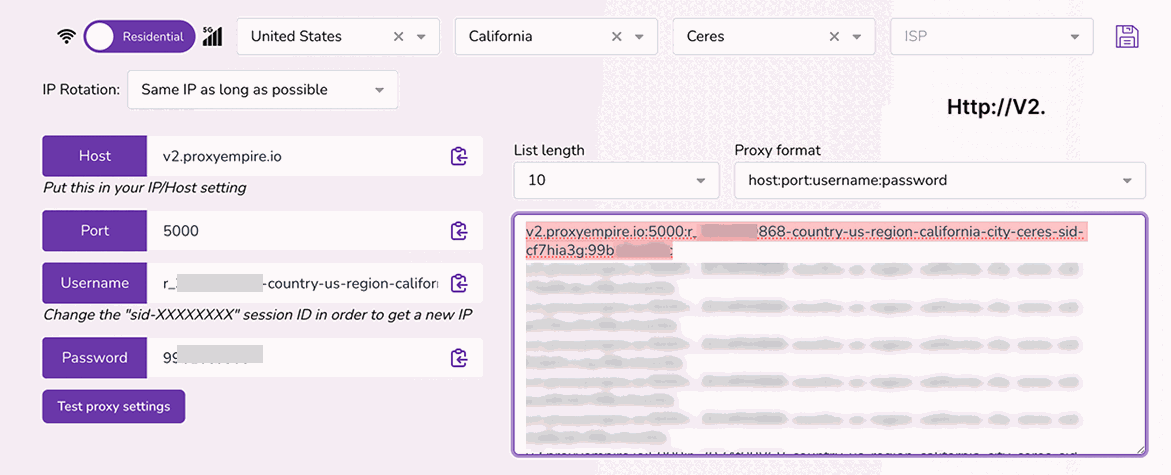
One important detail: buy proxies in the same country where each account was registered, if possible.
Step 2: Install Dolphin Anty
Download the desktop app from https://dolphin-anty.net/, available for both Windows and macOS. Install it, launch it, and either create an account or log in.
The free plan covers up to 10 simultaneous browser profiles, which is enough to get started.
Dolphin Anty is built on Chromium, but unlike a regular browser, it replaces your real device fingerprint with a custom generated one for each profile. From Twitter's perspective, each profile looks like a completely different person on a completely different device.
Step 3: Create One Profile per Twitter Account
Click "Create profile" in the Dolphin Anty dashboard. You'll repeat this for every account.
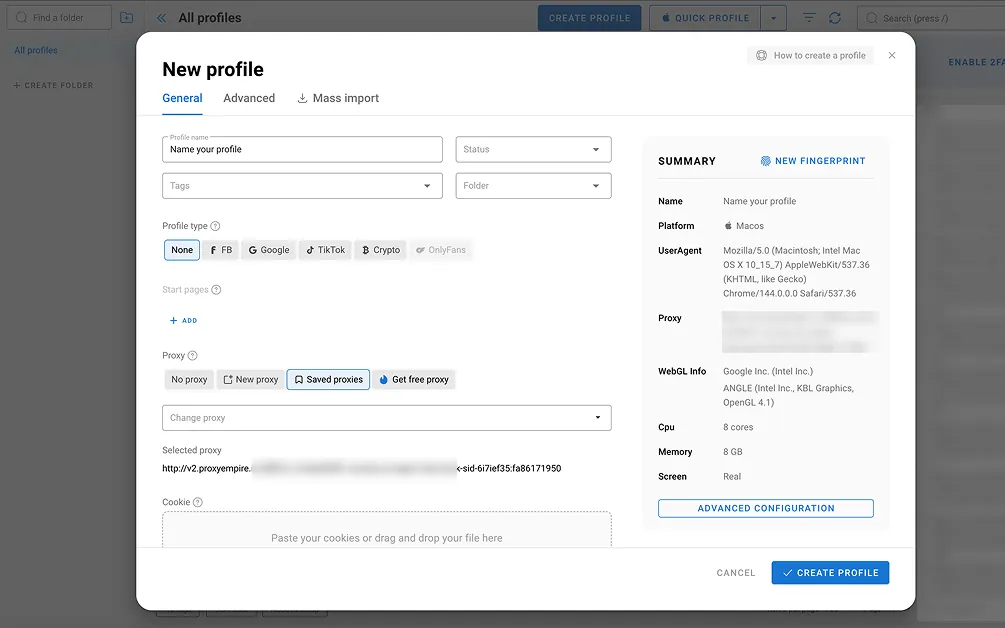
Key settings to configure:
- Profile name: Be descriptive, something like Twitter, Marketing Handle or Twitter, Client B. When you're managing five or more profiles, vague names become a real headache.
- Fingerprint: Set to Automatic. Dolphin Anty generates a coherent, realistic fingerprint (browser version, fonts, resolution, WebGL hash, timezone) that holds up to scrutiny.
- OS setting: Match it to the proxy location. A UK based proxy should pair with a fingerprint that looks like a typical UK Windows or macOS user.
Leave the proxy field empty for now: that's the next step.
Step 4: Connect Each Profile to Its Proxy
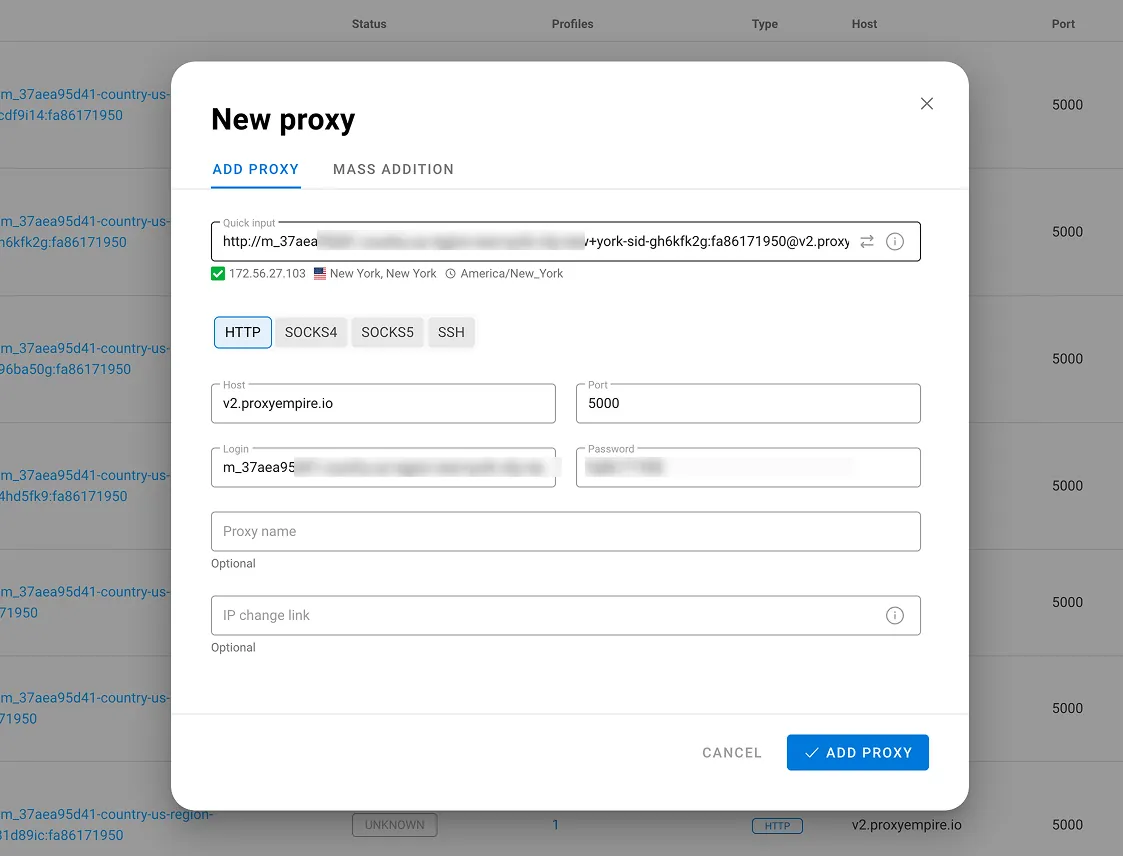
Open a profile for editing and scroll to the Proxy section. Click "Add proxy" and enter the credentials from Proxy Empire:
- Protocol: SOCKS5
- Host and port: from your Proxy Empire dashboard
- Login / password: your proxy credentials
Hit "Check proxy" to verify the connection. Dolphin Anty will show you the resolved IP and its detected country, confirm it matches what you purchased before saving.
Do this for every profile, using a different proxy each time. A proxy shared between two profiles defeats the entire purpose of the setup.
One critical note on proxy type: use sticky proxies, not rotating ones. Rotating proxies swap your IP address with every request, perfectly fine for scraping, but deeply suspicious for a social media session where Twitter expects a consistent location throughout.
Step 5: Authenticate Each Account
Click "Open" on a profile. A fresh Chromium window will launch, fingerprinted and proxied, with no trace of any other profile.

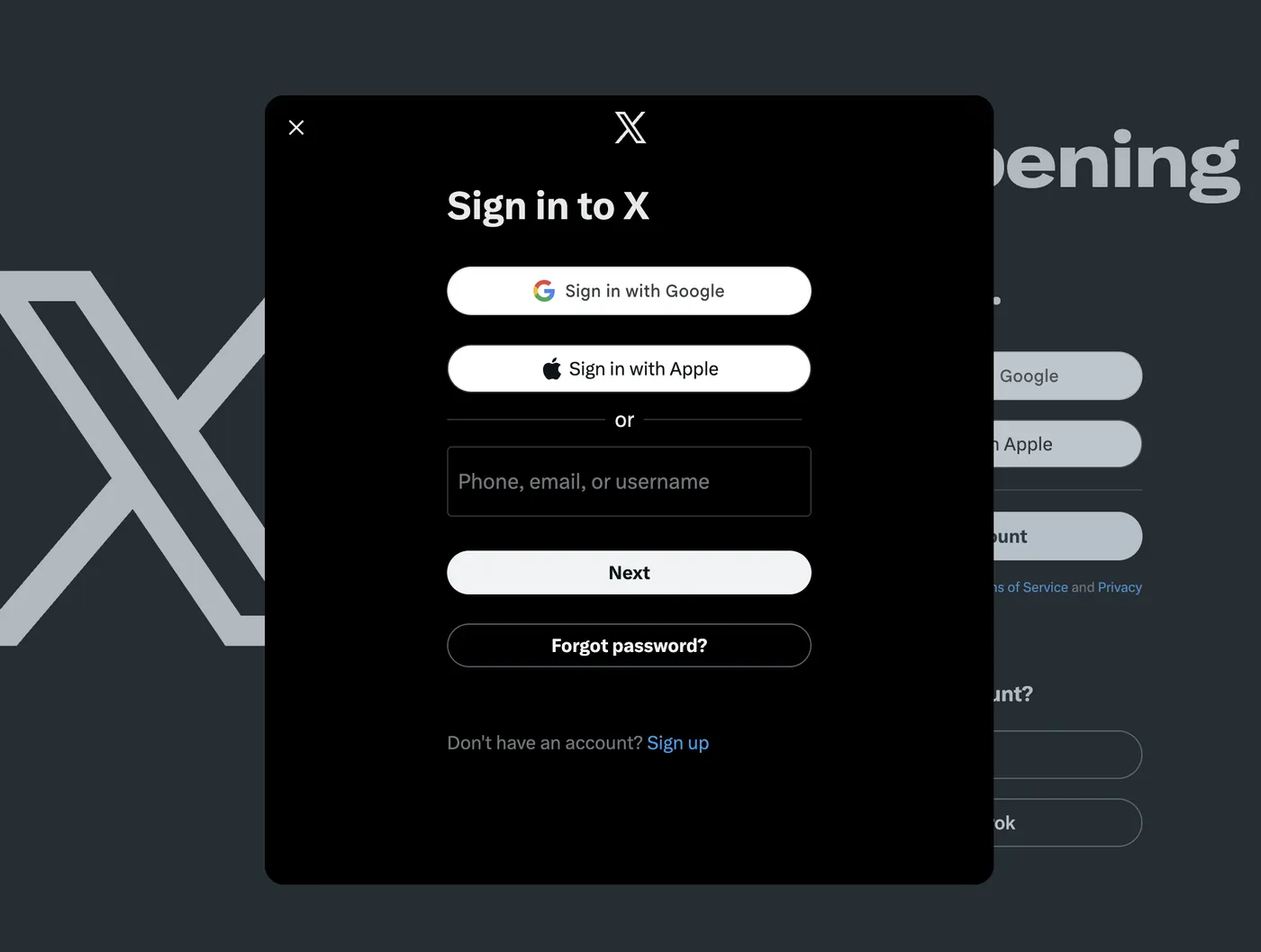
Go to x.com and sign into the corresponding Twitter account. Once you're in, close the window without logging out. Dolphin Anty stores the full session state (cookies, tokens, local storage) inside the profile folder. The next time you open that profile, you'll land directly in the account, from the same IP, with the same fingerprint.
Work through each profile the same way until all accounts are authenticated and saved.
Day to Day Operation
Your routine once everything is configured:
- Open Dolphin Anty.
- Launch the profile for the account you want to work on.
- Post, engage, reply, or DM as needed.
- Close the window when finished. Never use the logout button.
- Open a different profile for the next account.
Multiple profiles can run in parallel, each in its own isolated window with its unique proxy, with no shared memory or session data between them.
Staying Out of Trouble: Behavioral Best Practices
A clean technical setup protects you from detection at the infrastructure level, but Twitter also flags unnatural behavior patterns:
- Never interact with one account from another profile. Don't like, retweet, or follow Account B's content while you're inside Account A's profile.
- Stagger your activity times. Accounts that all come to life at 9:00 AM sharp and go quiet at 6:00 PM look automated. Vary your session windows.
- Build up new accounts slowly. Fresh accounts that immediately start following hundreds of people or sending dozens of DMs get flagged fast. Ease into activity over the first few weeks.
- Keep proxies renewed. An expired proxy forces a location change on your next login, exactly the kind of anomaly that triggers a security review.
- Unique contact details per account. Phone number verification is common on Twitter. If multiple accounts share a number, they're already linked at a level no proxy can fix.
A final word: this setup is built for legitimate multi account management: agencies handling client accounts, professionals keeping work and personal presences separate, teams coordinating a brand's regional handles. It prevents accounts from being technically linked to each other, but it doesn't change Twitter's rules around spam, artificial engagement, or platform manipulation. Those still apply.