A LinkedIn summary builder is essentially a smart writing partner. Think of it as an AI powered tool that helps you craft a compelling "About" section by turning your career history into a story that actually gets people's attention, whether they're recruiters or potential clients.
Why Your LinkedIn Summary Matters Now More Than Ever
In the past, your LinkedIn summary was little more than a digital afterthought. Today, it’s your 24/7 brand ambassador and one of the most powerful lead generation tools you have. A generic, buzzword stuffed summary guarantees you’ll get lost in the noise, but a well crafted one acts as a magnet, pulling the right opportunities directly to you.
The way decision makers and recruiters work has fundamentally changed. They’re no longer just passively accepting applications; they're actively hunting for talent and partners on LinkedIn. Your summary is often the very first thing they see, making it a critical first impression.
The Real Cost of a Weak Summary
Let's be blunt: a bland or poorly written summary doesn't just fail to impress: it actively works against you. It leads to missed connections, overlooked job opportunities, and a personal brand that feels completely invisible. The cost isn't just a lack of profile views; it's a tangible loss of potential income and career momentum.
This is why spending time on a compelling narrative, especially with the help of a LinkedIn summary builder, is so important. It’s not about finding a crutch to do the work for you. It's about using a strategic tool to sharpen your message and make sure your profile is ready to convert when opportunity comes knocking.
Think of your summary as the blurb on the back of a book. It needs to be just interesting enough to make someone want to read the whole story, turning a dry list of job titles into a narrative people actually remember.
Stand Out in a Massive Professional Arena
LinkedIn's incredible growth has made a standout summary absolutely non negotiable. The platform is on track to have over 1.2 billion members by 2026, so just showing up isn't enough to get noticed.
Consider the numbers. A staggering 8 in 10 B2B marketers use LinkedIn to find partners and generate leads. We’ve also seen that profiles with AI assisted tweaks get 2.1x more views. And since four out of five members are in positions that drive business decisions, a keyword rich summary crafted with a smart builder is your ticket to getting discovered by the right people. If you're curious, you can dive deeper into the latest LinkedIn statistics to see the full picture.
Staring at that blinking cursor in your LinkedIn summary box can feel a bit like stage fright. It's paralyzing. Instead of just winging it, let's borrow a classic, time tested copywriting formula to build something that actually works: AIDA.
This isn't just theory. Adapting the AIDA model is a practical way to structure your summary and take the guesswork out of writing it. Think of it as your blueprint for turning a static bio into a dynamic lead generation tool.
The framework breaks the reader's journey down into four simple, logical parts:
- Attention: Hook them with an opening that makes them stop scrolling.
- Interest: Show you understand their world and the problems they’re facing.
- Desire: Paint a clear picture of the solution you provide and the results you get.
- Action: Tell them exactly what you want them to do next.
When you skip a structure like this, you end up with a generic summary that just blends in. It’s a fast track to being overlooked, as this flowchart shows. A weak summary means you get lost in the noise, and potential opportunities never even find you.
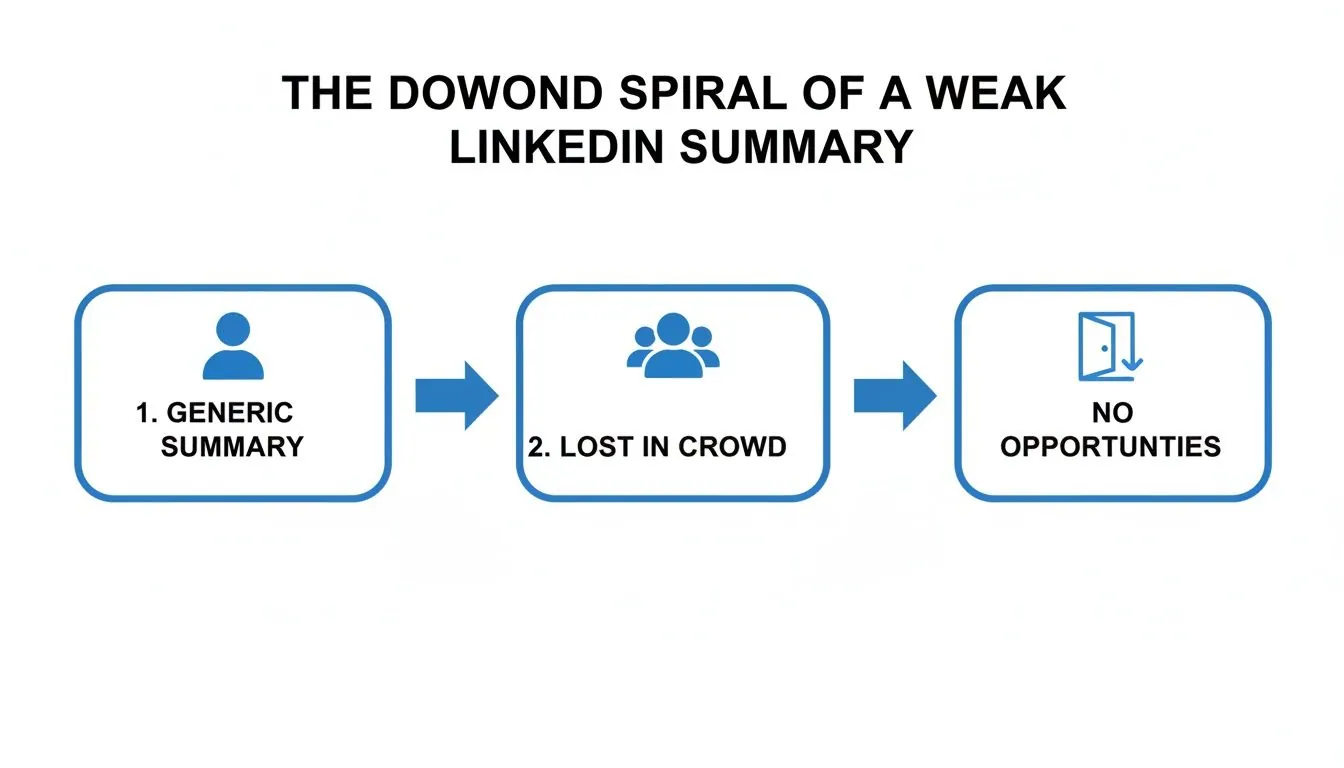
This downward spiral is exactly what we're trying to avoid. A clear framework like AIDA is your best defense against it.
Grab Their Attention Immediately
Your first sentence is everything. On most devices, LinkedIn only previews the first few lines of your summary before forcing a "see more" click. That gives you roughly 300 characters to make an impression.
This is your moment to be different. Please, forget the tired, "Experienced professional with a demonstrated history..." It's a guaranteed way to make someone's eyes glaze over.
Instead, lead with a hook. Throw out a bold statement, ask a provocative question, or share a relatable mini story that speaks directly to your ideal client. A marketing consultant I know started her summary with, "Most companies treat their content like a to do list. I help them turn it into a conversation." It’s intriguing, confident, and makes you want to know more.
Build Interest and Desire
Once you have their attention, the middle of your summary has to deliver. This is where you build a real connection by proving you get their world. Talk about their challenges, their goals, and the frustrations that keep them up at night. They need to read it and think, "This person gets it."
After you've established that common ground, you pivot to creating desire. This isn't the time for a dry list of your skills. It's about showing the transformation you create. Use hard numbers and specific examples to make your value tangible.
Don't just say, "I help teams improve efficiency." That's forgettable.
Instead, try this: "I implemented a new project management system that cut our average project delivery time by 20% and saved the team an estimated 15 hours of busywork each week." Specifics sell.
Drive Action with a Clear CTA
You've done all the hard work: you grabbed their attention, built interest, and created desire for what you offer. Don't fumble the ball at the one yard line. You have to tell them exactly what to do next.
Never assume they'll figure it out. Your call to action (CTA) should be direct, simple, and aligned with your main goal on LinkedIn.
- If you want leads: "Struggling to streamline your team's workflow? Send me a message, and let's talk about it."
- If you want to network: "I'm always open to connecting with fellow innovators in the SaaS space. Feel free to send a connection request."
A strong CTA is what turns a passive profile view into an active conversation. It’s the final piece that makes the entire AIDA framework come together, transforming your summary from a simple bio into a powerful conversion tool.
Using AI as Your LinkedIn Copilot
Let’s be honest, staring at a blank "About" section on LinkedIn can be intimidating. This is where AI writing tools really shine. The trick is to think of a LinkedIn summary builder not as an author, but as a smart and incredibly fast copilot.
You’re still the strategist. Your job is to feed the AI the right raw materials: your accomplishments, your audience, your voice. The AI’s job is to do the initial heavy lifting, handing you a solid first draft so you're not starting from a standstill. This partnership is all about drafting and refining.

How to Craft an AI Prompt That Actually Works
When it comes to AI, the old saying "garbage in, garbage out" has never been more true. A lazy prompt like "write a LinkedIn summary for a project manager" will get you a bland, cookie cutter result that sounds like everyone else.
To get something great, you need to give the AI specific ingredients. A powerful prompt always includes these four things:
- Who You Are & Who You Serve: Get granular. Don't just say "salesperson." Instead, try "B2B SaaS account executive who sells to enterprise level marketing leaders."
- Your Secret Sauce: What’s the unique value you bring? Pinpoint a core achievement. For example, "I specialize in reviving stalled deals and have a proven track record of growing my territory's revenue by 30% year over year."
- The Tone You're Going For: This is key to making it sound like you. Do you want to sound "confident and approachable"? Or maybe "technical and authoritative"? Give the AI descriptive words to work with.
- Your Target Keywords: What do you want to be found for? List the 3 to 5 most critical keywords, like "demand generation," "account based marketing," and "sales pipeline."
From Raw Facts to a Compelling Story
Let's walk through a real world example. Here are the raw facts a marketing manager might have jotted down:
Before (Just the Facts):
- Increased website traffic
- Managed a team of five
- Expert in SEO and content marketing
- Wants to attract B2B tech clients
A generic AI prompt would turn that into something forgettable. But when we build a strategic prompt, the magic happens.
Strategic Prompt:
"Write a LinkedIn summary for a B2B Marketing Manager who helps SaaS companies drive qualified leads. My unique value is turning boring corporate blogs into content engines that generate real revenue. I increased organic traffic by 150% for my last client. The tone should be confident but approachable. Include keywords: 'content strategy,' 'SEO,' and 'lead generation'."
After (AI Generated First Draft):
"Tired of your company blog gathering dust? I help B2B SaaS companies transform their content from a line item into a lead generation machine. For me, content isn't just about words; it's about revenue. I specialize in building SEO driven content strategies that speak directly to your ideal customer, and my proudest moments come from watching organic traffic translate into real sales pipeline. At my last company, I grew organic traffic by over 150% in just 12 months."
See the difference? This version is specific, leads with a hook that addresses a pain point, and backs it up with a hard number. It's an excellent starting point that’s ready for you to polish with your personal stories and unique voice. If you're looking for more ideas on how to frame your professional story, these powerful resume bio examples are a great source of inspiration.
Remember, the AI gives you the clay. It’s your job to be the sculptor. For a deeper dive into refining AI generated text, read your draft out loud and rewrite anything that doesn't sound like you. That's how you make any text truly your own.
Mastering LinkedIn SEO to Get Discovered
It doesn’t matter how brilliant your summary is if the right people never see it. You have to treat your LinkedIn profile like a piece of high value digital real estate that needs to be discoverable. At the end of the day, LinkedIn is a giant search engine, and its main job is to connect people with relevant profiles.
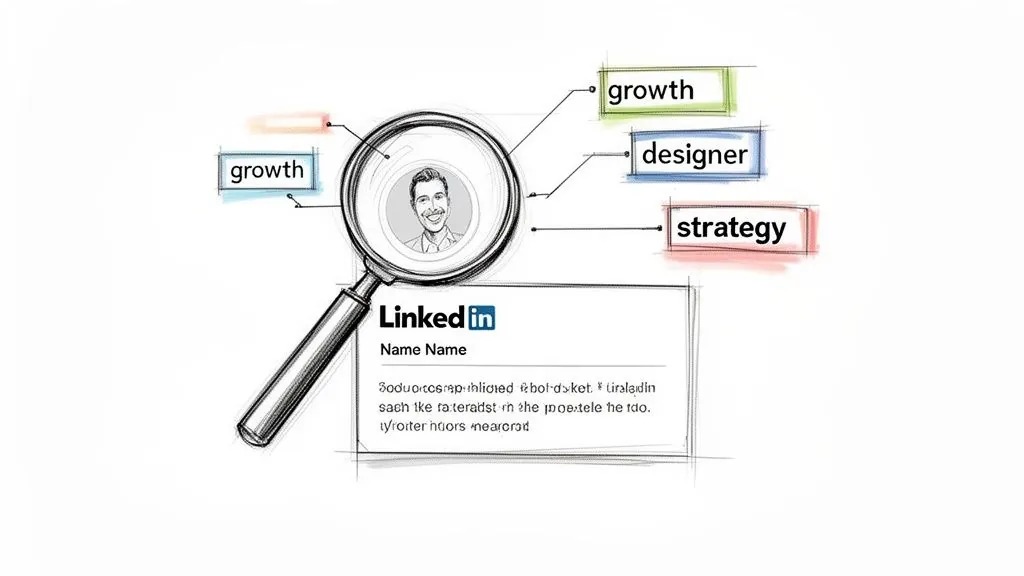
When you’re crafting your profile, you're not just telling a story; you're building its SEO foundation. The keywords you choose are the signals that tell LinkedIn's algorithm who you are and, more importantly, who should find you. This isn’t about keyword stuffing your profile until it’s unreadable. It's about speaking the same language your ideal clients or recruiters are already using in the search bar.
Finding Your Core Keywords
First things first, you need to figure out what those keywords are. The best ones aren't just your job title; they’re the specific terms, skills, and phrases that your target audience is punching into LinkedIn.
A great starting point is to pull up 5 to 10 job descriptions for roles you’re targeting. You can also scope out the profiles of competitors who are clearly winning with the audience you want. Look for the words that keep popping up.
From there, I like to separate them into two groups:
- Primary Keywords: These are the big picture terms that define what you do. Think "SaaS Sales Director," "Growth Marketing," or "Agile Project Management."
- Secondary Keywords: These are the supporting skills and tools that provide context and depth. This is where you'd list things like "Salesforce CRM," "Content Strategy," "Scrum Master," or "Demand Generation."
Putting these two together paints a much clearer picture for the algorithm.
So many people make the mistake of only using broad job titles. But think about it: someone looking for help is far more likely to search for a "B2B lead generation expert" than just a "Marketing Manager." You have to get inside the head of the person searching.
Weaving Keywords into Your Profile
With your keyword lists ready, it's time to put them to work. The summary is a huge part of this, but it’s not the only place the algorithm looks. To really boost your visibility, you need to sprinkle your keywords naturally across your entire profile.
As you use AI tools to help draft your summary, it pays to understand how to optimize that content for modern search. If you want to get a little more technical and ensure your profile is primed for discoverability, it's worth reading up on Mastering SEO for LLM.
Here’s a quick checklist for strategic keyword placement:
- Your Headline: This is your most valuable SEO real estate, hands down. Don't just put your job title. Weave in 1 to 2 primary keywords. Something like, "Senior Product Manager | Fintech & Payments | Building User Centric Products."
- Your Summary: This is where you'll weave your primary and secondary keywords into your story. A good LinkedIn summary builder can give you a head start, but always go back and read it aloud to make sure it sounds like a real person wrote it.
- Experience Section: Don't just list what you did; describe what you accomplished using your keywords. Instead of "Managed projects," try "Led Agile projects using Scrum methodologies to launch new software features."
- Skills Section: This section is a direct feed to the algorithm. Add up to 50 relevant skills, and then get endorsements from your network to give them more authority.
By placing these terms thoughtfully, you create a strong, consistent signal that makes it incredibly easy for LinkedIn to play matchmaker. If you want to dig even deeper into this, we've got a whole guide on how LinkedIn's search algorithm works and how to master it.
Turning Your Summary Into Real Conversations
So you've built a killer summary. That's a huge step, but it's only half the battle. A polished summary is a powerful conversion tool, but it can't work in a vacuum: it needs a steady stream of the right people to actually see it.
The old "build it and they will come" mindset is a recipe for getting lost in the noise on a platform as busy as LinkedIn. Your summary is the destination, but you have to build the roads that lead people there. This means shifting from being a passive profile holder to an active, strategic participant in your industry's conversations.
The real magic happens when you combine that optimized summary with consistent, intelligent engagement. Think of it this way: you draw people in with your valuable contributions, and then your summary seals the deal by clearly explaining who you are and exactly how you can help them.
Why Proactive Engagement is Non Negotiable
Having a great profile is one thing, but you have to actively get it in front of your target audience. That means commenting, sharing, and adding real value to conversations where your ideal clients are already hanging out.
Let's be honest, though: doing this manually is a massive time sink. This is where AI powered engagement tools, like PowerIn, can completely change the game. By automating high quality comments on posts from your target audience, you can drive a constant, predictable stream of relevant visitors right back to your profile.
Your summary, which you've already perfected, then does the heavy lifting. It’s what turns that fresh attention into connection requests, messages, and genuine business opportunities.
This combination creates a powerful, scalable lead generation machine. Your engagement acts as the magnet, and your summary acts as the filter, ensuring only the most qualified prospects are the ones who reach out.
The Massive Content Scarcity Opportunity
The opportunity on LinkedIn is so much bigger than most people realize. Get this: a tiny fraction of the user base, just 3% of its 1.2 to 1.3 billion members, actually posts content weekly. This "content scarcity" gives enormous visibility to anyone who actively participates. When you use tools to automate your engagement, your optimized summary gets amplified in a relatively quiet room. Learn more about these powerful LinkedIn statistics.
For solopreneurs and B2B professionals, this is a golden ticket. By monitoring specific keywords and creators in your niche, you can inject your perspective into relevant discussions almost instantly. This consistent activity can lead to a huge spike in profile visits, often 2.1x or more, because you’re showing up where it counts. And since a staggering 82% of B2B buyers say they're influenced by creator content, your timely comments place you directly in their decision making process.
From Profile Views to a Healthy Pipeline
Once a visitor clicks from your comment and lands on your profile, your summary takes center stage. It has just a few seconds to answer their unspoken question: "Is this person for me?"
This is where the structure and clarity you worked so hard to build finally pay off.
- The Hook: Your opening line immediately grabs their attention and makes them want to read more.
- The Problem: The next few lines show you deeply understand their world and the challenges they face.
- The Solution: You then demonstrate your value, backing it up with concrete results and social proof.
- The CTA: Finally, you give them a clear, low friction next step to take, like sending a connection request.
This seamless journey (from seeing your insightful comment, to reading your compelling summary, to sending you a message) is how you turn passive viewers into active leads. If you're weighing your options, understanding the nuances of outreach is key. You can dig deeper by checking out our guide on the difference between a LinkedIn InMail and a connection request to really refine your strategy.
Answering Your Top Questions About LinkedIn Summary Builders
Whenever a new tool, especially an AI powered one, comes along, it's natural to have a few questions. You're right to wonder if a LinkedIn summary builder is just another gadget or something that can genuinely help. I get these questions all the time, so let's clear up the most common ones.
Will an AI Builder Make My Profile Sound Generic?
This is easily the biggest concern I hear, and it's a fair one. The quick answer is no, but with a big asterisk: you have to use the AI as a starting point, not the final word. The worst mistake you can make is to feed it a couple of keywords and expect a masterpiece. That's how you end up sounding like a robot.
Instead, let the AI handle the initial grunt work. Give it your accomplishments, who you're trying to reach, and the keywords you want to rank for. It'll spit out a solid, well organized draft that saves you from staring at a blank screen. Then, it's your turn to step in.
I always tell my clients to think of it as a 70/30 partnership. The AI gives you about 70% of the raw material, the structure and keyword placement. The last 30% is all you. That’s where you inject your personality, share a quick story, and refine the tone to make it sound authentically like you.
How Often Should I Update My LinkedIn Summary?
Think of your summary as a living part of your professional brand, not something you write once and forget. I recommend giving it a quick review every 3 to 6 months. Just a simple check in to make sure it still reflects your goals and feels fresh.
That said, some events demand an immediate update. Be sure to rewrite your summary right after:
- Starting a new role or getting a promotion.
- Wrapping up a big, impressive project.
- Pivoting your career focus or moving into a new industry.
Your summary should always mirror where you are right now and, more importantly, signal where you're headed. An up to date summary is always working for you behind the scenes, attracting the right kind of attention.
What Is the Best Length for a LinkedIn Summary?
LinkedIn gives you 2,600 characters, but please don't feel obligated to use every single one. From what I've seen work best, the sweet spot is between 3 to 5 short paragraphs. The most important thing to remember is that LinkedIn cuts your summary off after just a couple of lines, forcing people to click "see more."
This means your first sentence has to hook them instantly. If you use the AIDA framework we talked about, you'll nail this every time. Grab their Attention in that first line, build Interest and Desire in the body, and finish with a clear call to Action. Always write for skimmers by using short paragraphs and lots of white space.
Can a Good Summary Actually Generate Leads?
Yes, it absolutely can. But your summary doesn't work on an island. It’s the final handshake, not the first introduction.
Think about it: you post great content, you leave thoughtful comments, and people get curious. They click on your profile. Your summary is what they see when they land there, and its job is to close the deal. It convinces them you're the expert they've been looking for by showing who you help and how you do it. The call to action then gives them a simple, frictionless way to take the next step. That's how profile views turn into real business conversations.
Ready to stop guessing and start engaging? PowerIn uses AI to post human like comments on your behalf, driving a steady stream of your ideal prospects back to your perfectly crafted profile. Start your 5 day free trial today at PowerIn and turn your LinkedIn into a lead generation machine.