Working with LinkedIn means playing by its rules, and that includes knowing the character limits for every type of content you create. Think of them less as restrictions and more as guidelines for crafting focused, impactful messages.
To help you keep it all straight, here's a quick reference guide that breaks down every important number you need to know.
LinkedIn Character Limits Quick Reference Table (2026)
This table summarizes all the current character limits across LinkedIn's key features. It's designed for a quick lookup when you're in the middle of creating content and just need the numbers fast.
| LinkedIn Feature | Character Limit | Key Strategic Note |
|---|---|---|
| Personal Profile Headline | 220 characters | Your most visible real estate. Optimize with keywords for search. |
| Personal Profile "About" | 2,600 characters | Tell your professional story, but make the first 2 to 3 lines compelling. |
| Status Update / Post | 3,000 characters | Use the first 210 characters to hook readers before the "See more" link. |
| Comment on a Post | 1,250 characters | Plenty of room for thoughtful replies, but brevity is often best. |
| LinkedIn Article | 125,000 characters | Ideal for long form thought leadership and deep dives. |
| Article Headline | 100 characters | Crucial for clicks. A/B test headlines to see what works. |
| Company Page "About Us" | 2,000 characters | Clearly state your mission and what you do. The first 156 characters are key for search previews. |
| Company Update | 1,300 characters | Shorter than personal posts. Get straight to the point. |
| Connection Request Note | 300 characters | Always personalize your request to improve acceptance rates. |
Knowing these numbers is the first step. The real art is in using that space effectively to connect with your audience and drive engagement. For a more detailed breakdown, you can always check out this comprehensive guide on the LinkedIn Character Limit.
Post and Preview Limits: The Two Most Important Numbers
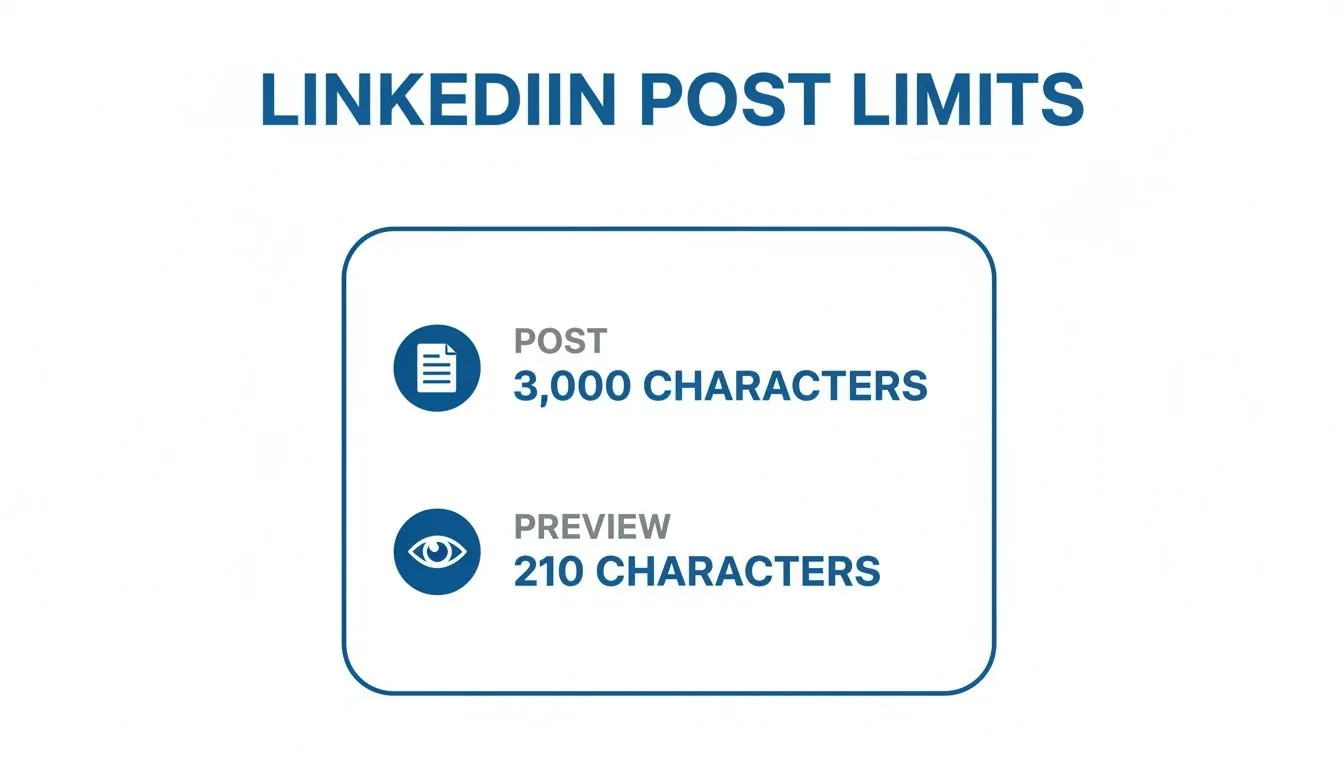
When it comes to a standard post, LinkedIn gives you a generous 3,000 characters to work with. This is a big jump from the old 1,300 character cap and shows the platform wants us to share more in depth stories and analysis.
But here’s the catch: only the first 210 characters (roughly) show up in the feed before getting cut off by a "See more" link. This makes your opening line absolutely critical. It's your one shot to stop the scroll and convince someone to click.
Think of it this way: you have a massive canvas to paint on, but your hook has to be powerful enough to make people want to see the full picture. Nail that opening, and you've won half the battle.
How to Strategically Use the LinkedIn Post Character Limit
So, you know you have 3,000 characters to work with for a LinkedIn post. But just knowing the limit doesn't guarantee your post will land. The real craft is in making every single one of those characters count, from the opening line that hooks your reader to the final sentence that prompts them to act.
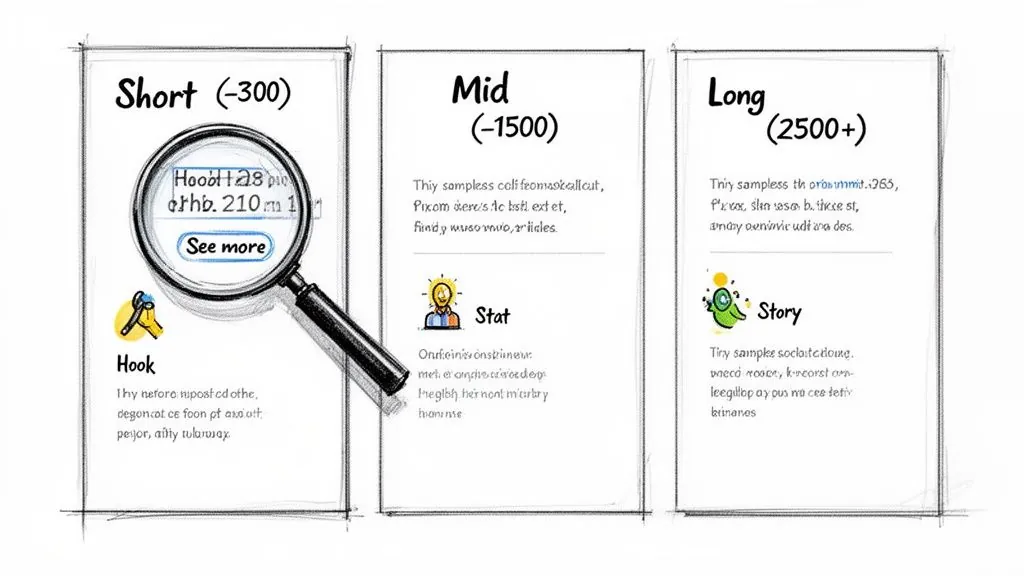
The first thing you need to obsess over is the first 210 characters. That's all you get before LinkedIn hides the rest of your post behind that little "See more" link. This isn't just an intro; it's your audition to stop the scroll. If those first few lines don't grab them, the rest of your work is invisible.
Crafting an Irresistible Hook
Think of your opening line as a movie trailer. It needs to be sharp, intriguing, and hint at the value to come without giving everything away. This is prime real estate, so don't waste it on a slow, formal introduction.
Here are a few hook formulas I've seen work time and time again:
- Ask a Provocative Question: "What if your sales team could close deals without sending a single cold email?"
- Share a Bold Statistic: "Only 1% of LinkedIn users post consistently, yet they get most of the attention. Here's why."
- Start with a Story Teaser: "I made a huge mistake on a sales call last week, but it taught me everything about building trust."
The point of a hook isn't to tell the whole story. It’s to make your audience feel like they have to click to find out what happens next. A strong opening is what turns a passive scroller into an active reader.
Finding Your Engagement Sweet Spot
While you have plenty of space, not every post needs to be a 3,000 character manifesto. The right length is all about matching your message to your goal. Different lengths are simply better tools for different jobs, whether you want to drive quick clicks or build deep authority.
Here's how I think about it:
Short Form (Under 300 characters): These are your jabs. They're perfect for quick announcements, sharing a great article with one key takeaway, or asking a simple question to get a conversation started. These posts are fantastic for driving clicks, especially when paired with a strong image or graphic. For more on that, take a look at our guide on using GIFs and visuals on LinkedIn.
Mid Form (Around 1,500 characters): This is the sweet spot where a ton of engagement happens. It gives you enough room to tell a personal story, lay out a few actionable tips, or share a mini case study. You can provide real value without overwhelming your reader with a wall of text.
Long Form (2,500+ characters): Save these for your knockout punches. This is where you go deep on a topic, publish a personal manifesto, or offer a detailed analysis that showcases your expertise. This length is all about building authority and showing your network that you truly understand your field inside and out.
Making Your Profile Work Harder: Mastering LinkedIn’s Character Limits
Your posts might get the daily attention, but your profile is what builds your long term reputation. Think of it less as a static resume and more as your personal marketing engine. To get it right, you need to understand the specific character limits for each section and use every single character to attract the right kind of opportunities.
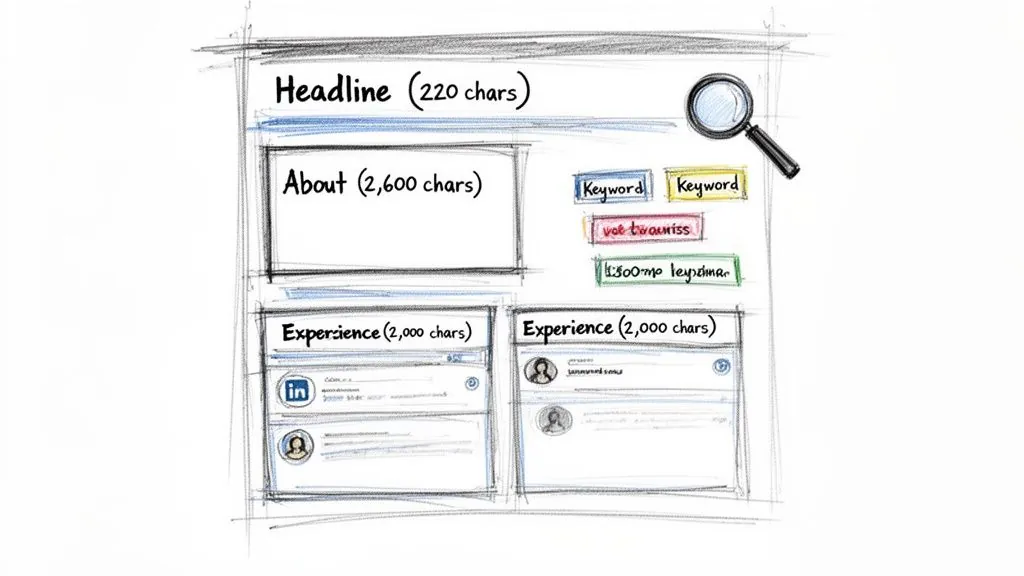
Each part of your profile has a different job to do. Your headline acts as your digital billboard, your "About" section tells your professional story, and your experience descriptions provide the hard evidence. Writing for each one requires a slightly different approach, balancing tight space constraints with clear, compelling messaging.
Your Professional Headline: The 220 Character Introduction
This is arguably the most valuable real estate on your entire profile. You have just 220 characters for your professional headline, and it shows up everywhere: next to your name in search results, on comments you leave, and in connection requests. It needs to instantly signal who you are and why someone should care.
A common mistake I see is people just putting their job title and calling it a day. That tells people what you are, not what you do. Instead, aim for a clear, value driven formula packed with keywords your ideal connections are searching for.
- A Solid Formula: [Your Role] | Helping [Your Target Audience] Achieve [Their Goal] with [Your Expertise]
- See It In Action: B2B Sales Leader | Helping SaaS Startups Scale Revenue & Build High Performing Teams | GTM Strategy & Sales Enablement
If you're struggling to fit your value proposition into the tight space, a LinkedIn Headline Generator can be a great starting point for crafting a powerful and concise headline.
Your About Section and Experience Descriptions
Your "About" section gives you a much larger canvas, with a 2,600 character limit. This is your chance to connect with readers on a more personal level, so don't just paste in a boring summary from your resume.
Your 'About' section should answer three core questions: Who do you help? What problems do you solve for them? And what makes you uniquely qualified to do it?
Break up the text with short paragraphs and bullet points to make it easy to scan. Start with a strong opening line, walk the reader through your professional journey, and finish with a clear call to action, such as inviting them to connect or check out your work.
Finally, each role in your Experience section gives you 2,000 characters to work with. Use this space to focus on achievements, not just responsibilities. Quantify your impact with numbers and data whenever possible. This is also a fantastic place to weave in keywords related to specific projects or skills, which strengthens your profile’s searchability and gives concrete proof of your expertise.
Maximizing the Impact of Your LinkedIn Comments
While crafting the perfect post often gets all the attention, the real networking gold is frequently found in the comment section. LinkedIn gives you a LinkedIn comment character limit of 1,250 characters, which is more than enough space to move past a simple "Great post!" and add some real substance.
This generous limit is your opportunity to turn passive scrolling into genuine conversation. Instead of just dropping a quick agreement, you can use that space to start a meaningful dialogue, build your authority, and drive people back to your own profile. For anyone in sales or a founder trying to build a brand, this is an absolute must.
From Simple Replies to Strategic Engagement
The gap between a forgettable comment and one that makes an impact is all about your approach. A high value comment doesn’t just react to the original post; it adds a new layer to the conversation entirely.
Here are a few ways to level up your comments:
- Offer a Different Perspective: "This is a fantastic point. I've also seen this play out differently for smaller teams with limited resources, where they often have to..."
- Ask a Smart Follow Up Question: "I really appreciate the framework you laid out. How have you seen step 3 work when you're dealing with enterprise clients who have much longer sales cycles?"
- Share a Relevant Mini Story: "This post really hits home. It reminds me of a time we faced a similar hurdle. We discovered that [brief solution], which just proves your point about [original topic]."
A truly great comment has a dual effect: it makes the original poster feel validated while also showcasing your own expertise. It’s a win win that encourages more discussion and gives people a reason to click on your profile.
That 1,250 character limit gives you plenty of room to craft these kinds of thoughtful replies. While quick, short comments might rack up likes, it’s the longer, more conversational ones that actually drive profile clicks and build relationships. To see just how powerful this can be, check out our guide on how commenting on LinkedIn boosts visibility. This is how you turn every comment into a strategic networking move.
Mastering Articles and Company Pages: Beyond the Basic Post
While everyday posts are great for sparking conversation, LinkedIn's long form features are where you truly build lasting authority. When you move past the standard LinkedIn post character limit, you open the door to deeper strategic content, especially with LinkedIn Articles and a sharp Company Page.
Think of LinkedIn Articles as your platform for serious thought leadership. They give you a massive 125,000 character limit, which is more than enough room to create evergreen content that stays relevant for months, or even years, to come.
Structuring Your LinkedIn Article
Don't treat an Article like a super long post. It's essentially a blog hosted right on your profile, and its structure is everything when it comes to keeping a reader engaged.
- A Headline That Grabs Attention: You’ve only got 100 characters, so they need to work hard. Your headline has to be clear, promise a real benefit, and be compelling enough to earn that click when it shows up in the feed.
- A Strong Opening Hook: Get straight to the point. Right away, tell the reader what problem you're about to solve or what key insight you're going to share.
- A Scannable Body: No one wants to read a wall of text. Break up your analysis with short paragraphs, subheadings, bullet points, and images. This makes even the most in depth content feel professional and easy to digest.
- A Clear Wrap Up: Finish by summarizing your main points and giving your readers something to do next. A simple call to action, like asking for comments or encouraging them to follow you, works perfectly.
Use Articles for your cornerstone content: the deep dive guides, detailed case studies, and industry trend reports that cement your status as an expert. Posts start conversations; Articles build your reference library.
Optimizing Your Company Page Presence
Your Company Page operates with its own set of character limits, each tailored for specific business functions. This is your brand's official voice, not a personal account, so every word needs to be deliberate and on brand. Getting this right is critical, especially since you might need to know how to comment as a company page on LinkedIn to engage with your community directly.
The limits for Company Pages are often tighter, forcing you to be concise and impactful with your messaging.
- Company Page "About Us": You get a 2,000 character limit to clearly state your company's mission, vision, and what makes you valuable. Pay special attention to the first 156 characters: this is the snippet that often shows up in Google search previews.
- Company Updates: At 1,300 characters, these are a bit shorter than personal posts. This limit encourages you to be direct and focused, which is ideal for sharing company news, product launches, or linking to your latest blog post.
Understanding the Evolution of LinkedIn's Character Limits
If you've been on LinkedIn for a while, you'll remember a time when it felt more like a static online resume than a bustling content platform. The character limits were tight, keeping most updates brief and to the point. It was a place for professional records, not professional conversations.
But resourceful users started pushing those boundaries. You’d often see people with deep insights breaking up their stories into a long, threaded series of comments just to get their full thoughts out. LinkedIn clearly took notice. This wasn't just a workaround; it was a signal that its most active members wanted more room to talk.
From Snippets to Storytelling
The first major sign of change came in 2016 when LinkedIn boosted the post character limit to 1,300. This wasn't just a minor tweak; it was a direct response to how people were already trying to use the platform, essentially giving them official permission to tell longer, more detailed stories.
That single change kicked off a wave of more thoughtful, narrative driven content. Fast forward to 2023, and the limit expanded again to the current 3,000 characters, solidifying the platform's shift toward becoming a hub for genuine professional storytelling. You can dig deeper into these changes and what they mean for creators by reading about the LinkedIn post character limit evolution on ContentIde.com.
The takeaway here is that LinkedIn is actively rewarding depth. The platform's history shows it wants experts to share their best work right on site, sparking real discussions that keep people engaged instead of just sending them off to an external blog post.
Frequently Asked Questions About LinkedIn Character Limits
Even seasoned LinkedIn pros have questions about the platform's character limits. It's easy to get tangled up in the rules, so let's get you some quick answers to the most common questions I hear.
Do Hashtags Count Towards Character Limits?
Yes, they absolutely do. Every single character in a hashtag, including the # symbol itself, is counted against your total limit for a post or comment. This is a small detail that can trip you up, especially when you're pushing the 3,000 character limit for a post.
This is exactly why you see so many people stack their 3 to 5 relevant hashtags at the very bottom. It keeps the core of your message clean and ensures your most important sentences appear before a reader has to click "See more."
What Is the Ideal Post Length for Engagement?
There's no magic number, but I've found that the real sweet spot for getting a conversation started is somewhere between 1,200 and 2,000 characters.
That length gives you enough room to tell a meaningful story or share a genuinely helpful tip without overwhelming your audience with a wall of text. It's the perfect balance between showing off your expertise and respecting your reader's time on a busy feed.
Quick Tip: Never add words just to hit a character count. If you can make a powerful point in 500 characters, do it. Brevity and clarity will always outperform fluff.
How Can I Format Long Posts for Readability?
If you're going to write a longer post, your formatting is everything. A massive, unbroken block of text is the quickest way to get someone to scroll right past your hard work.
To keep people reading, you have to make your content easy on the eyes.
- Keep paragraphs short, just one or two sentences each.
- Use bullet points or numbered lists to highlight key steps or takeaways.
- Sprinkle in a few emojis to break up the text and add a touch of personality.
Think of it as creating visual signposts that guide your reader through the content, making it feel much more approachable.
Ready to consistently start conversations with ideal prospects on LinkedIn without spending hours writing comments? PowerIn uses AI to automate high quality, contextual engagement that builds your brand and generates leads around the clock. Start your free 5 day trial today!