Absolutely. You can (and frankly, should) be using GIFs on LinkedIn. Forget the outdated idea that they're unprofessional. A smart, well timed GIF is one of the most effective ways to grab attention, inject some personality into your professional brand, and drive real engagement.
Why GIFs Are a Secret Weapon for LinkedIn Engagement
I see so many professionals hesitate to use a GIF on LinkedIn, worried it might look silly or harm their credibility. That hesitation is a massive missed opportunity. In a feed overflowing with text, a moving image is a scroll stopper. It’s the fastest way to get eyes on your message.
This isn't just about getting more likes; it’s about making a human connection. For B2B founders and sales reps, this is gold. A clever GIF can express humor, empathy, or excitement in a way that text just can't, making your outreach feel less like a corporate broadcast and more like a real conversation. Think of it as a digital handshake.
The goal isn't just to be seen, but to be remembered. A well placed GIF makes your comment or post memorable, sparking genuine conversations that can lead to profile visits, new connections, and tangible leads.
The Data Proves It
If you’re still skeptical, the numbers speak for themselves, especially when you look at the comment section. We ran a detailed experiment and found that while 80% of all activity on LinkedIn happens in the comments, most text only comments just fade into the background.
Here's what the data showed:
- Without GIFs: Comments saw a lackluster 3.3% engagement rate.
- With GIFs: Engagement shot up to 4.48%, a 36% overall lift.
This wasn't a fluke. We saw the same pattern across different types of posts, with GIFs often doubling or even tripling engagement. If you want to create visuals that get this kind of attention, learning how to make your own marketing animated GIF is a great place to start. And if you're looking for more ways to boost your presence, we've outlined other strategies to expand your reach on LinkedIn as well.
Now, imagine putting that on autopilot. This is where the strategy really scales. Using a tool like PowerIn to automatically post GIF powered comments on targeted posts turns this from a manual effort into a consistent lead gen machine. It’s proof that GIFs aren't just for fun; they're a serious tool for growth. You can watch the full breakdown of our experiment on YouTube to see the results firsthand.
How to Post a GIF on LinkedIn Flawlessly
So you're ready to add a GIF to your next LinkedIn post, but you've heard the horror stories. You find the perfect animated clip, upload it, hit "Post," and… it just sits there. A static, lifeless image. It’s a frustration every seasoned LinkedIn user has faced at least once, but thankfully, the fix is surprisingly simple.
Here’s the secret: stop trying to upload it as a GIF. LinkedIn's feed has a notorious quirk where it often fails to animate the .gif file format. To get around this, you must convert your GIF into a short, looping MP4 video before you upload it. This is the single most important step to guarantee your animation plays perfectly every time.
This quick conversion tricks LinkedIn into processing your visual as a video, which auto plays silently in the feed, exactly the behavior you want from a GIF. There are dozens of free online tools that can handle this in seconds. Just upload your GIF, convert it to MP4, and download the new file.
The Foolproof MP4 Method for Feed Posts
Got your MP4 file ready? Great. The rest is easy.
When you start a new post on LinkedIn, the key is to select the video icon, not the image icon. From there, upload your newly created MP4 file. You'll see it pop right into the post composer, ready to go.
Add a compelling hook and your post text, then share it with your network. What you get is a perfectly looping animation that stops the scroll, all without the usual technical headaches. To make sure your visual looks its best and avoids any awkward cropping, it’s always a good idea to check a definitive guide to image size for LinkedIn posts for the latest specs.
Posting a GIF on LinkedIn Methods Compared
Choosing the right method for sharing a GIF depends entirely on where you're posting it. For feed posts, the MP4 conversion is non negotiable for reliable playback. For comments and messages, the built in library is the way to go.
This table breaks down the best approach for each scenario at a glance.
| Method | Best For | Playback Quality | Key Consideration |
|---|---|---|---|
| MP4 Conversion | Feed posts, articles, and company page updates | Excellent (auto plays) | Requires an extra conversion step before uploading. |
| Native GIF Library | Comments and direct messages | Good (loads quickly) | Limited to the library provided by Tenor; no custom GIFs. |
Ultimately, converting to MP4 for the feed and using the native library for replies gives you the best of both worlds: high impact visuals in your posts and fast, witty reactions in your conversations.
Using GIFs in Comments and Messages
Fortunately, dropping a GIF into a comment or a direct message is much more straightforward. LinkedIn has a built in GIF library, powered by Tenor, that makes adding a reaction quick and seamless.
When you're writing a comment or a message, just look for the small "GIF" button in the text box. Clicking it opens a search bar where you can find the perfect animation to capture your tone. This is the ideal way to inject some personality and humor into your interactions without messing with downloads or file converters.
Pro Tip: Using the native GIF library for comments isn't just about convenience; it's about speed. These GIFs are optimized for LinkedIn and load instantly, ensuring your witty reply lands with impact. It’s a low effort way to make your engagement far more memorable.
Don't underestimate the power of this simple action. Adding a relevant GIF can give your engagement a serious lift.
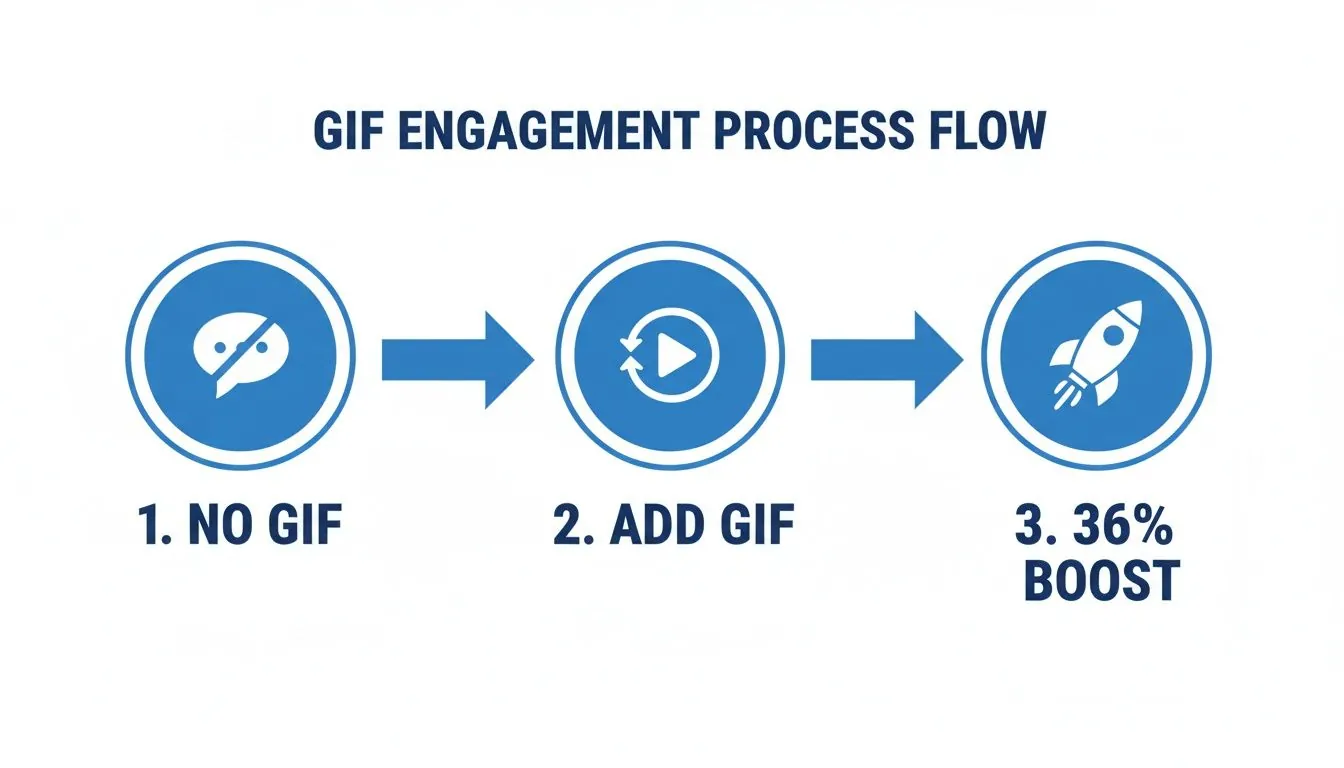
This visual breaks down just how much of a difference a GIF can make. Shifting from a text only comment to one with a GIF can boost engagement by as much as 36%. That simple animated reaction makes your voice significantly more visible in any professional discussion.
How to Pick the Right GIF for Your Brand
Let's be real: a well timed GIF can make your post or comment absolutely unforgettable. But the wrong one? It can make your professional brand look completely out of touch. Using a GIF on LinkedIn isn't about just dropping a funny animation and hoping for the best. It's a strategic choice that needs to sync up with your voice, your audience, and what you’re trying to achieve.
The main thing to get right is the difference between a personal brand and a corporate one.
If you're a consultant, freelancer, or founder building your personal brand, a popular meme style GIF is a fantastic way to inject some personality. It makes you more human. A perfectly placed GIF from a show like The Office commenting on a shared industry headache? That’s gold. It instantly builds rapport and shows you’re approachable.
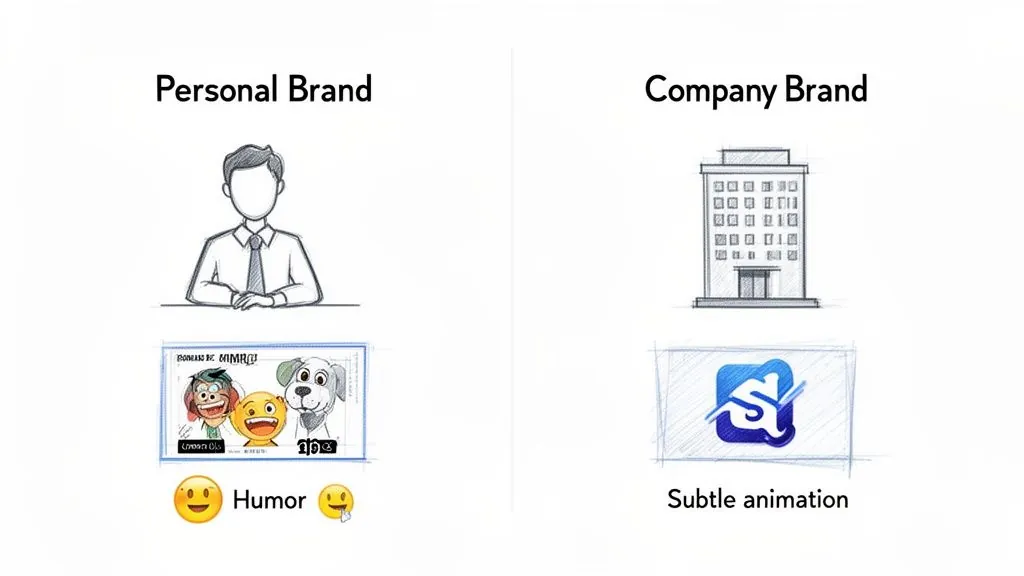
Now, for a large corporation or an established B2B company, the game changes. You’ll probably want a more subtle approach. Instead of leaning on pop culture, the goal is to reinforce your brand identity in a modern way. This is where custom GIFs are a total game changer.
A custom GIF, like an animated version of your logo or a short clip showcasing a product feature, maintains a polished, professional image while still capturing attention. It says, "We're modern and dynamic," without relying on humor that might not land with a global audience.
Align Your GIFs With Your Brand Voice
Think about your GIF choice as an extension of your brand's personality. Are you known for being witty and a bit edgy? Or are you more of a supportive, educational voice in your industry? Your visuals have to match that tone.
- For Personal Brands: Feel free to dive into the massive library of recognizable, pop culture GIFs from places like Giphy. They’re relatable and create an instant emotional shortcut. A founder sharing a big win could use a celebratory GIF of a cheering crowd: it just works.
- For Corporate Brands: Your time is better spent on creating unique, branded animations. Think about animating key data points from a recent case study, showing a quick software demo, or even bringing your company's core values to life with a subtle animation.
This split isn't just theory; it's proven in the wild. One marketing expert I follow found that while their personal profile gets incredible engagement from meme style GIFs, their corporate clients see a much bigger and more consistent boost from custom animations. In fact, they discovered that for every single one of their B2B clients, adding a gif on linkedin posts boosted engagement without fail. You can check out their surprising LinkedIn GIF findings for the full breakdown.
Sourcing (and Creating) High Quality GIFs
The default GIF library in LinkedIn comments is a decent place to start, but if you want to stand out, you need to go beyond the basics. For unique and high quality options, Giphy is still the undisputed king. Its library is so vast you can find a professional looking GIF for almost any situation you can think of.
But here’s the real pro move: make your own. This is how you guarantee your content is 100% on brand and completely unique to you.
And you don't need to be a video editor to do it. Tools like Giphy’s own GIF maker or EZGIF.com make it incredibly easy to turn short video clips into custom animations. A clip of you waving at the start of a webinar, a quick screen recording of a product feature, or an animated customer testimonial can all be turned into powerful, reusable brand assets.
This is the shift from looking for the right GIF to creating it.
Common LinkedIn GIF Problems and How to Fix Them
We’ve all been there. You find the perfect GIF, craft a brilliant post around it, hit "Post," and... nothing. It just sits there as a static image, or worse, a blurry, pixelated mess. It’s a frustrating experience that can completely throw off your content rhythm.
The good news is that most of these glitches are just quirks in how LinkedIn handles media. Once you know the workarounds, you can get ahead of them and make sure your visuals always land with the impact you intended.
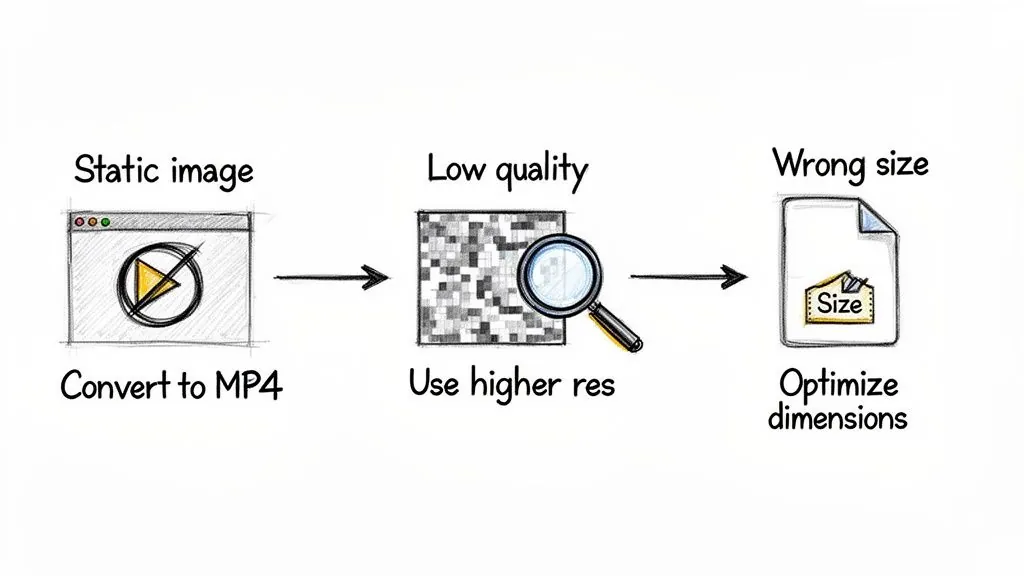
Let's dive into the two biggest headaches I see people run into and the simple fixes I use to solve them.
My GIF Turned Into a Static Image
This is hands down the most common issue. You upload a .gif file directly to a post, and instead of a looping animation, you get a single, boring frame. This happens because LinkedIn’s feed is notoriously unreliable when it comes to processing the native GIF format directly in posts.
The definitive fix I always recommend is to convert your GIF to an MP4 video file before you even think about uploading it. It's the only way to guarantee your animation will play automatically.
- Use a converter: I usually use a free online tool like EZGIF or Adobe Express. It only takes a second to convert your
.gifto an.mp4. - Upload as a video: When you create your post, click the "Video" option and select the new MP4 file.
- Post with confidence: Your animation will now autoplay and loop in the feed, looking exactly like a GIF but with the full reliability of a native video.
My GIF Quality Is Terrible
What about when your GIF does play, but it looks like a grainy artifact from the early 2000s? A sharp, clean GIF turning into a blurry mess is another frequent complaint. This almost always comes down to two things: the original file was too large, or its dimensions are wrong for the feed.
A massive file size forces LinkedIn to compress your animation aggressively, leading to a significant drop in visual quality. Keeping your file size small is key to preserving its clarity.
To sidestep this, your goal should be an MP4 file that’s under 10MB. For dimensions, stick to a square (1:1 aspect ratio) or a vertical format (4:5 aspect ratio). These take up more screen real estate on mobile and are far less likely to get awkwardly cropped by the platform.
A well optimized file doesn't just look better: it loads faster for your audience, which is a small but important part of their experience with your content. Getting your visuals right is a key step in earning attention, and if you want to dig deeper into how that's measured, you can learn what an impression on LinkedIn really means in our detailed guide.
Scale Your Outreach With GIF Automation
Let's be honest. Manually hunting down the right LinkedIn posts to comment on, then finding the perfect GIF, takes a ton of time. And as a founder or sales leader, time is the one thing you don't have. Using a gif on linkedin is a fantastic way to get noticed, but the manual grind can quickly feel like a full time job.
The secret to building real credibility on LinkedIn is showing up consistently in the right conversations at just the right moment. Doing that by hand? It's a massive resource drain.
This is where smart automation completely changes the equation. We’re not talking about spamming every post in your feed. This is about being intelligently, surgically present at a scale you could never achieve manually. The right tools can turn this tedious chore into a powerful lead generation engine.
Imagine being the first person to drop an insightful comment and a witty GIF on dozens of posts from key industry players, seconds after they publish. That’s the power of automation. It positions you as an active, on the ball expert in your niche, 24/7.
How Smart GIF Automation Actually Works
So, how does this work in practice? Instead of you spending your day doom scrolling for opportunities, platforms like PowerIn monitor LinkedIn for you. The system is designed to find conversations that are directly relevant to your business and your goals.
This lets you scale your presence and join discussions that are already attracting your ideal customers, without you having to lift a finger.
Here’s how you can set it up to find those golden opportunities:
Keyword Based Searches: You can tell the system to look for posts containing specific keywords, phrases, or hashtags. For instance, if you run a SaaS company, you could target conversations around "B2B growth," "#saasmarketing," or "lead generation strategies." The tool then flags these new posts for you to engage with.
Targeted Creator Monitoring: Have a list of dream clients or influential thought leaders in your space? You can add their profiles to a target list. The system will then prioritize their content, making sure your brand is seen by them and their highly engaged audience.
Keep Your Brand Voice and Quality in Check
A huge, and valid, fear with automation is that you’ll sound like a robot and damage your brand's reputation. But modern tools are built with this in mind. You aren't just letting a machine run wild with your account.
You maintain complete control. You can prewrite a whole library of thoughtful, on brand comments and pair them with specific GIFs that you've already approved. This gives the system a bank of high quality, authentic content to draw from.
You can even get granular with the tone, specifying which emojis to use or avoid, so every automated comment genuinely sounds like it came from you. If you want to go deeper into the technology, our guide on the best automation tools on LinkedIn is a great resource.
By blending the magnetic pull of GIFs with the raw efficiency of automation, you can create a consistent stream of profile visits and inbound leads. This isn't just a time saver; it’s a strategic way to build an impactful presence that drives measurable business results.
Common Questions About Using GIFs on LinkedIn
Even when you've got the hang of it, a few tricky questions always seem to pop up about using GIFs on LinkedIn. Let's clear up some of the most common sticking points I hear from professionals so you can post with confidence.
These are the practical details that often make the difference between a good GIF strategy and a great one.
Are GIFs Unprofessional on LinkedIn in 2026?
Not at all, as long as you’re smart about it. The old idea that a GIF is automatically unprofessional feels pretty dated in 2026. People connect with authenticity, and a well chosen GIF is a fantastic way to show some personality and build real rapport.
Think about it: a funny, relatable animation can make a founder seem more approachable, or a slick, custom branded GIF can show off a company’s modern and creative side. The golden rule is always context and relevance. Skip the random, distracting animations and stick to GIFs that add real emotional color or value to the conversation.
How Can I Track the Performance of a GIF Post?
This is a great question. While LinkedIn doesn’t offer a specific "GIF analytics" dashboard, you can absolutely measure their impact. Remember our little workaround for the feed? By posting your GIF as a short MP4 video, LinkedIn’s analytics will treat it like any other video. You'll get all the juicy metrics on views, watch time, and engagement.
For comments, the process is more hands on but just as revealing. Here’s a simple test you can run:
- A/B Test Your Comments: For a couple of weeks, try alternating between leaving text only comments and comments that include a GIF.
- Track Reactions and Replies: Keep a simple tally of the replies and reactions each type of comment generates.
This quick experiment gives you your own firsthand data on how GIFs are boosting your interaction rates. You’ll likely see for yourself the significant engagement lift that so many have been talking about.
What’s the Best File Format and Size for a LinkedIn GIF?
This is a critical detail that trips up so many people. For posts in the main feed, the answer is simple: always convert your GIF to an MP4 video. This one move is your best defense against the dreaded static image problem and ensures your animation actually plays.
My best advice for performance? Keep the loop short (under 10 seconds) to get the file size down, ideally under 10MB. This ensures it loads quickly for everyone, especially on mobile. As for dimensions, stick with a square (1:1) or vertical (4:5) aspect ratio to take up more prime real estate in the feed.
How Does GIF Automation Actually Work?
This is where things get really efficient. Automation tools basically act as your virtual assistant, finding the right conversations and posting for you. The whole point is to be consistently present at the perfect moment, without spending your entire day glued to LinkedIn.
With a platform like PowerIn, for example, you can set it to monitor specific industry keywords or even track posts from key thought leaders you want to engage with. The AI then automatically leaves a preapproved, relevant comment, complete with a brand aligned GIF, as soon as a new post goes live. It’s all about being one of the first to engage, which maximizes your visibility and turns your profile into an engagement engine that works 24/7.
Ready to turn your LinkedIn into a lead generation machine without spending hours on manual engagement? PowerIn uses AI to post smart, brand aligned comments with GIFs on targeted posts, helping you build credibility and attract prospects around the clock. Start your 5 day free trial today and see the results for yourself. Learn more at PowerIn.