


1
Connect LinkedIn
Link your account in a few clicks. Connect as many accounts as you want.
1 minute LinkedIn Comments
PowerIn finds the best posts in your niche and leaves a smart, human comment for you every day. You show up in front of 10,000+ professionals without scrolling for hours.
5 day free trial · No credit card needed · Cancel anytime
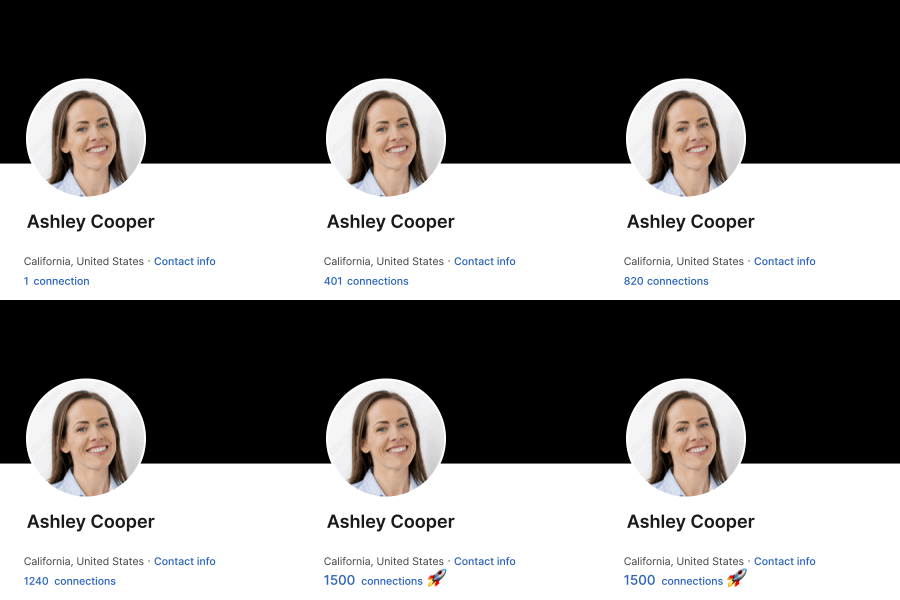
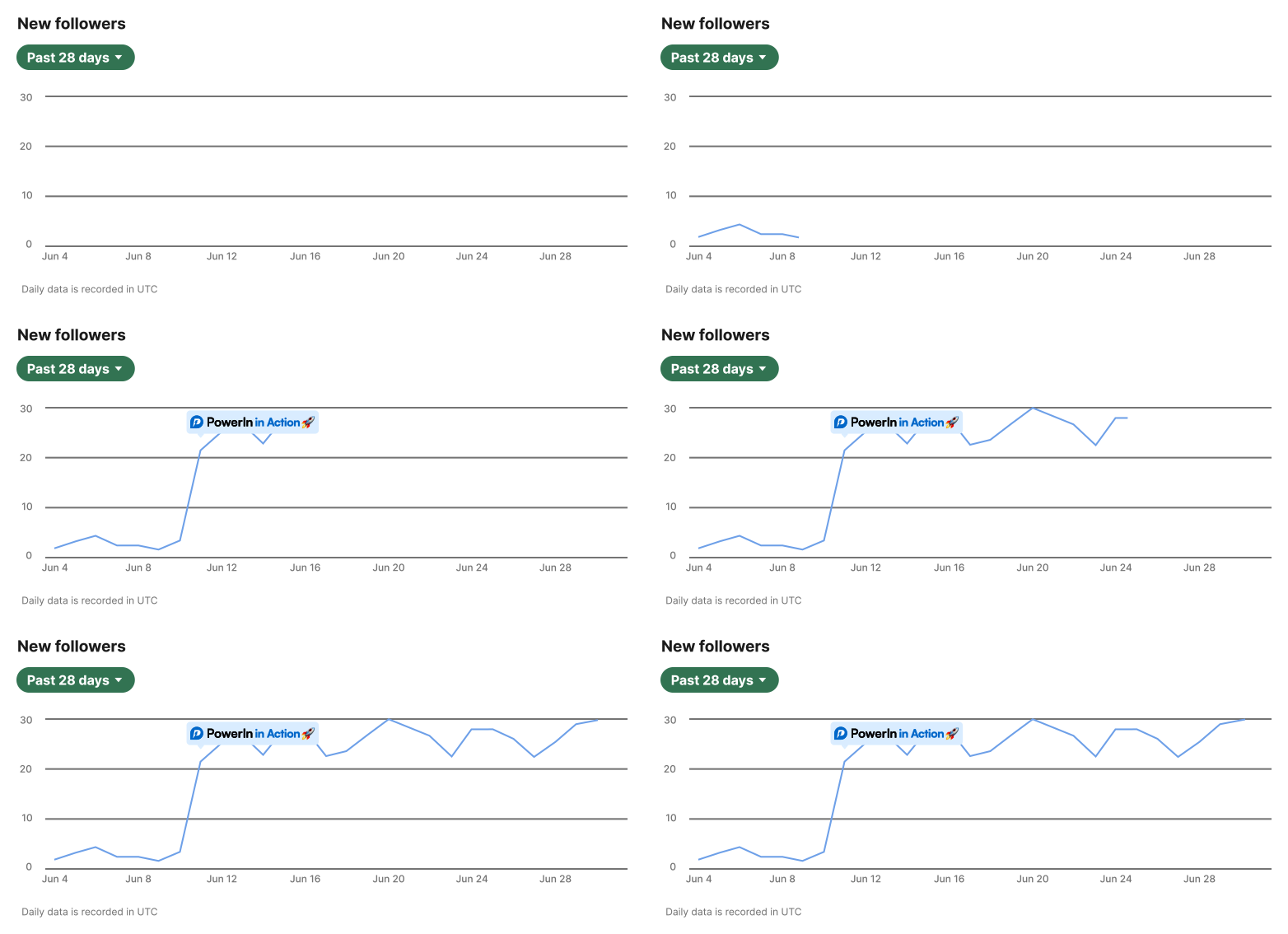
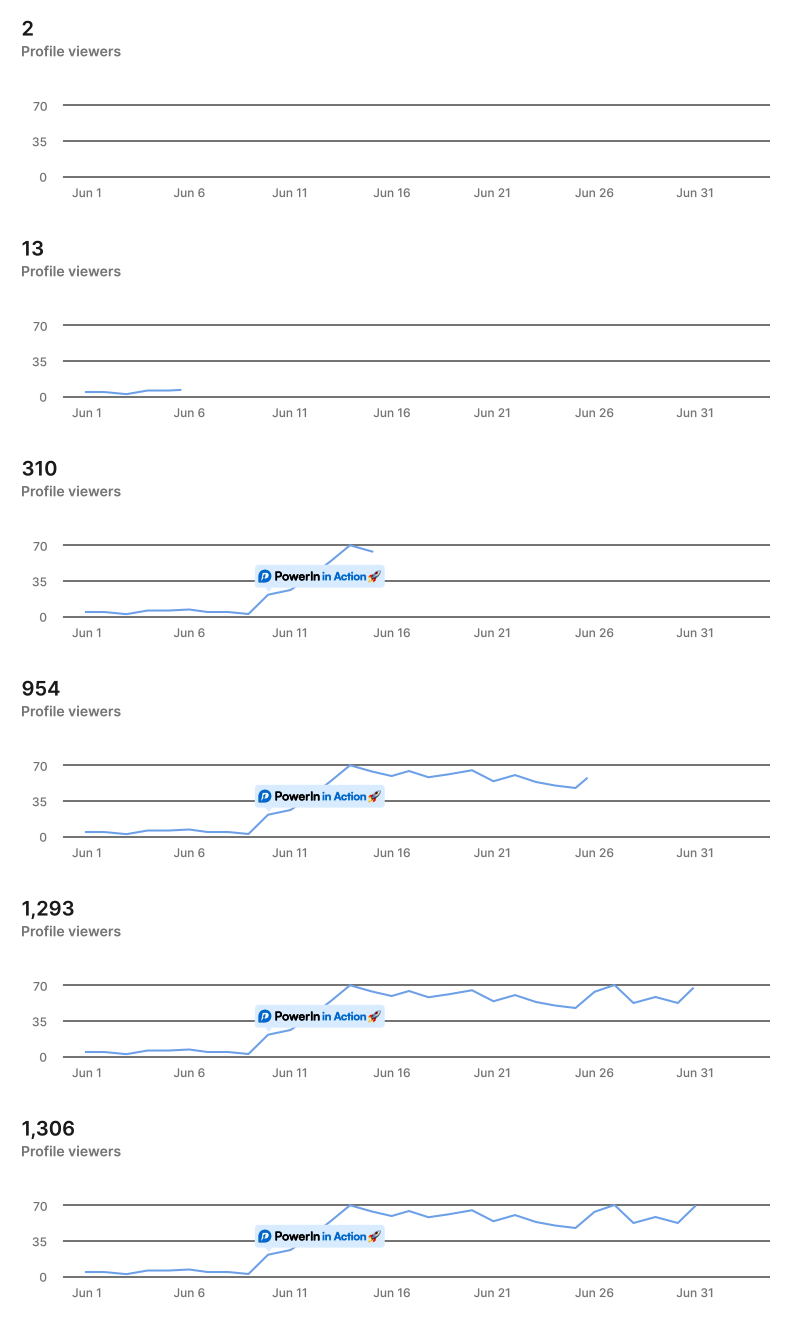
Visibility compounds: more comments bring more impressions, more profile views, more followers and more connections.
Pick the creators whose followers look like your buyers. PowerIn comments on their posts within minutes, putting your profile in front of thousands of qualified people who already love content like yours.

Most B2B founders post and pray. The ones who grow fastest spend 20 minutes a day in other people's comments. Here's the system I use 👇
Find conversations you'd never spot by hand. Add the keywords that matter in your niche and PowerIn scans LinkedIn in real time, dropping a relevant comment on every matching post.
🎯 Your keywords
Wake up to a full report in your inbox: comments placed, impressions generated, followers and connections gained, likes and replies earned. Broken down by platform and account.
Start my free trialComments land within minutes of a post going live, right when it gets the most eyes.
Comment during your prospects' business hours, wherever they are.
French post, French comment. German post, German comment. Automatically.
Spaced out through the day and capped under LinkedIn's limits, like a real person.
Skips politics, tragedies and touchy topics so your name stays clean.
Professional, casual, witty or expert. Ban words, toggle emojis, approve by hand.
No learning curve. Most people are live before their coffee gets cold.
Link your account in a few clicks. Connect as many accounts as you want.
1 minuteAdd creators you want to be seen next to, or keywords from your niche.
2 minutesChoose a tone, words to avoid and emojis. Turn on manual approval if you like.
2 minutesPowerIn comments all day under safe limits. First results show in 24 to 48 hours.
Every dayEvery plan includes LinkedIn and X, unlimited accounts and a 5 day free trial.
Billed monthly
Billed monthly
Billed monthly
Agencies get custom volume, dedicated support and flexible pricing. You can even resell PowerIn under your own brand.
A LinkedIn comment generator writes the text. An auto commenter also finds the posts and publishes for you. PowerIn does both, safely.
| By hand | ChatGPT or a comment generator | PowerIn | |
|---|---|---|---|
| Time per day | 1 to 2 hours | 30 to 60 minutes | 0 minutes |
| Finds the right posts | You scroll | No | Creators and keywords |
| Posts the comment for you | No | No, copy and paste | Yes |
| Comments early | When you have time | When you have time | Within 30 minutes |
| Stays under LinkedIn limits | Yes | Yes | Automatic caps |
| Skips sensitive topics | If you notice | No | Built in |
| Daily results report | No | No | Every morning |
Comparing tools? See how PowerIn stacks up in our LinkedIn comment tool alternatives
Comments build passive familiarity: people recognize you before you ever reach out, so when you message them, they already feel like they know you.Why comments beat cold outreach, as reported by PowerIn users
Got questions? We've got answers. Our team replies 7 days a week.
It's AI that leaves relevant comments on the LinkedIn posts you target. Instead of scrolling and engaging for one or two hours a day, PowerIn finds the right posts and writes comments that sound like you, so you stay visible to your audience around the clock.
No. PowerIn stays well within LinkedIn's rate limits. It spaces comments through the day, behaves like a person and caps daily actions automatically. In over 2 years with more than 6,000 users, zero accounts have been banned.
Two ways. Creator targeting comments on posts from the people you pick, like industry leaders or competitors. Keyword targeting scans LinkedIn in real time for posts with your terms, like B2B SaaS or recruiting.
No. PowerIn reads the whole post before writing, so every comment is unique, on topic and in the same language and tone as the post. You pick your voice (professional, casual, witty or expert) and it adapts to sound like you.
Up to 30, 100 or 200 a day depending on your plan, and always within safe limits. Most users see 15 to 40 comments a day across their creators and keywords.
Usually within 30 minutes, which puts you among the first comments when visibility is at its peak. Early comments get the most likes, replies and profile clicks.
Every comment puts your name, photo and headline in front of new people. They start recognizing you before you reach out, so when you do, they already feel like they know you. Users report 3 to 5 times higher reply rates than cold outreach.
Most tools focus on connection requests and DMs, which LinkedIn watches closely. PowerIn focuses on comments, the safest and most underrated growth lever on LinkedIn. And unlike a simple LinkedIn comment generator, it also finds the posts and publishes the comments for you.
Yes, all languages are supported. PowerIn detects the language of each post and replies in the same one. You can also target timezones to comment during your prospects' business hours.
Never. Built in sensitive content protection skips anything about politics, discrimination, tragedies or other touchy topics, so your name never lands in the wrong conversation.
About 5 minutes. Connect your LinkedIn account, pick your creators or keywords, choose your tone and you're live. First results usually show within 24 to 48 hours.
Yes. Manual approval mode lets you check every comment before it's posted. You can also ban words, turn emojis on or off and set your tone. Most users start with approval on, then switch to automatic.
Yes. You get 5 days free with no credit card needed, and you can cancel anytime in one click.
Join 6,000+ professionals who wake up to new views, followers and leads every morning.